

- For brands: How often your products are recommended, how high they rank, and how many buy links go to your own website instead of retailers.
- For merchants: How often AI platforms send shoppers to you, where you rank among the buy options, which competing merchants link to the same products as you, and which product categories you cover.
Navigating Shopping
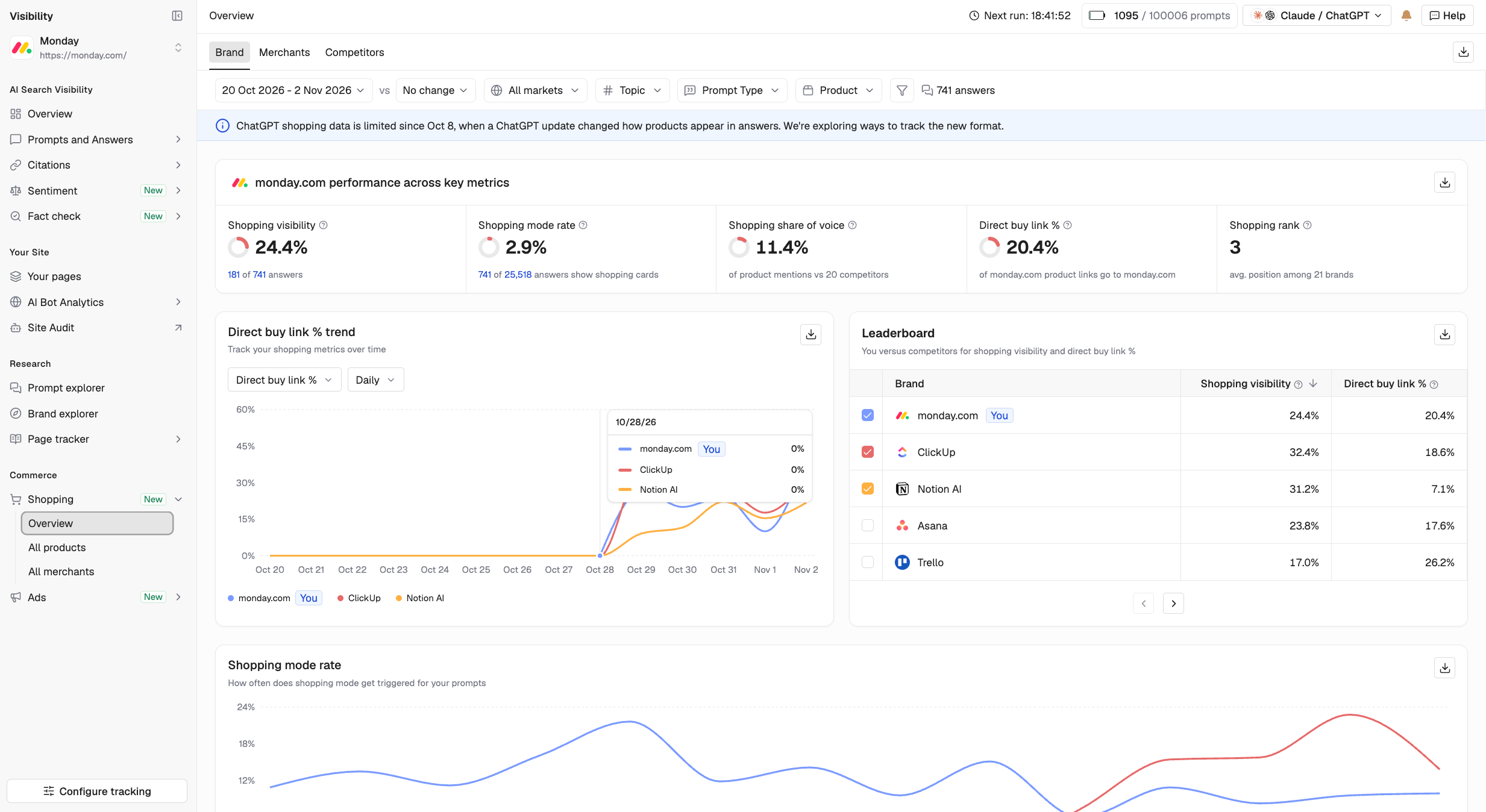
Go to Shopping > Overview to access three views:- Brand: See how your products perform against competing brands.
- Merchants: See which retailers AI platforms recommend as places to buy, including your own store.
- Competitors: Compare your shopping performance with competing brands across product categories.
- All products: View every product mentioned in AI-generated shopping answers, including your products and competitors’ products.
- All merchants: View every merchant AI platforms link to as a place to buy.
Key terms and metrics
An answer is in shopping mode when it displays product recommendations with prices and buy links. A buy link takes shoppers to a page where they can purchase a product. The website behind that link is the merchant. A brand can also be its own merchant.How AI platforms display shopping results
Writesonic uses consistent metric definitions across both platforms.
Shopping metrics
Note: Shopping visibility counts your brand once per answer, even when several of your products appear. For Shopping rank and Avg. merchant rank, a lower value indicates a better position.
Direct buy link % vs. Buy link %: Direct buy link % measures how many buy links for your products point to your own website. Buy link % measures a merchant’s share of buy links across products, including competitors’ products.
Brand view
The Brand view shows how your products perform in AI-generated shopping answers compared with competing brands. Go to Shopping > Overview and select Brand. At the top, you’ll see five performance metrics:- Shopping visibility
- Shopping mode rate
- Shopping share of voice
- Direct buy link %
- Shopping rank

- Trend chart: Track shopping metrics over time and compare them with competitors.
- Leaderboard: Compare brands using Shopping visibility and Direct buy link %.
- Shopping mode by platform: See how frequently each AI platform displays shopping results for your tracked prompts.
- Top 10 products: View products ranked by shopping visibility. Switch between Top, Bottom, Rising, and Falling to identify products that need attention.
- Categories: Analyze your performance across product categories, such as running shoes or athleisure.
Merchants view
The Merchants view shows where AI platforms direct shoppers to buy products, from your own website to third-party retailers. Go to Shopping > Overview and select Merchants. This view helps you understand:- As a brand: Which retailers receive buy links for your products instead of your website.
- As a retailer: How often AI platforms direct shoppers to your store compared with competing merchants.
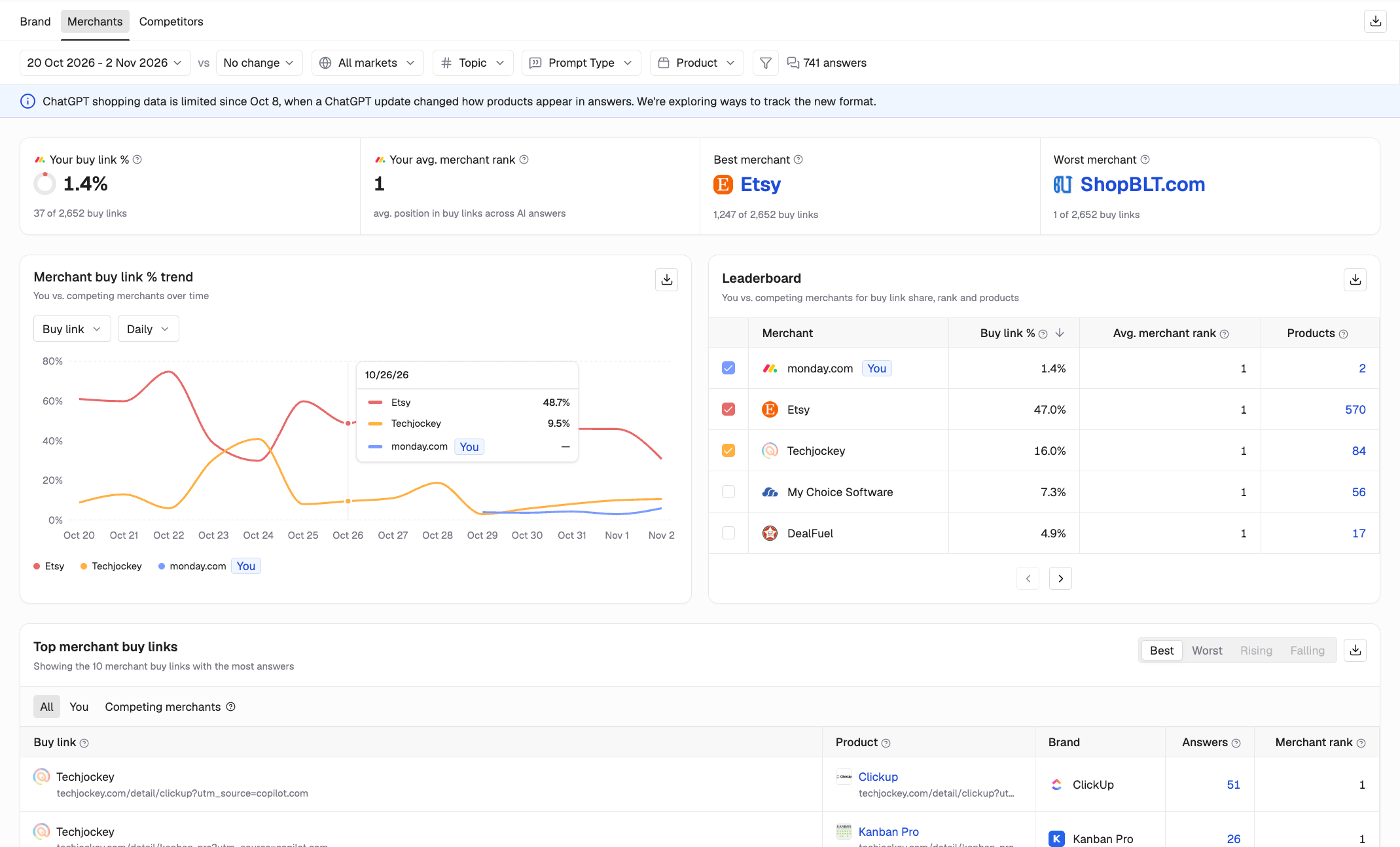
- Merchant buy link % trend: Compare your share of buy links with competing merchants over time.
- Leaderboard: Compare merchants using Buy link %, Avg. merchant rank, and product coverage.
- Buy link % by category: See how merchants perform across product categories. Green indicates the category leader, while red indicates the weakest performer.
- Top merchant buy links: Identify the strongest and weakest buy links. Switch to Rising or Falling to see how performance is changing.
Competitors view
The Competitors view shows how your brand compares with competing brands in AI-generated shopping answers. Go to Shopping > Overview and select Competitors.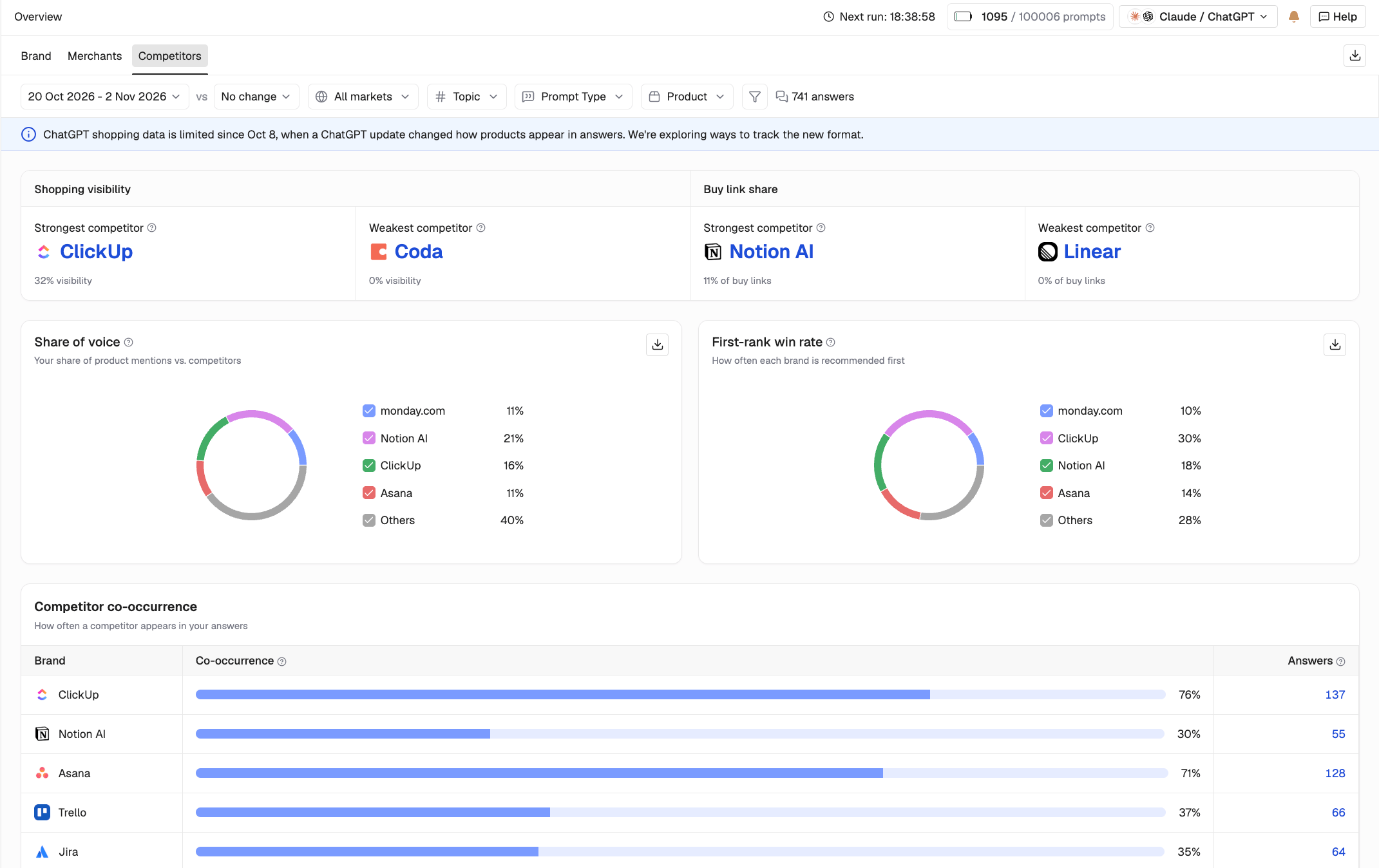
- Strongest and weakest competitor: Identify brands leading or trailing in shopping visibility and buy link share.
- Share of voice: Compare your share of product mentions with competitors.
- First-rank win rate: See how often each brand is recommended first.
- Competitor co-occurrence: See how frequently competitors appear in the same answers as your brand.
- Competitor leaderboard: Compare brands using share of voice, buy links, and co-occurrence.
- Shopping visibility by category: Compare performance across product categories. Green indicates the category leader, while red indicates the weakest performer.
Add your product catalog
Uploading your product catalog helps Writesonic identify the products you sell and measure their visibility in AI-generated shopping answers. Without a catalog, Shopping can report on products already appearing in AI answers. With a catalog, you can also identify products that haven’t been mentioned. Go to Shopping > Overview and find Add your products.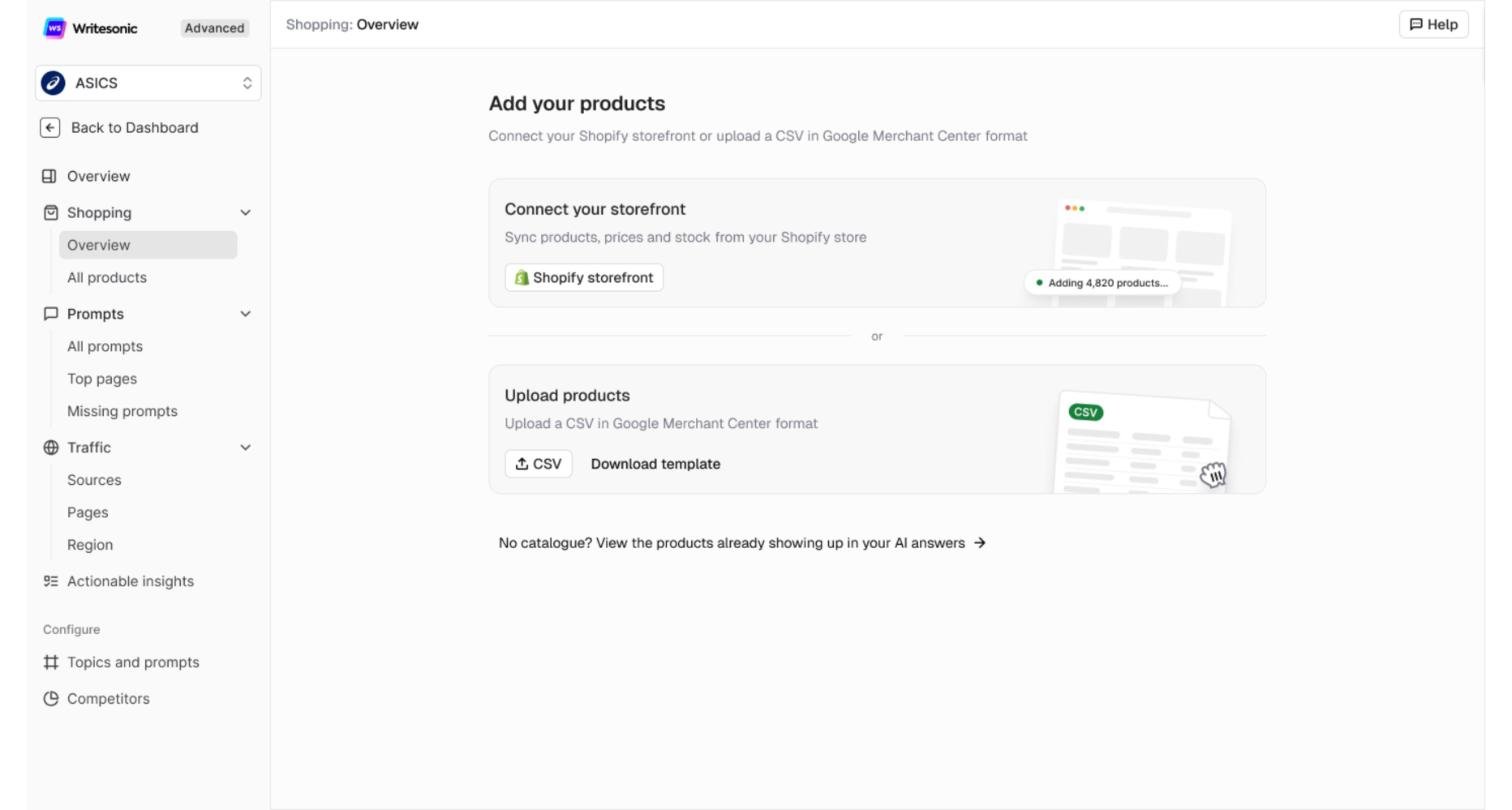
Option 1: Connect your Shopify storefront
If you sell through Shopify, Writesonic can import your products, prices, and stock information through a one-time sync.- Under Connect your storefront, enter your Shopify store URL, such as
yourstore.myshopify.com. - If your project already has a website configured, the URL may be filled in automatically.
- Click Connect.
Option 2: Upload a CSV
Use this option if you don’t use Shopify or want to choose which products to track.- Under Upload products, click Download template to get a CSV template in Google Merchant Center format.
- Fill in the template with your products, or use an existing Google Merchant Center feed.
- Click Upload products.
- Drag and drop your files or select Browse files.
- Click Upload.
What happens next
Processing your products can take up to an hour. You can leave the page while Writesonic processes your catalog. You’ll receive a notification when your products are ready. Once your products are added, you can identify:- Products appearing in AI-generated answers to your tracked prompts.
- Products covered by your tracked prompts but not appearing in AI answers.
- Products that aren’t covered by any tracked prompts.