

Where to find Social Media Citations
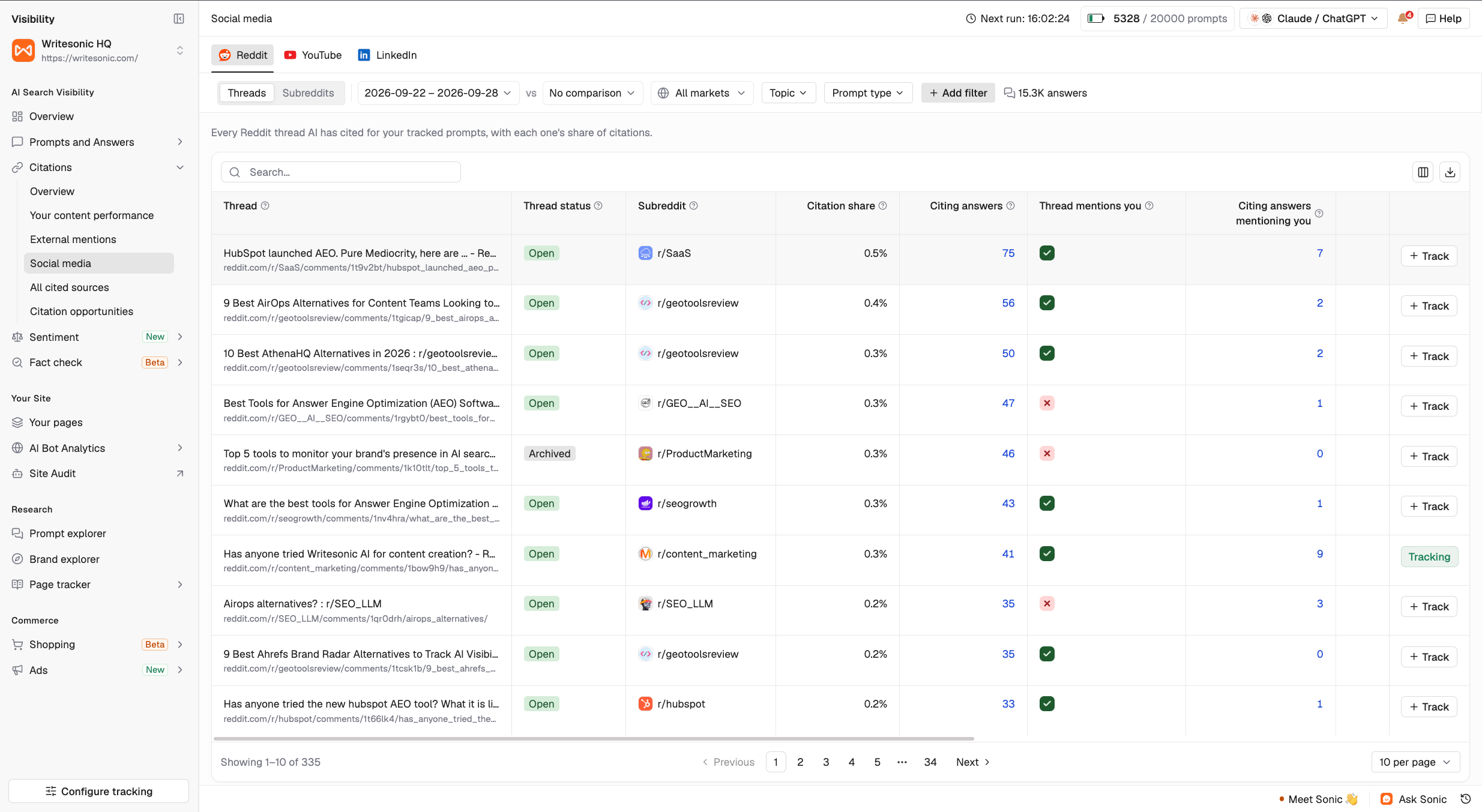
Filters and table controls
- Date and vs: Select a reporting period and, optionally, a comparison period.
- Markets, Topic, and Prompt type: Focus on the prompts and audiences you want to analyze.
- Add filter: Apply additional conditions to narrow your results.
Understanding the shared metrics
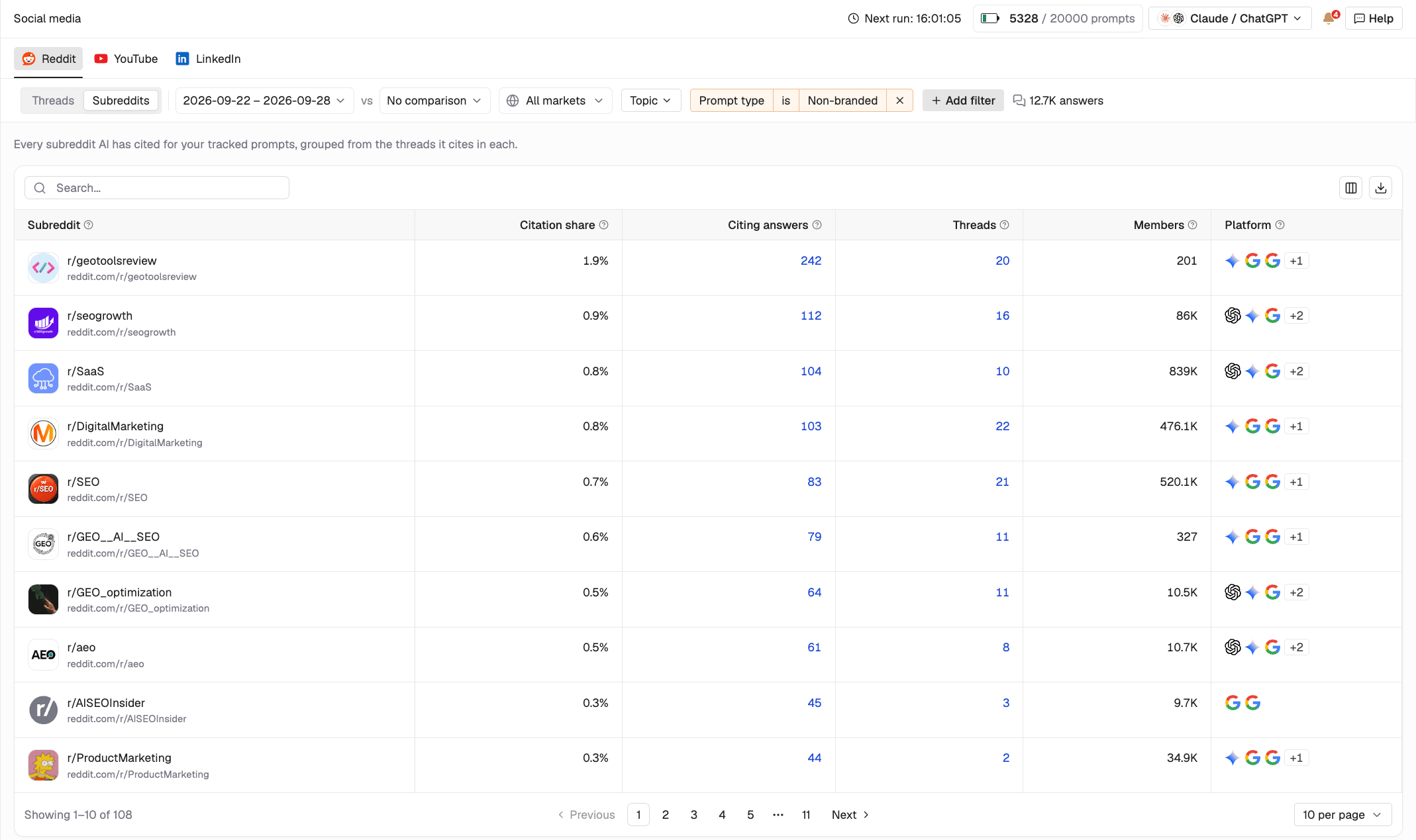
- Citation share: The share of citations attributed to an item or source in the selected view.
- Citing answers: The number of AI-generated answers that cited the content.
Reddit citations
Threads
The Threads view lists Reddit threads cited in AI-generated answers to your tracked prompts. Along with citation metrics, you can see:- Thread status: Whether the thread is open for replies. Archived or locked threads cannot receive new replies.
- Subreddit: The community where the thread was posted.
- Upvotes and Comments: Engagement recorded when the thread was last checked.
- Posted on: The thread’s publication date.
Subreddits
YouTube citations
Videos
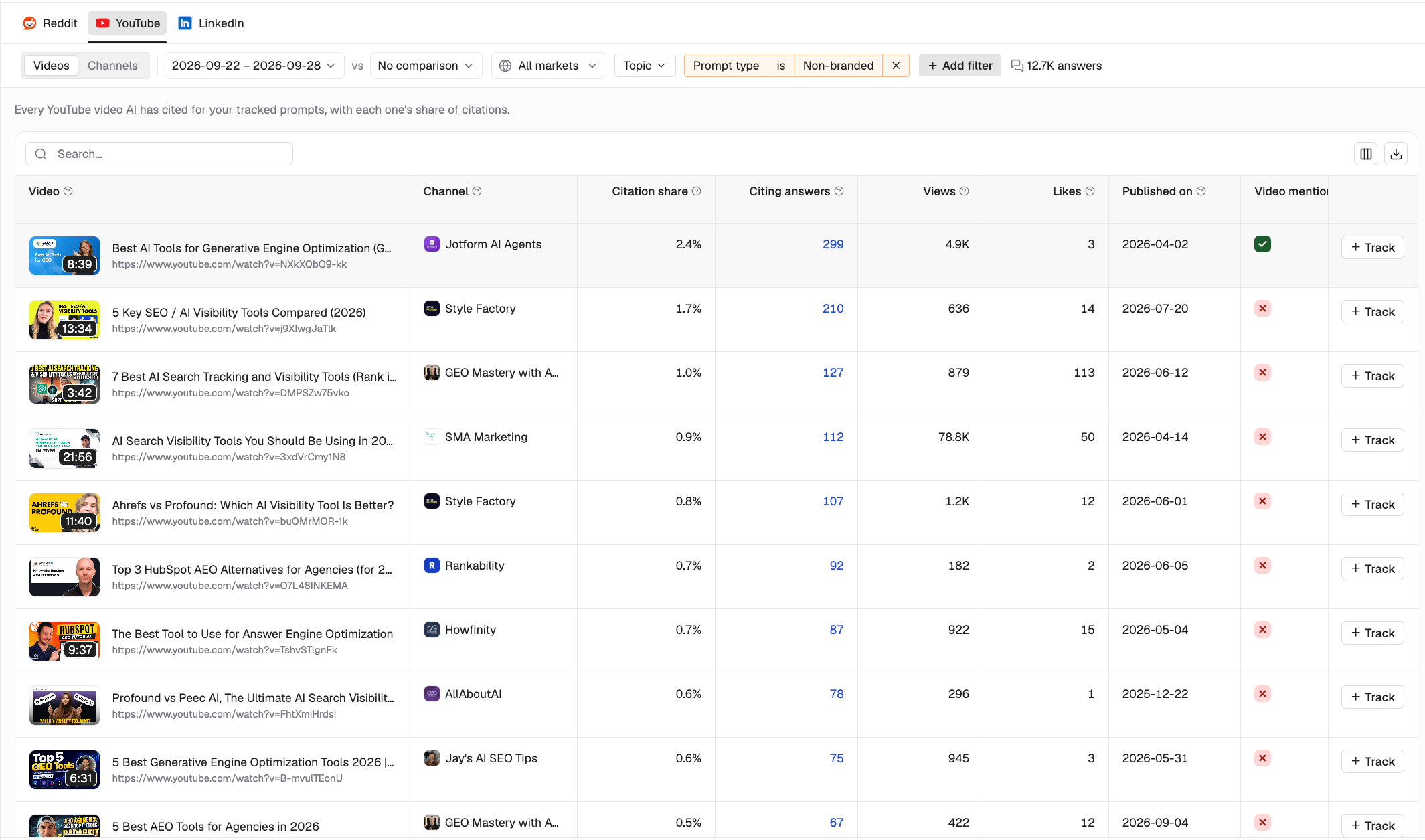
- Channel: The channel that published the video.
- Views and Likes: Engagement recorded when the video was last checked.
- Published on: The video’s publication date.
- Video mentions you: Whether your brand appears in the video’s title or description.
Channels
The Channels view groups cited videos by channel. It shows citation share, citing answers, the number of cited videos (Videos), and subscribers (Subscribers).LinkedIn citations
Posts
The Posts view lists LinkedIn posts and articles cited in AI-generated answers. Along with citation metrics, you can see:- Type: Whether the content is a post or a long-form article.
- Author: The person or company that published it.
- Reactions and Comments: Engagement on the post or article.
- Published on: The publication date.
Creators
The Creators view groups cited content by author, including people and companies. It shows creator type, citation share, citing answers, number of cited posts (Posts), and followers (Followers). This helps you identify creators whose content appears in AI answers, rather than ranking creators by audience size alone. If no LinkedIn content has been cited for your tracked prompts, this tab will remain empty until relevant citations are found.How to use Social Media Citations
Start by sorting by Citation share to find the content and sources cited most often. Then review brand and competitor mentions to see where you’re represented and where you’re missing.- Find open, frequently cited threads where competitors are discussed but your brand is absent. Reply only when you have relevant information to contribute.
- Explore Subreddits with multiple cited threads to identify communities worth participating in consistently.
- Use questions and objections from popular discussions to inform your content and tracked prompts.
- Where a cited thread contains outdated information about your brand, share an accurate correction if replies are allowed.
YouTube
- Review frequently cited videos to understand which topics and formats AI platforms are referencing.
- Identify channels with multiple cited videos as potential partners for reviews, interviews, or collaborations.
- Use relevant video topics to guide your own content planning.
- Explore Creators to find people and companies whose content is cited often. Consider relevant collaborations or contributions.
- Join existing conversations when you can add useful context, particularly where your brand or category is being discussed.
- Use frequently cited topics to inform posts from your company’s subject-matter experts.