

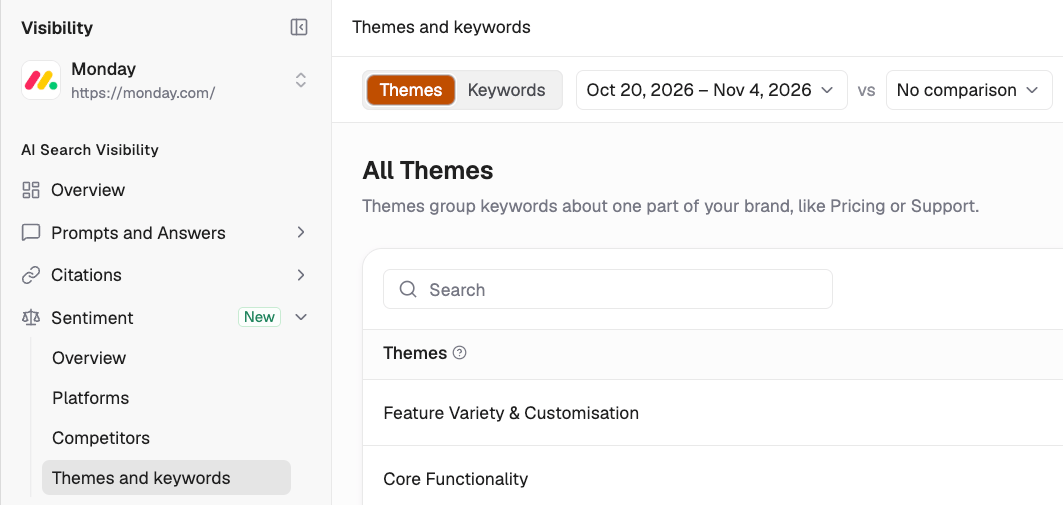
Filters and Controls
Use the filter bar at the top to narrow your results. These filters apply to both the Themes and Keywords tabs.
- Date range: Select a reporting period and optionally compare it with a previous period. Trend indicators show how metrics have changed.
- Markets: Filter sentiment data by geographic market.
- Topics: Narrow results to a specific tracked topic.
- Prompt type: Filter by the type of tracked prompt.
- Platform: View sentiment from a specific AI platform, such as ChatGPT, Perplexity, or Gemini.
Themes
The Themes tab lists the topics AI platforms associate with your brand. Each theme groups related keywords, helping you understand what AI platforms consistently say about your brand.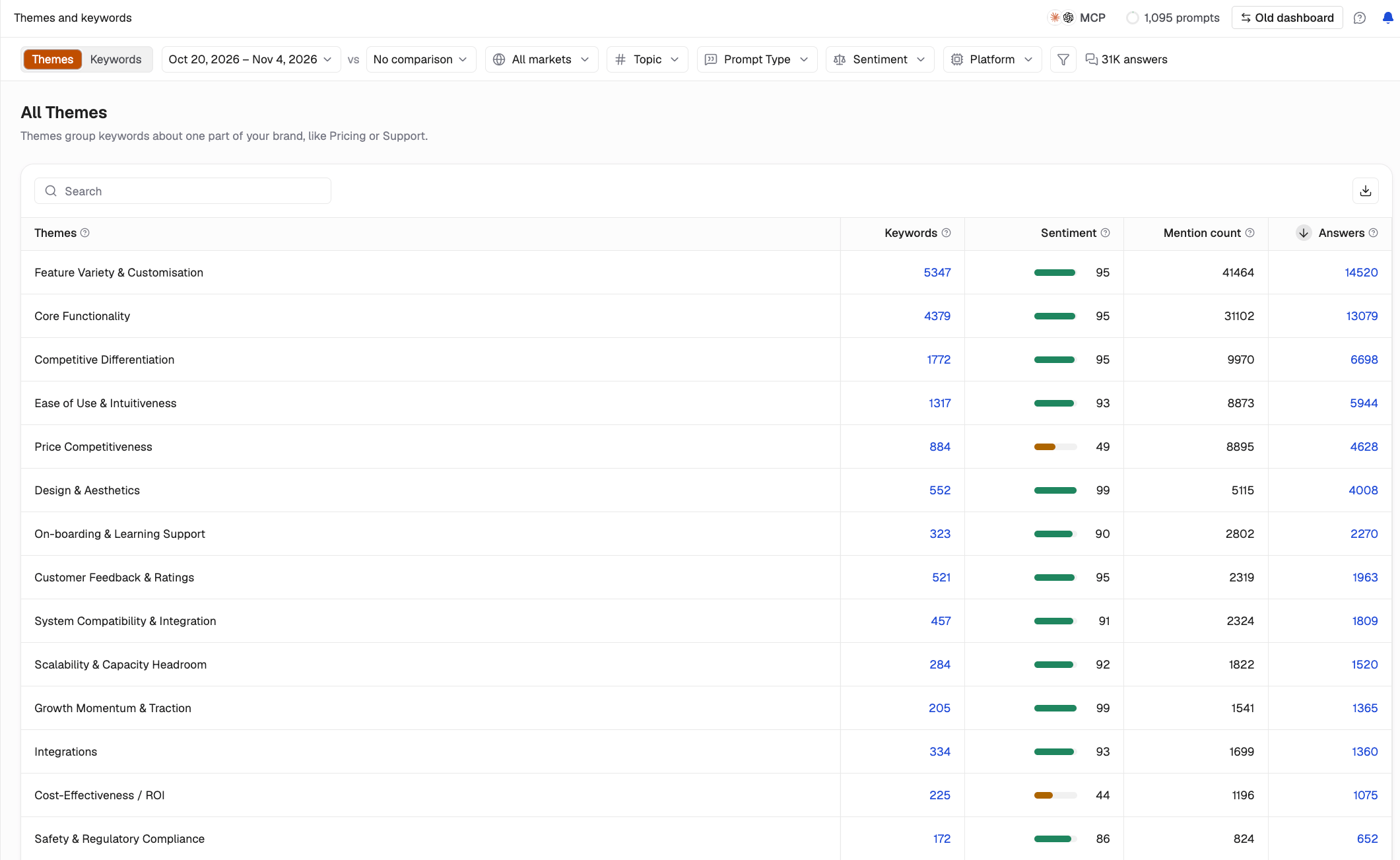
What You’ll See in the Table
Each row represents a theme, with the following columns:- Themes: The thematic category, such as Core Functionality or Ease of Use, automatically identified from AI-generated answers.
- Keywords: The number of keywords associated with the theme. Click the count to explore the individual keywords.
- Sentiment: A score from 0 to 100 indicating how positively or negatively AI platforms describe your brand within that theme.
- Mention count: How frequently the theme appears across AI-generated answers.
- Answers: The number of AI-generated answers associated with the theme.
How to Use Themes
- Identify brand strengths: Themes with high sentiment scores and mention counts show areas where your brand receives favorable descriptions.
- Spot recurring concerns: Themes with low sentiment scores and high mention counts indicate areas that may need attention.
- Track perception changes: Compare reporting periods to see how sentiment evolves.
Keywords
The Keywords tab lists individual terms and phrases AI platforms associate with your brand. Each keyword belongs to a broader theme and is classified as positive or negative.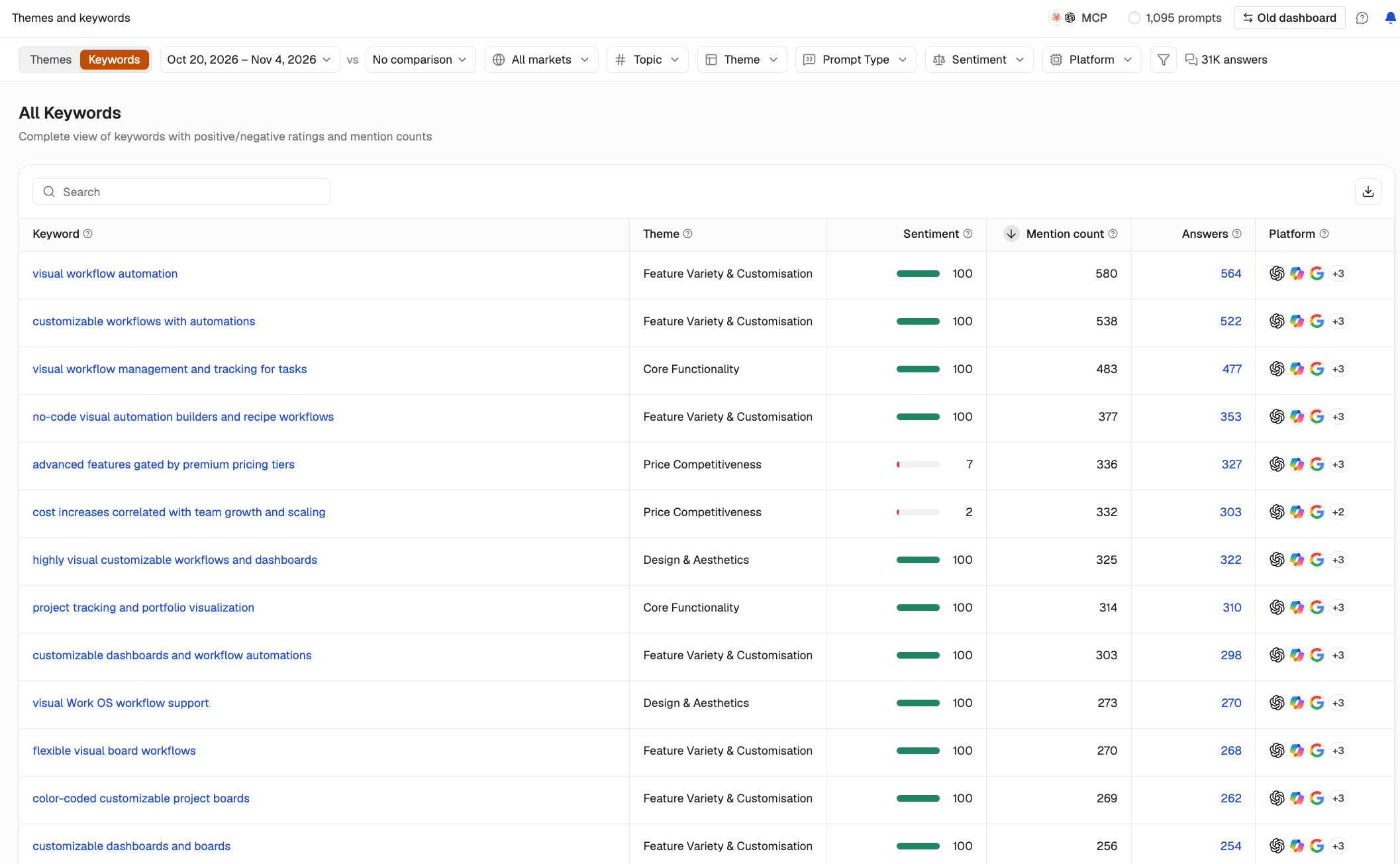
What You’ll See in the Table
Each row represents a keyword, with the following columns:- Keyword: The specific term or phrase extracted from AI-generated answers.
- Theme: The broader category associated with the keyword.
- Sentiment: The keyword’s sentiment score, indicating how positively or negatively it represents your brand.
- Mention count: How frequently the keyword appears across AI-generated answers.
- Platforms: The AI platforms where the keyword appears.
How to Use Keywords
- Understand brand perceptions: See the terms AI platforms repeatedly associate with your brand.
- Identify platform-specific patterns: Check whether particular keywords appear across multiple platforms or are concentrated on one.
- Investigate negative sentiment: Prioritize negative keywords with high mention counts.
Searching and Exporting
Both views include:- Search: Find specific themes or keywords using the search bar above the table.
- Export: Click the download icon to export data for reporting or further analysis.
- Pagination: Navigate through results using the controls at the bottom of the table. You can adjust how many items appear per page.
Best Practices
- Start with Themes, then explore Keywords. Themes provide the broader picture, while keywords reveal the specific terms and phrases contributing to sentiment.
- Compare reporting periods. Monitor changes in sentiment to identify emerging strengths or recurring concerns.
- Investigate platform-specific issues. Use platform filters to determine whether negative keywords appear across multiple AI platforms.
- Use keywords to guide content improvements. Review recurring negative keywords and address outdated, unclear, or incomplete information where appropriate.
- Compare with competitors. Use the Competitors page to understand how your sentiment scores compare across similar themes.
Sentiment: Overview Sentiment: Platforms