

Where to find Citation Decay
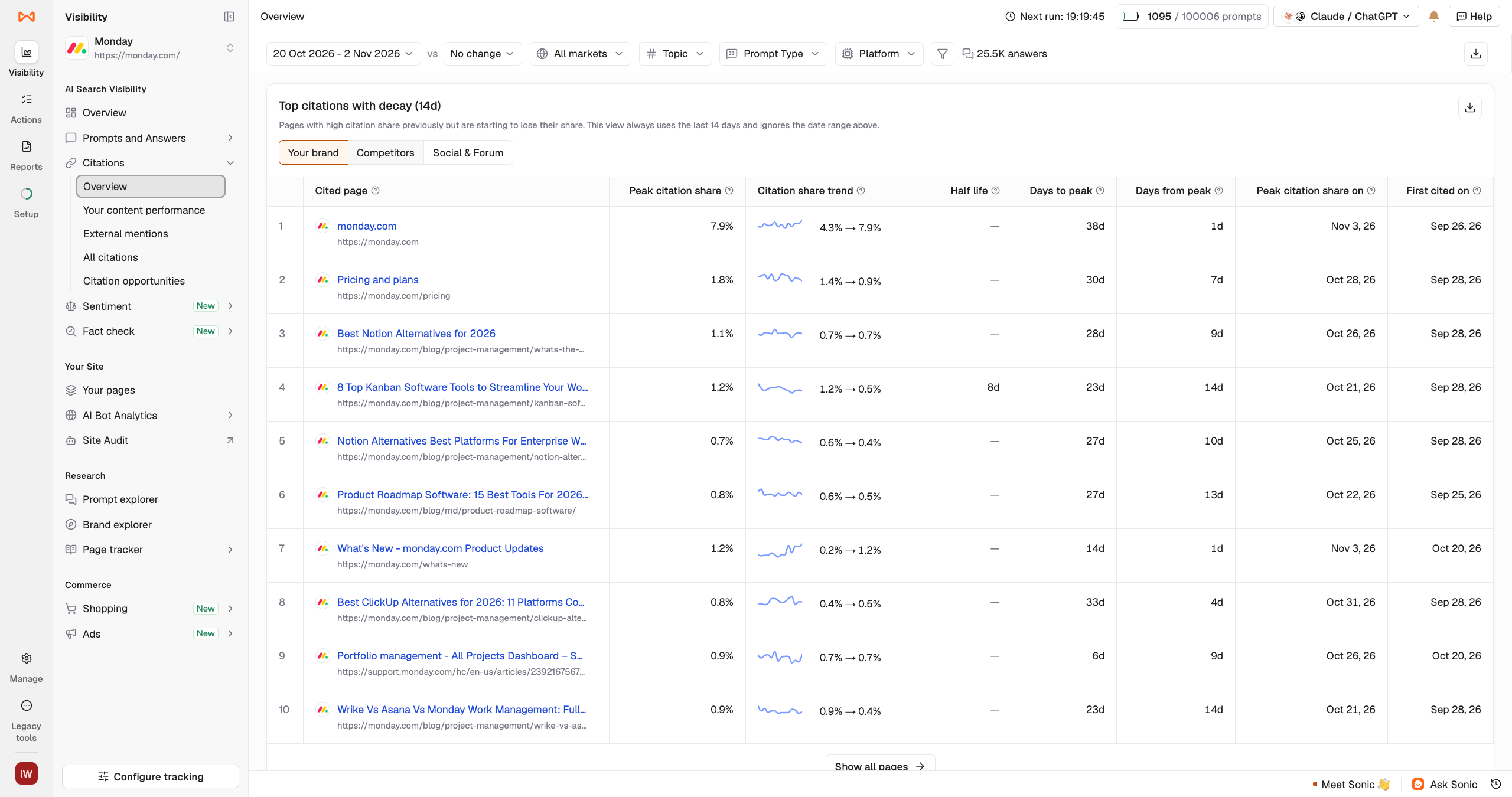
- Citations > Overview: View the Top citations with decay and Your citation decay by platform tables.
- Citations > All citations > Webpages > Momentum (14d): See each webpage’s citation status and its 14-day trend.
Understanding citation statuses
Each webpage receives a status based on how its recent citation share compares with its typical performance over the last 14 days. The status compares citation share over the most recent five days with its usual level across the 14-day period. Hover over a status to see the underlying metrics.| Status | What it means |
|---|---|
| New | The page was first cited less than 14 days ago. There isn’t enough history to establish a trend. |
| Rising | Citation share is increasing. The page is gaining visibility across your tracked prompts. |
| Holding | Citation share is relatively stable and close to its usual level. |
| Recovering | Citation share is increasing after a previous decline. |
| Declining | Citation share has dropped to between 50% and 80% of its usual level. |
| Faded | Citation share has fallen below 50% of its usual level. |
| Dormant | The page has stopped receiving citations when it would normally be expected to, or hasn’t been cited in the last 14 days. |
| – | There isn’t enough data to assign a status. |
Understanding the Citation Decay tables
Top citations with decay
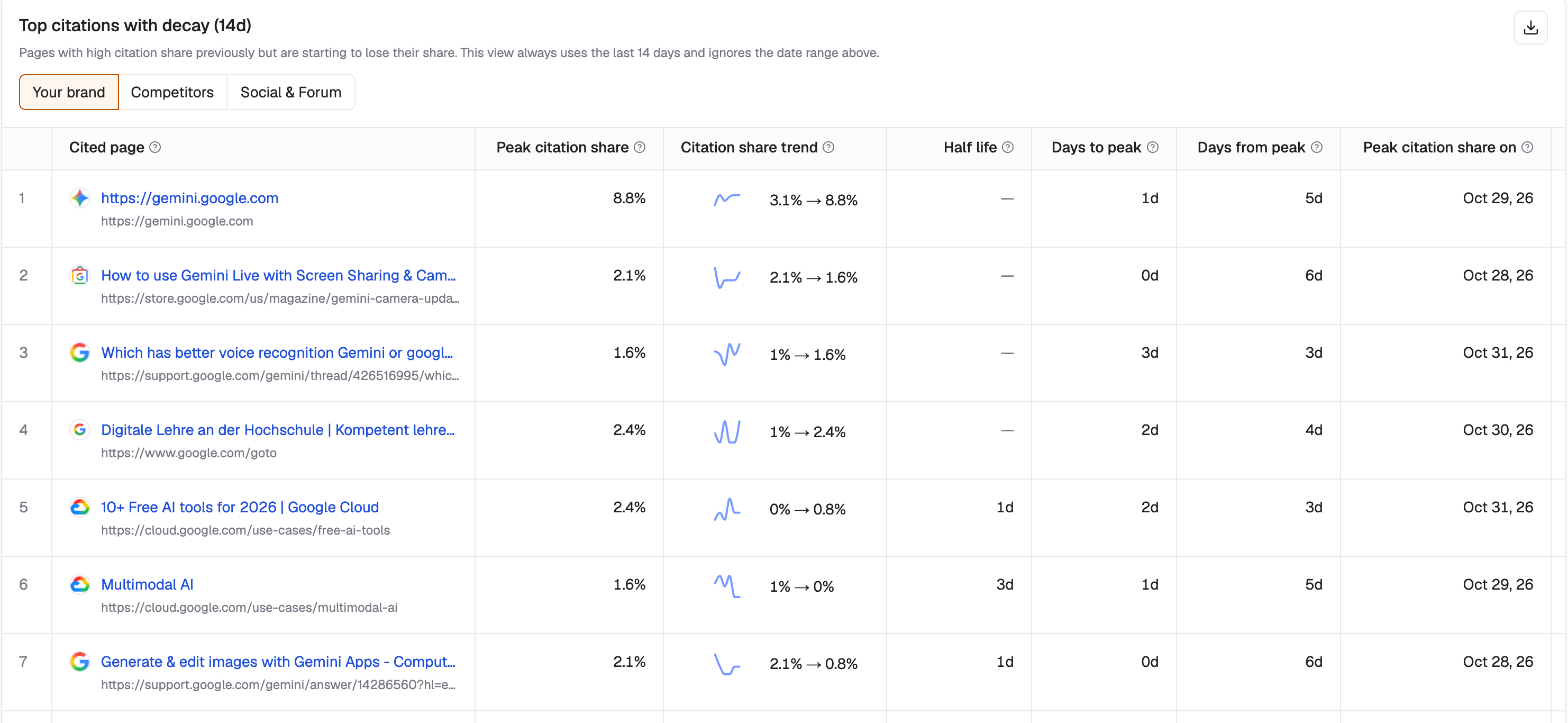
The Top citations with decay table shows frequently cited webpages and how their citation share has changed over the last 14 days. Switch between Your brand, Competitors, and Social & Forum to compare different sources, or click Show all pages to view the complete list. The table includes:- Peak citation share: The highest citation share the page reached in the last 14 days.
- Citation share trend: How the page’s citation share changed during the 14-day period.
- Half life: The number of days it took for citation share to fall below half its peak and remain there. A higher value indicates slower decay.
- Days to peak: The number of days between the page’s first citation in the last 180 days and its peak. A value of 0d means it peaked on the day it was first cited.
- Days from peak: The number of days since the page first reached its peak citation share within the last 14 days.
- Peak citation share on: The date the page reached its peak.
- First cited on: The first date the page was cited within the last 180 days.
Note: The decay metrics use a fixed 14-day window, regardless of the date range selected in the dashboard.
Your citation decay by platform
The Your citation decay by platform table compares your brand’s citation share across supported AI platforms, including ChatGPT, Perplexity, Gemini, Google AI Overviews, and Claude. Switch to Topic to compare citation decay across your tracked topics instead. The table includes:- Citation share: Your brand’s citation share for the selected platform or topic.
- Peak citation share: The highest citation share reached in the last 14 days.
- Half life: The number of days it took for citation share to fall below half its peak and remain there.
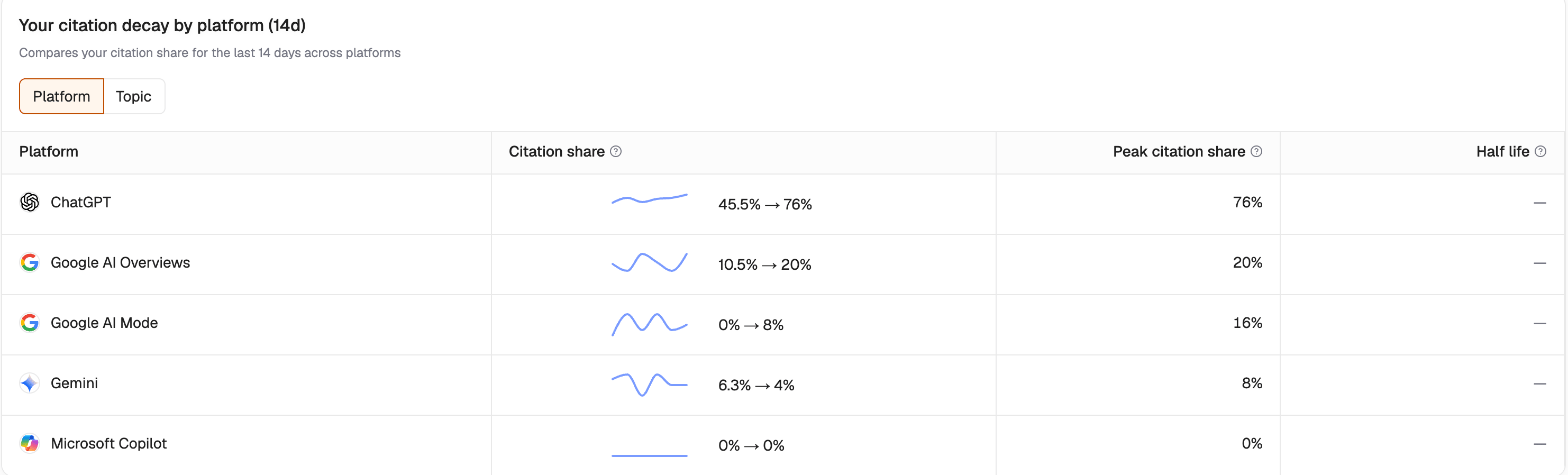
Note: Half life measures observed citation decay. It doesn’t predict when a page will stop receiving citations.
How to use Citation Decay
- Identify declining pages. Go to All citations > Webpages > Momentum (14d) and look for your pages marked Declining or Faded. Review them for outdated information, missing details, or opportunities to improve their relevance.
- Find competitor opportunities. Under Top citations with decay, switch to Competitors and click Show all pages. Look for declining or faded competitor pages to identify topics where your content could compete for visibility.
- Analyze rising citations. Review pages marked Rising, including your own and competitors’ pages, to understand which content AI platforms are increasingly citing.
- Compare performance across platforms. Use Your citation decay by platform to identify where your citation share is weakening. A shorter observed half life indicates faster decay and can help you prioritize your investigation.