

Core Components
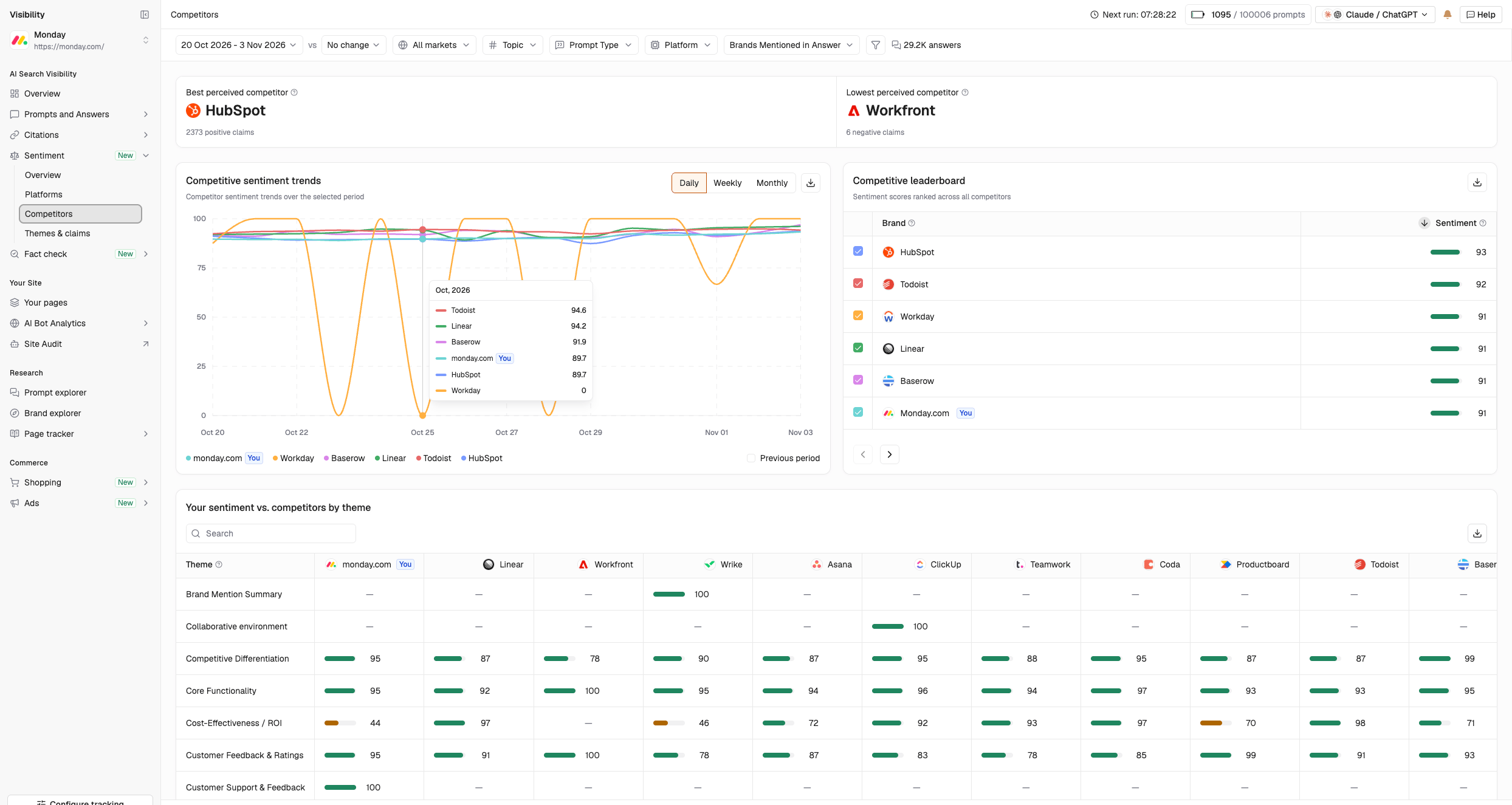
1. Most Positive and Most Negative Competitors

- Most positive competitor: The competitor with the lowest percentage of negative sentiment.
- Most negative competitor: The competitor with the highest percentage of negative sentiment.
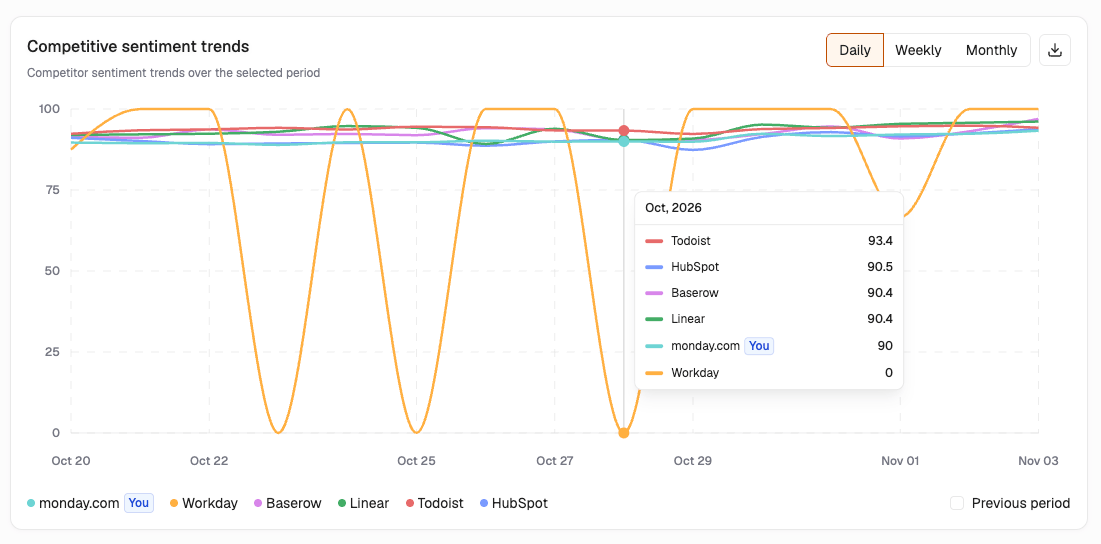
2. Competitive Sentiment Trends
3. Competitive Leaderboard
The leaderboard ranks your brand and competitors by sentiment score. Use it to understand where your brand stands relative to competing brands and identify those receiving more favorable sentiment.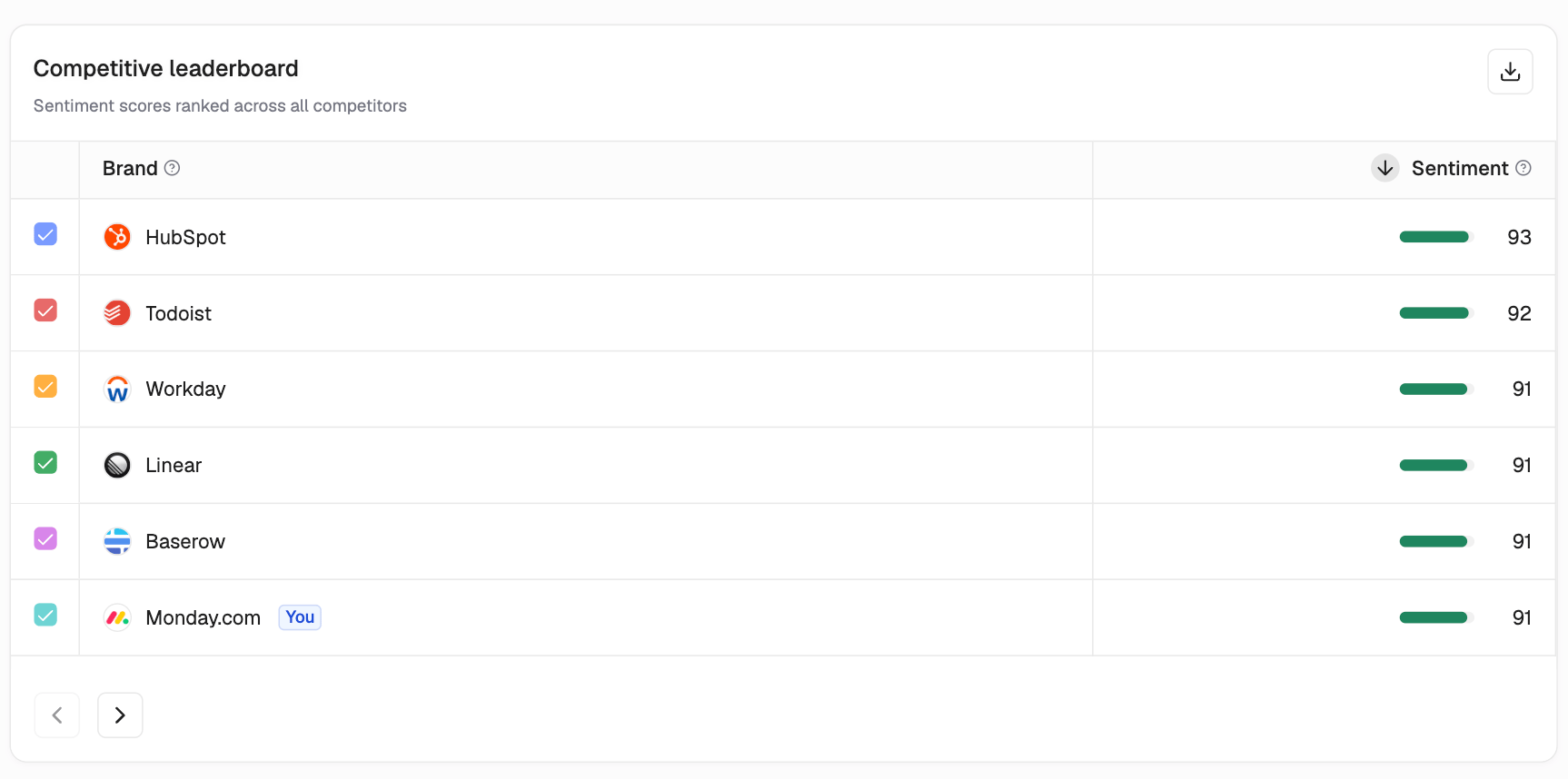
4. Your Sentiment vs. Competitors by Theme
Compare your sentiment score with competitors across individual themes. This helps identify areas where your brand receives more positive or negative sentiment than competing brands.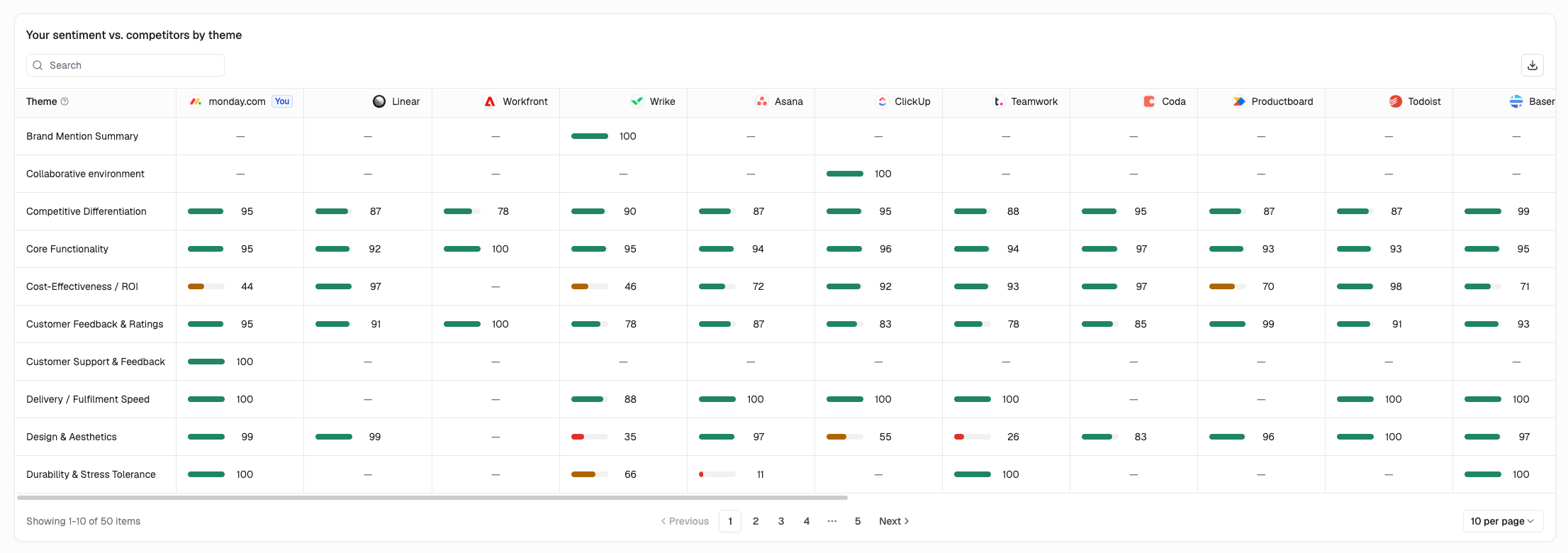
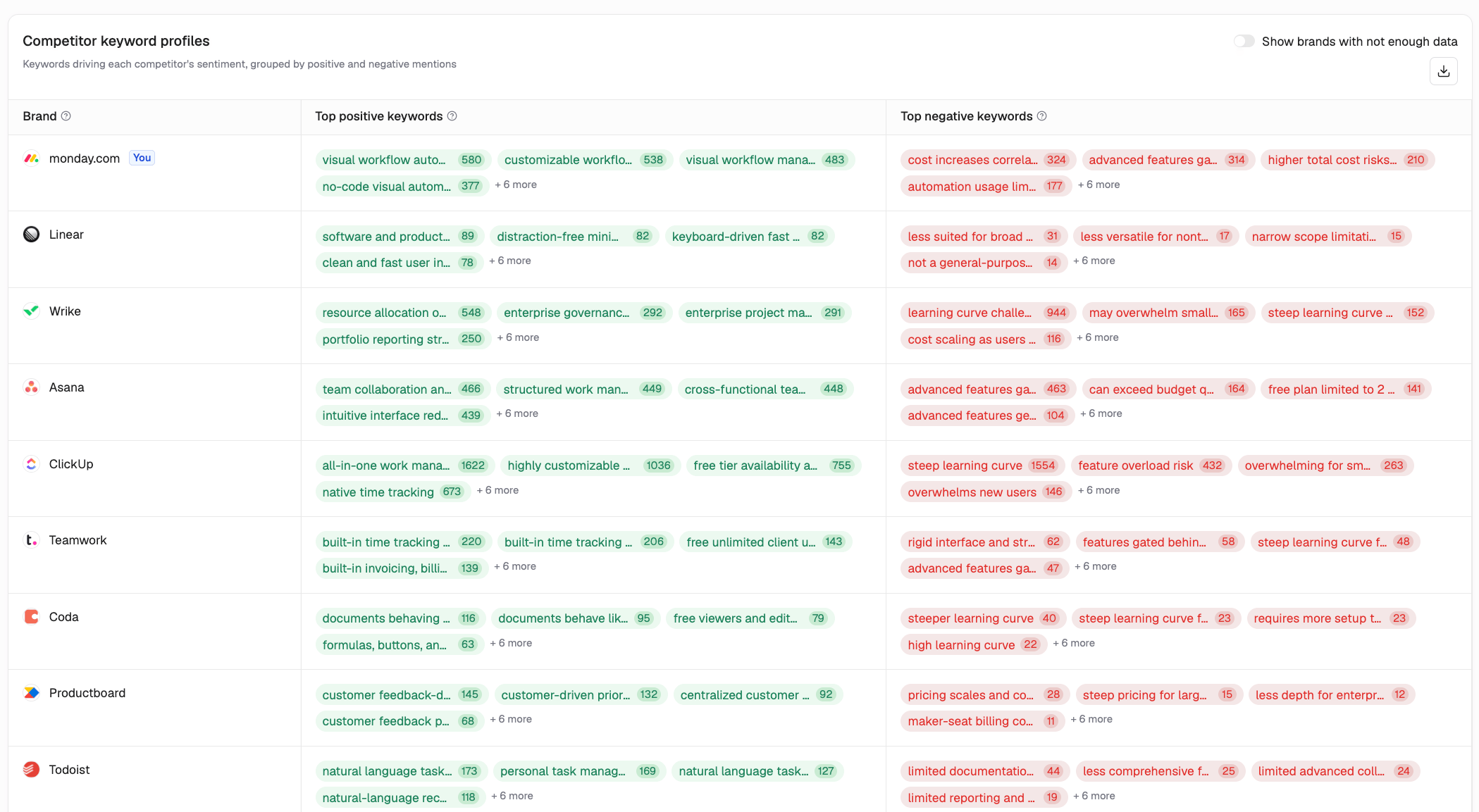
5. Keyword Sentiment by Competitor
How to Use Competitor Sentiment
- Compare sentiment scores: Understand how your brand performs relative to competitors.
- Identify competitive strengths: Find themes where your brand receives more favorable sentiment.
- Investigate competitor weaknesses: Review recurring negative keywords associated with competing brands to identify potential positioning opportunities.
- Track changes: Monitor how competitive sentiment evolves over time.
FAQs
What’s the difference between the most positive competitor and the competitive leaderboard?
The Most positive competitor is identified by the lowest percentage of negative sentiment. The Competitive Leaderboard ranks brands by their overall sentiment scores. These metrics measure different aspects of sentiment, so the rankings may differ.Can I compare sentiment across individual themes?
Yes. Use Your Sentiment vs. Competitors by Theme to compare how AI platforms describe your brand and competitors across different themes.Can I track changes in competitor sentiment?
Yes. Use Competitive Sentiment Trends to compare sentiment over time and identify changes across competing brands.Sentiment: Platforms Prompts