Viewing all merchants
Go to Shopping > Merchants. The table lists merchants identified from buy links in AI-generated answers.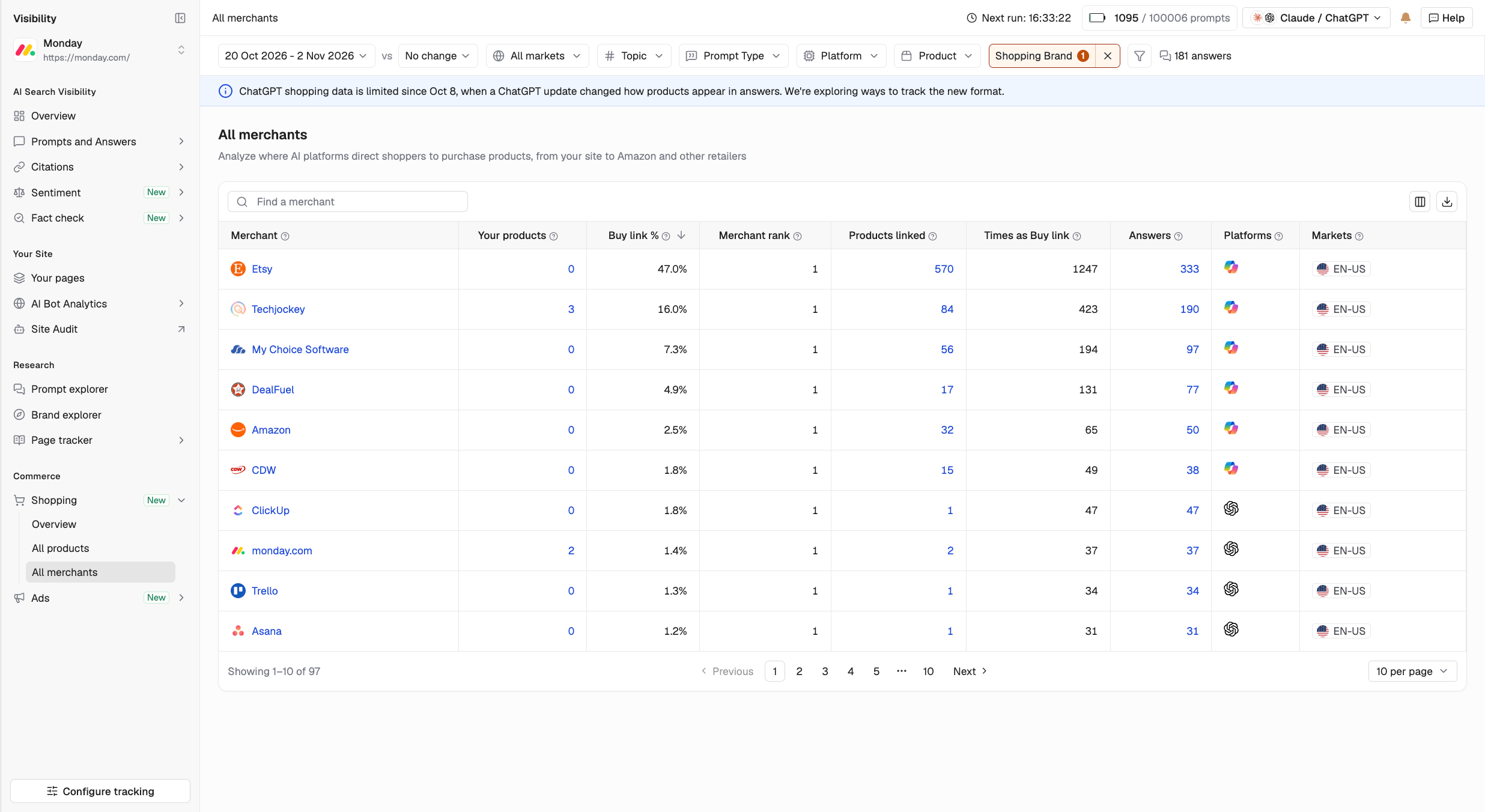
| Column | What it shows |
|---|---|
| Your products | Number of your products linked to the merchant |
| Buy link % | The merchant’s share of all buy links |
| Avg. merchant rank | Its average position among buying options |
| Products linked | Number of unique products linked to the merchant |
| Buy links | Number of unique product buy links from the merchant |
| Answers | Number of AI-generated answers where the merchant appeared as a buy option |
| Platforms | AI platforms that displayed the merchant as a place to buy |
Merchant details
Click any merchant to open its details in a side panel. The panel contains four tabs:- Overview: View the merchant’s Buy link %, Avg. merchant rank, and number of products, along with performance trends and product coverage by category.
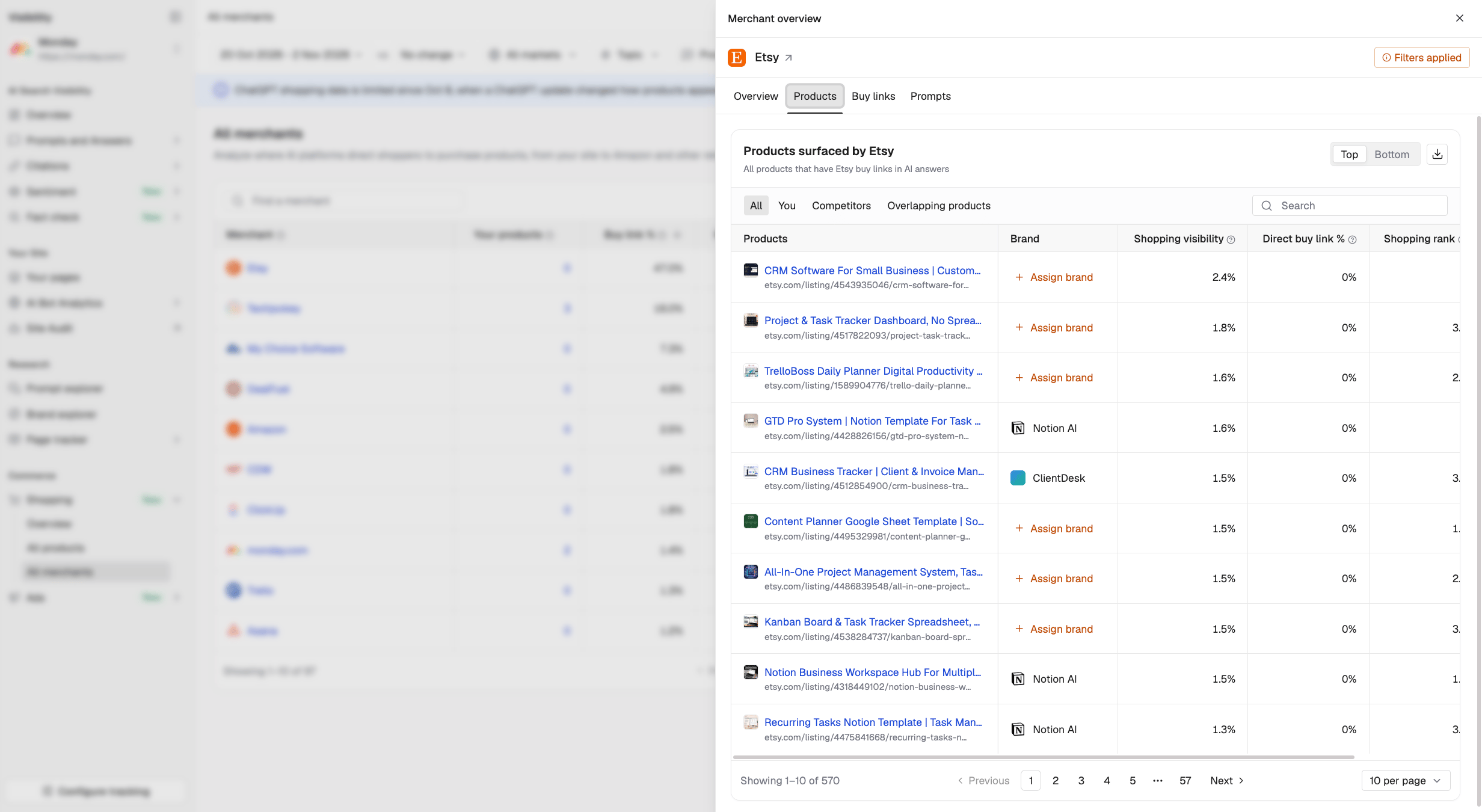
- Products: See every product the merchant has buy links for. Filter by your products, competitors’ products, or products sold by both.
- Buy links: View the merchant’s individual buy links, the products they point to, and how many answers each link appeared in.
- Prompts: See the tracked prompts where AI platforms linked to the merchant.