

Who Is This Page For?
- Marketing & Brand teams who want to monitor public perception of their brand in AI-generated content.
- SEO & GEO specialists tracking how sentiment shifts correlate with content updates and optimization efforts.
- Enterprise teams managing reputation across multiple markets, platforms, and product lines.
- Executives & stakeholders who need a quick, high-level read on brand health in the AI search landscape.
Page-Level Filters

- Date range: Select a reporting period and optionally compare it with a previous period.
- Markets: Filter by geographic market.
- Topic: Focus on specific tracked topics.
- Theme: Narrow results to a particular sentiment theme.
- Prompt Type: Filter by the type of tracked prompt.
- Platform: View sentiment from a specific AI platform.
- Add filter: Apply additional filters where available.
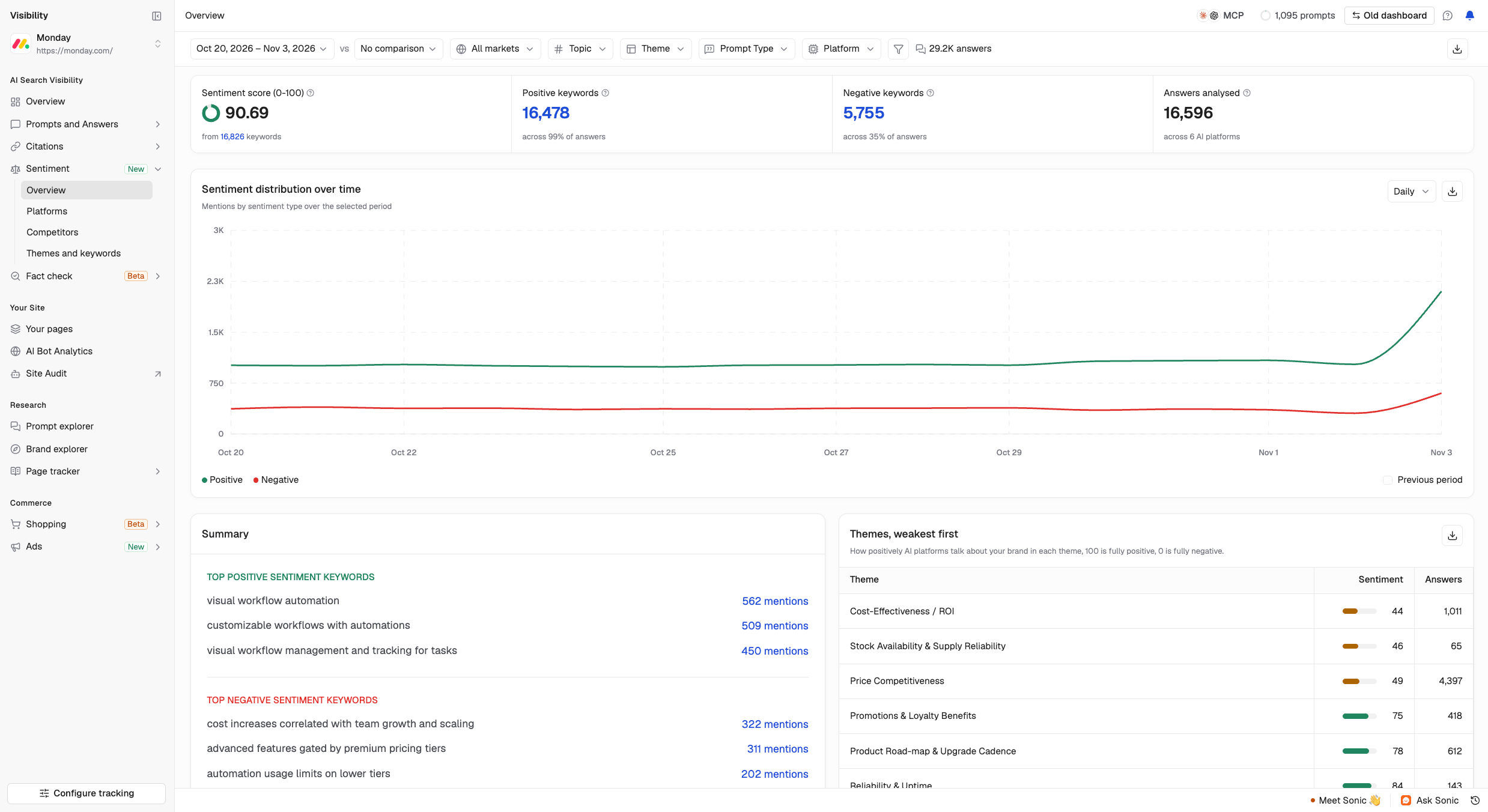
Key Metrics (Summary Cards)
The four summary cards provide an overview of your brand’s sentiment across AI-generated answers.
- Sentiment score (0–100): Your brand’s overall sentiment score. Higher scores indicate more positive sentiment. The card also shows the total number of keywords analyzed.
- Positive keywords: The number of positive sentiment keywords, along with the percentage of answers containing them.
- Negative keywords: The number of negative sentiment keywords, along with the percentage of answers containing them.
- Answers analysed: The total number of AI-generated answers analyzed and the number of AI platforms covered.
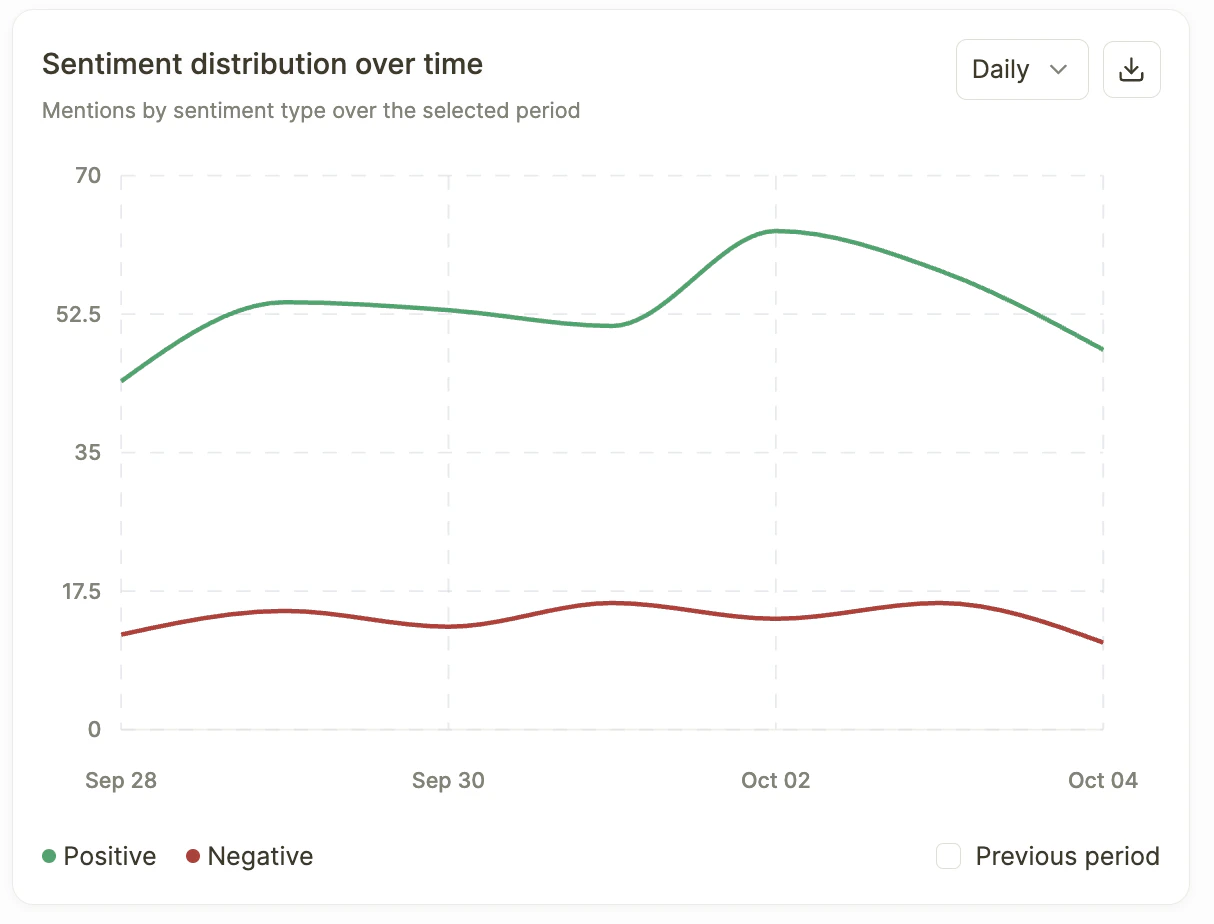
Sentiment Distribution Over Time
The Sentiment Distribution Over Time chart shows how positive and negative mentions change across your selected reporting period.- Green line: Positive sentiment mentions.
- Red line: Negative sentiment mentions.
- Daily/Weekly view: Adjust the chart’s time interval.
- Previous period: Compare sentiment trends with the preceding period.
How to interpret the chart
- Positive and negative trends: Compare how frequently AI platforms describe your brand positively or negatively over time.
- Changes in sentiment: Look for unusual increases in negative mentions or changes following product launches, announcements, or other events.
- Previous period comparison: Enable Previous period to compare sentiment trends across reporting periods.
Summary
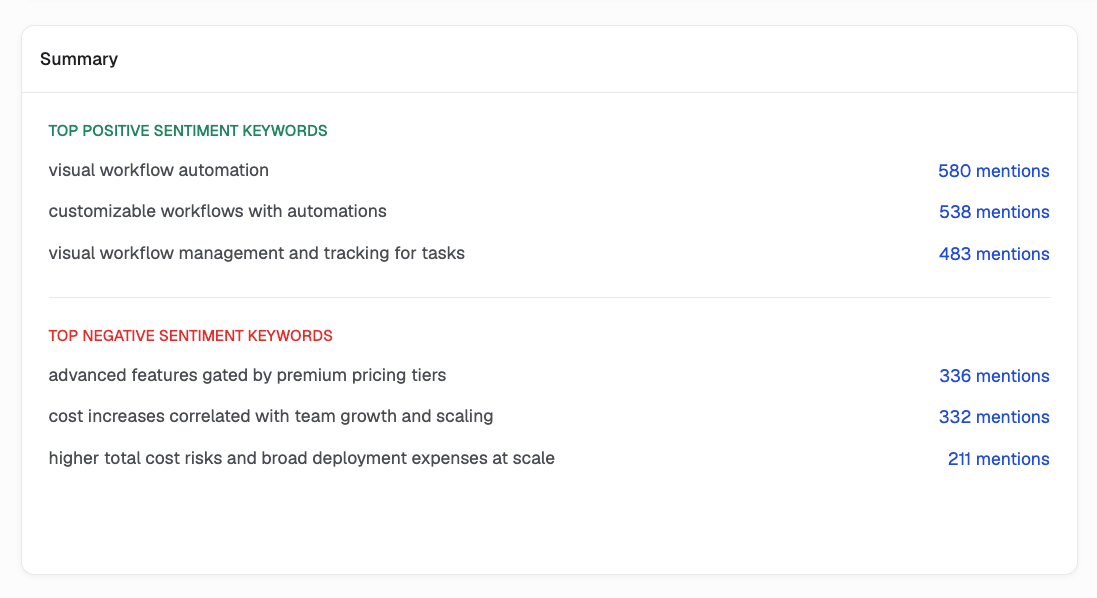
The Summary section highlights the most frequently mentioned positive and negative sentiment keywords associated with your brand. It displays:- Top positive sentiment keywords: Terms and phrases AI platforms frequently use when describing your brand positively.
- Top negative sentiment keywords: Terms and phrases associated with unfavorable descriptions of your brand.
- Mention count: How frequently each keyword appears across AI-generated answers.
Themes, Weakest First
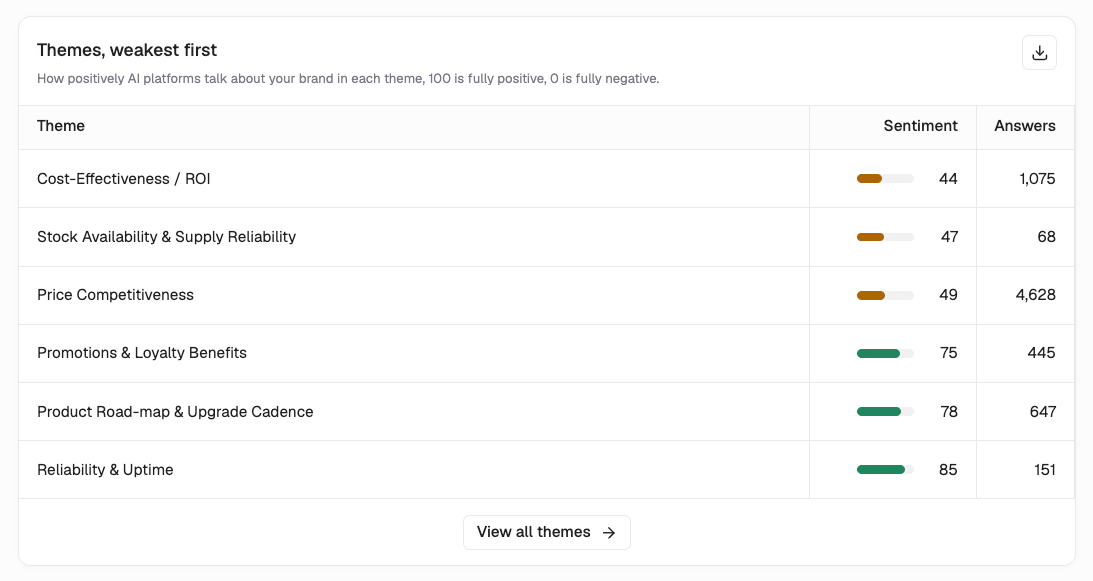
The Themes, weakest first table shows how positively or negatively AI platforms describe your brand across different themes, starting with those receiving the lowest sentiment scores. Each row includes:- Theme: The broader topic associated with your brand, such as Price Competitiveness or Core Functionality.
- Sentiment: A score from 0 to 100, where higher scores indicate more positive sentiment.
- Answers: The number of AI-generated answers associated with the theme.
Citations Behind Negative Keywords
Writesonic helps you investigate the sources AI platforms cite when describing your brand negatively. You can review the cited pages, examine the supporting AI-generated answers, and identify information that may need corrections or updates.Investigating a negative keyword
- Find a negative keyword under Summary > Top negative sentiment keywords.
- Click its mention count to open the detailed breakdown.
- Review the available information to understand where the keyword appears and which sources are associated with it.
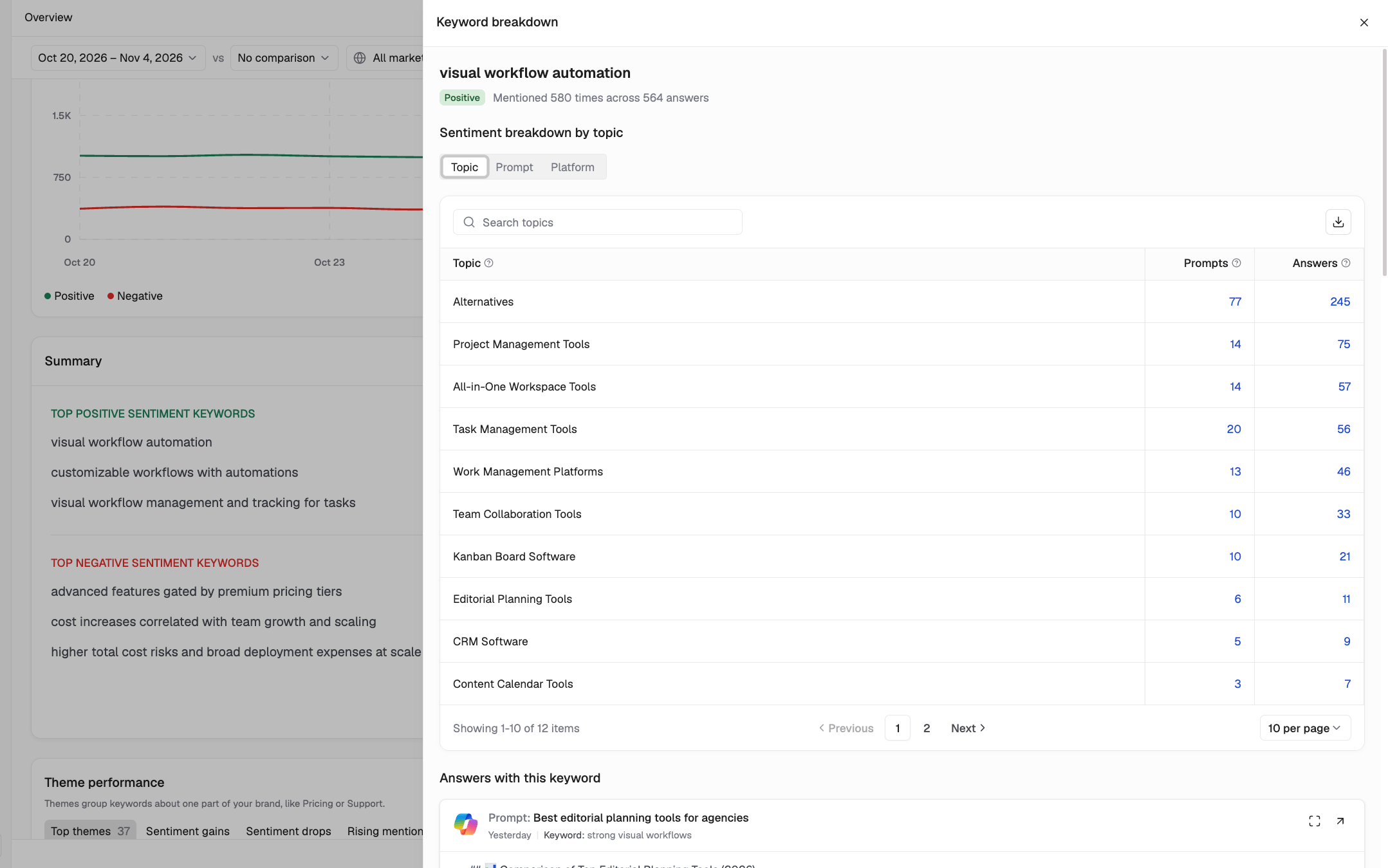
- Citations: View pages cited alongside the negative keyword and the number of AI answers citing them.
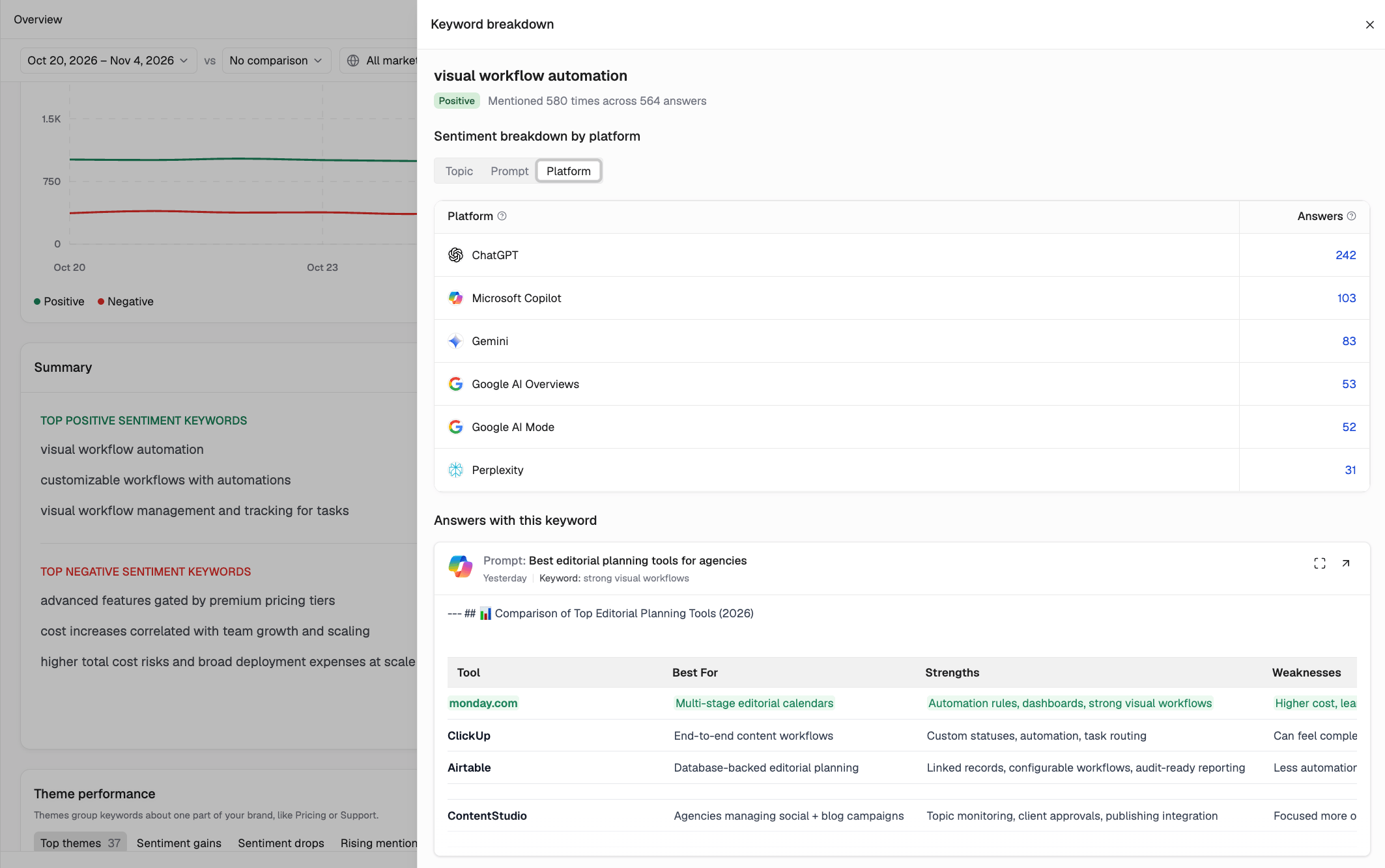
- Topic, Prompt, and Platform: See which topics, tracked prompts, and AI platforms contain the keyword.
- Evidence: Review AI-generated answers containing the keyword, with the relevant text highlighted.
- Cited page content: Examine the highlighted sections of cited pages associated with the keyword.
Best Practices
- Review sentiment regularly: Monitor changes following product updates, announcements, or competitor activity.
- Compare sentiment with visibility: High visibility isn’t necessarily positive if AI platforms frequently describe your brand negatively.
- Investigate negative keywords: Review recurring negative keywords and their associated citations to identify information that may need attention.
- Prioritize weaker themes: Use Themes, weakest first to identify topics with low sentiment scores and high answer counts.
- Monitor changes: Continue tracking sentiment after updating content or addressing inaccurate information.
Overview: Platforms Sentiment: Themes and Keywords