Fact Check helps you investigate inaccurate claims about your brand, identify where they appear, and determine what needs to be corrected. This guide explains how to review flagged claims, trace them to their sources, and take appropriate action.

All Inaccuracies

Go to Fact Check > Inaccuracies to view claims that contradict your verified facts. For each inaccurate claim, you’ll see:
  • Fact: The verified statement that the claim contradicts.
  • Topic: The topic associated with the claim.
  • Mention count: How frequently the claim appears in AI-generated answers, along with the change from the previous period.
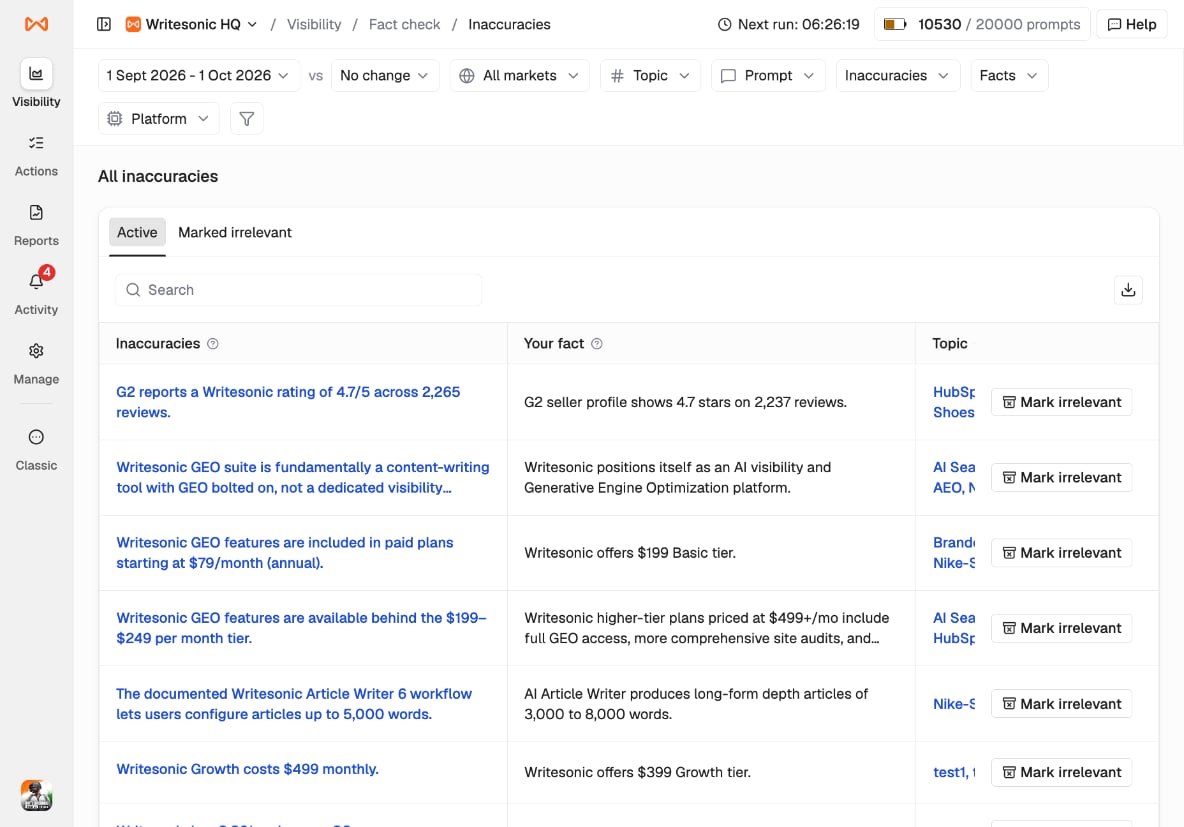
Use the filters at the top to narrow results by date, market, topic, prompt, platform, inaccuracy, or fact. You can also search for a specific claim or click the download icon to export the list. Image

Inaccuracy Breakdown

Click any inaccurate claim to open its detailed breakdown. At the top, you’ll see the flagged claim, the fact it contradicts, and the percentage of answers in which the claim appears. Use the tabs below to investigate further:
  • Citation: View pages cited in connection with the claim, including their source type and citation share.
  • Topic: See which tracked topics contain the claim.
  • Prompt: Identify the prompts that generated answers containing the claim.
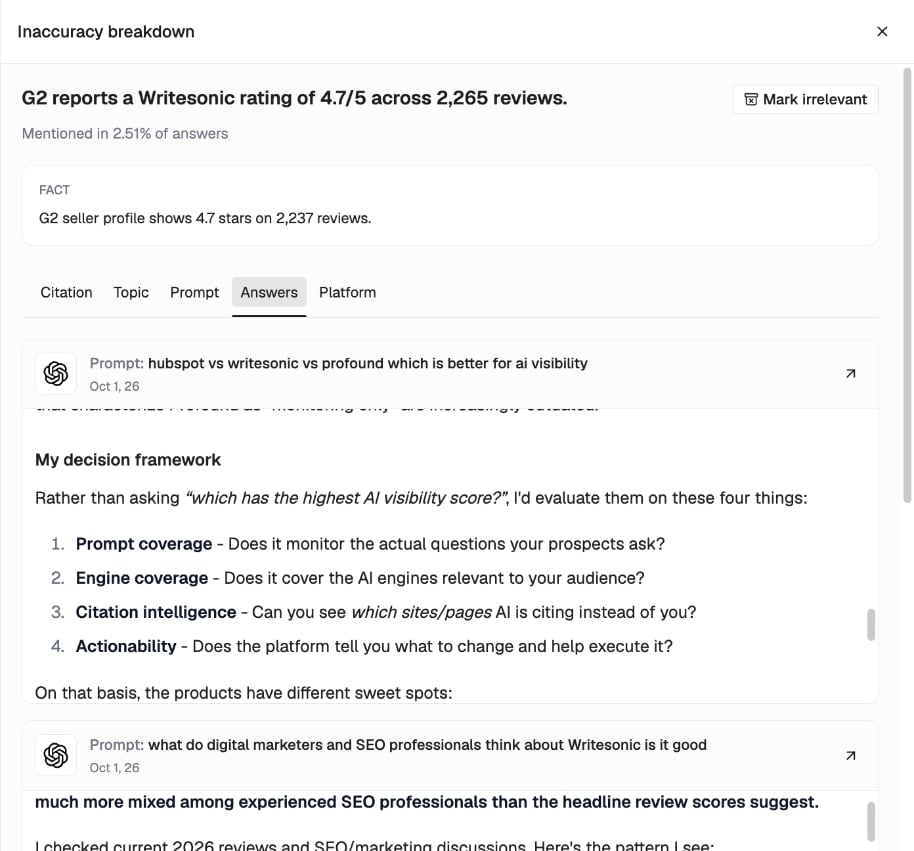
  • Answers: Review the full AI-generated answers, including their prompts and dates. Click the arrow next to an answer to expand it.
  • Platform: See how many answers containing the claim came from each AI platform.
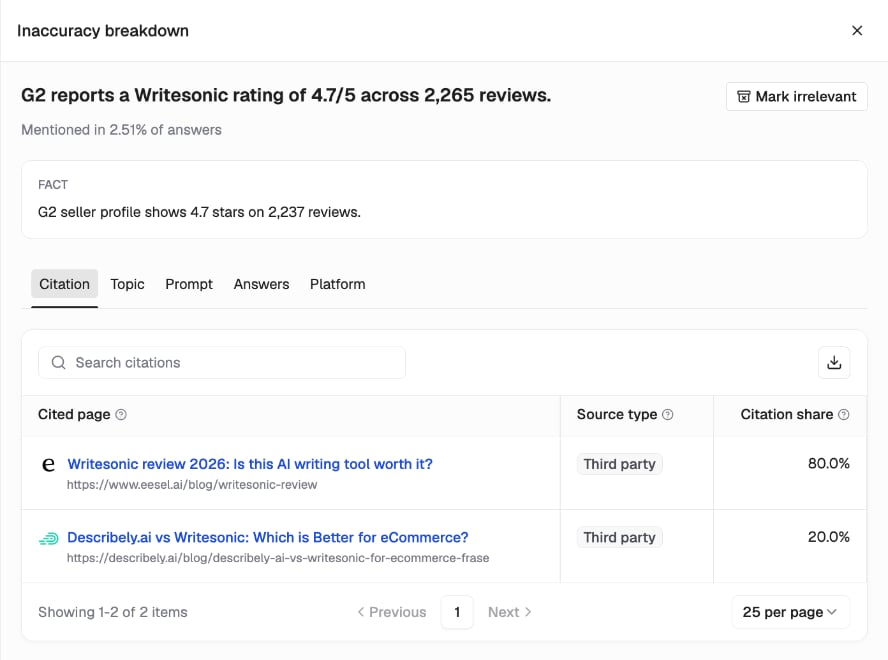
Image Image

Fixing an Inaccuracy

The next step depends on where the inaccurate information appears. Open the Citation tab to identify the sources associated with the claim.
  • Your brand: Review the cited page and correct any outdated, inaccurate, or unclear information.
  • Third party: Contact the website owner and request a correction, providing the accurate information and a supporting source.
  • Competitor: Review the claim and consider requesting a correction from the site owner where appropriate.
  • Social & Forums: Identify the original discussion and consider providing a correction where you can participate.
If the AI-generated claim is actually correct, check whether your saved fact is outdated. Update the fact on the Facts tab rather than treating the claim as inaccurate. Correcting a source does not guarantee that AI platforms will immediately update their answers. Continue monitoring the relevant prompts to see whether the inaccurate claim persists.Tip: Fix your own pages first. They’re fully in your control and the quickest to update.

Marking an Inaccuracy as Irrelevant

If a flagged claim isn’t relevant to your brand, you can exclude it from your active inaccuracies list. Click Mark irrelevant from the claim’s breakdown or directly from the Inaccuracies list. The claim moves to the Marked irrelevant tab, where you can review it separately.

FAQs

What counts as an inaccuracy?

An inaccuracy is a claim in an AI-generated answer that contradicts one of your saved facts. Claims that aren’t covered by your existing facts won’t be flagged. To start checking a particular claim, add the relevant verified fact.

What’s the difference between Inaccuracies and Mention count?

Inaccuracies counts each distinct contradictory claim once, regardless of how often it appears. Mention count measures how many times that claim appears across AI-generated answers, including multiple occurrences within the same answer.

Do suggested facts affect my report?

No. Suggested facts are only used for checking AI answers after you accept them into your Facts list.

Can I change which prompts are checked?

Yes. Go to Fact Check > Facts and click Edit prompts to add or remove prompts.

What happens when I delete a fact?

AI-generated answers are no longer checked against that fact. Claims that were flagged solely because they contradicted the deleted fact will no longer be flagged on that basis.

Where else can I see inaccuracies?

You can also find an Inaccuracies column on the Citations and Prompts pages. This helps you identify inaccurate claims while reviewing your AI visibility data.