

A task gives one agent one goal
A task is one unit of work you assign to an agent. Give it a goal, not a procedure. The agent plans the work, completes it, and returns a deliverable. Agents run on language models, so the same goal won’t produce an identical result twice. When you need the same steps in the same order every time, write the procedure as a playbook and point a task at it.Each status tells you who the task is waiting for
Tasks are listed grouped by status, so one glance tells you whether the agent is working or whether you are the thing holding it up.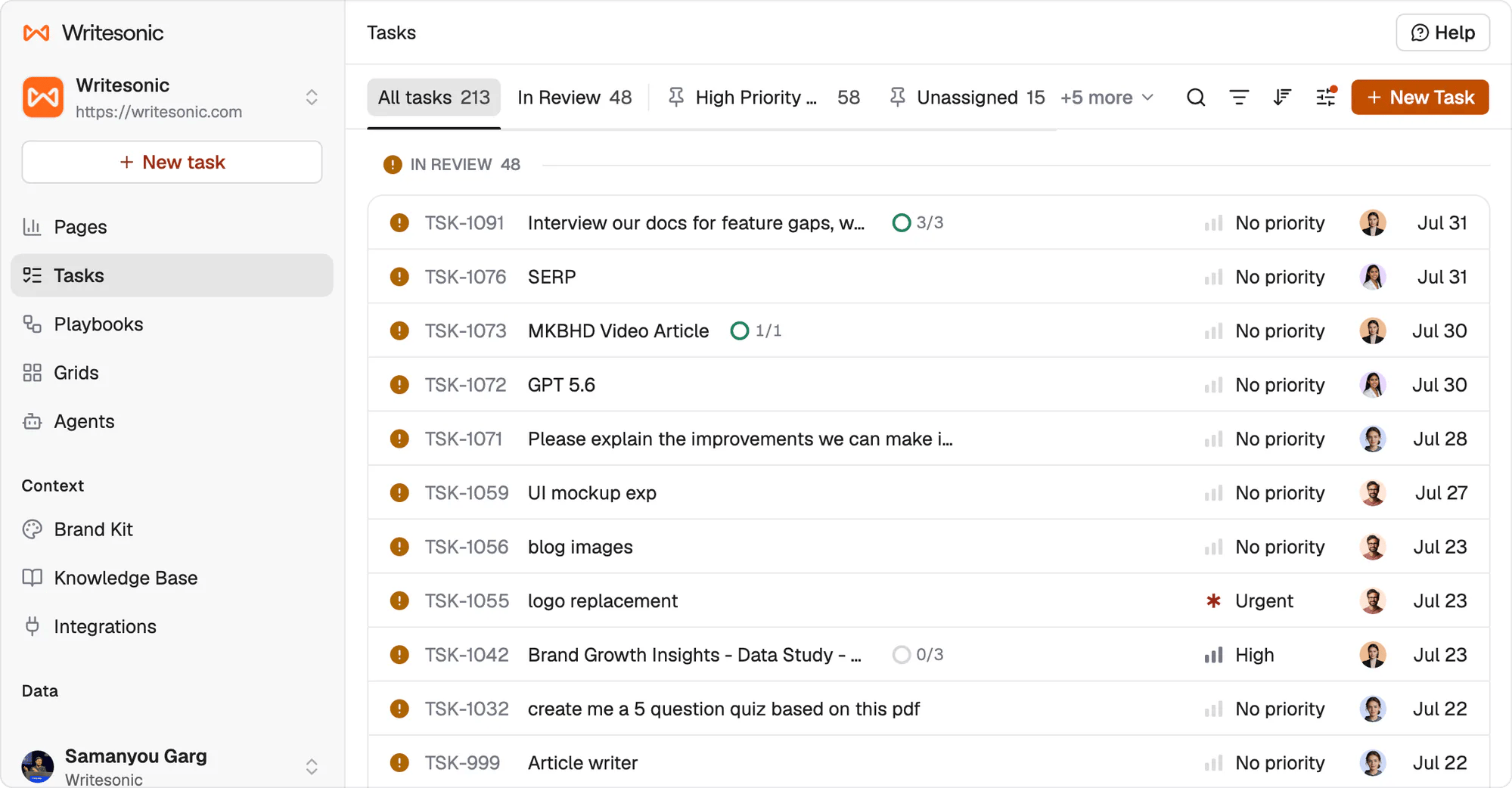
The task list groups by status and counts each group. In Review is the group that needs you.
There is no Blocked status. The two that need you are Pending Approval and In Review.
Todo is the trigger, and the assignee decides who drives
Assign a task to an agent while it’s in Todo and the agent picks it up on its own. It moves itself to In Progress and starts. There’s no start button, and nothing else is required from you. Create the task in Backlog instead and nothing happens until you move it to Todo. That’s the difference between the two states, and it’s the one worth remembering: Backlog parks work, Todo releases it. When the agent has a deliverable, it moves the task to In Review itself. Everything between Todo and In Review is the agent’s. Done is yours. Assign the task to a person rather than an agent and none of that applies. A human moves their own task through the states by hand, the same as any task tracker.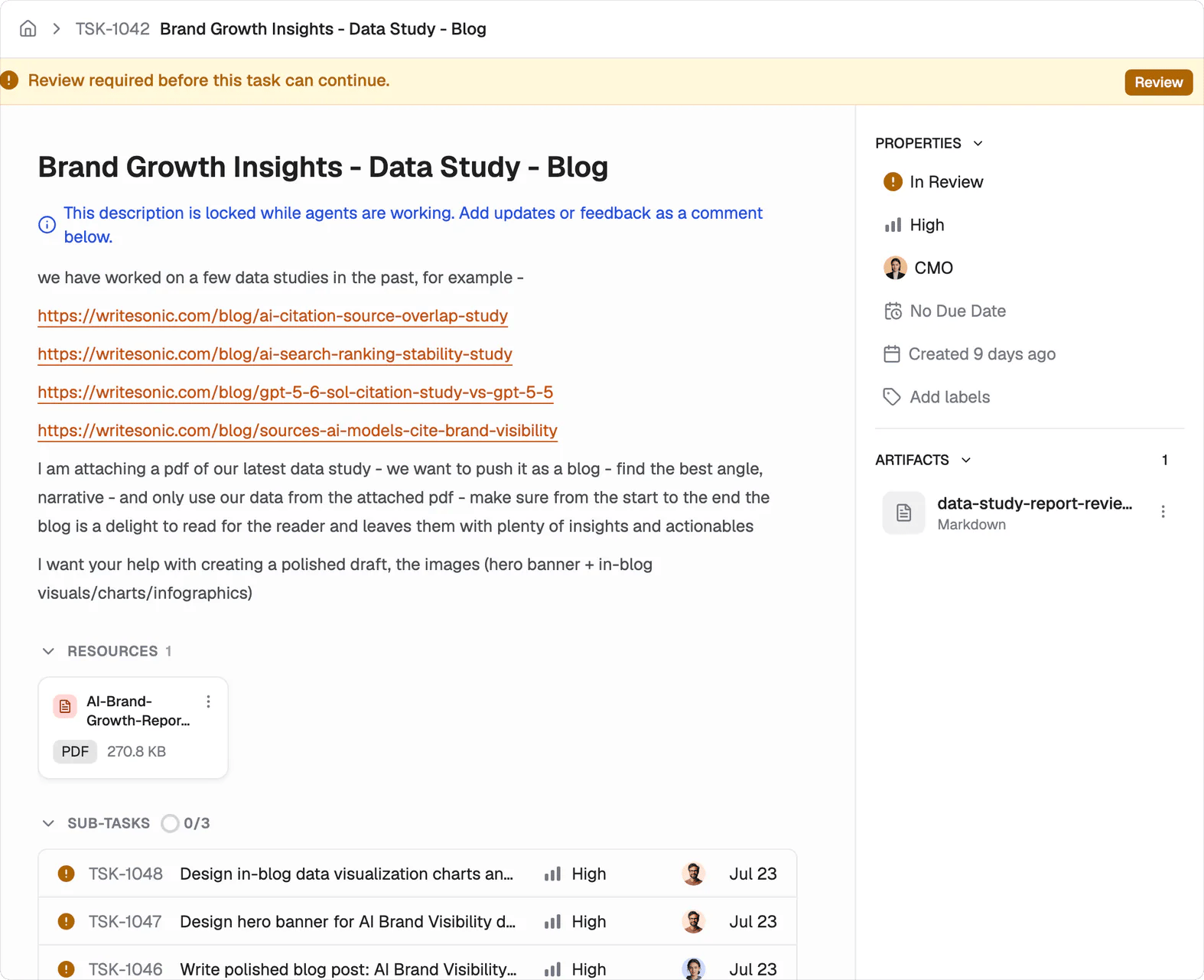
A task waiting on review. The banner carries the Review button, and the right rail holds the status, the assignee and every artifact the agent produced.
Large tasks break into ordered subtasks
The agent decides when one goal is really several. It creates the subtasks itself and the activity feed records each one as it appears.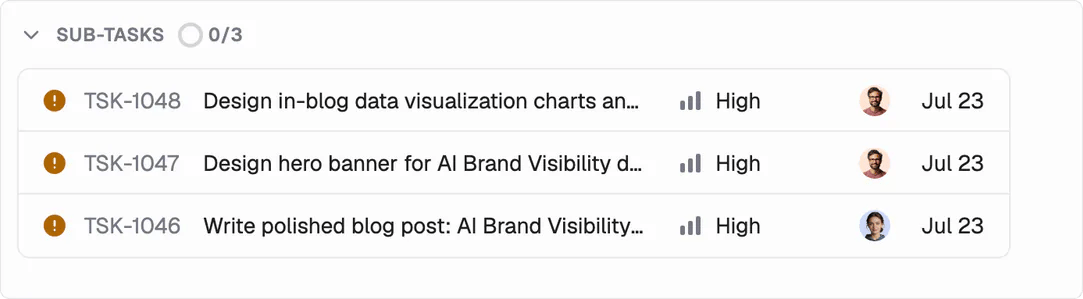
Three subtasks under one parent. Each carries its own ID, priority, assignee and date, and the parent counts how many are done.
Done only happens after you accept the work
Agents don’t close their own work. That is deliberate. A finished deliverable stays In Review until you accept it as Done. CMS work still lands as a draft, so accepting the task doesn’t publish it.An assigned task runs unless you stop it
There’s no start button. Assigning a task is what starts it. Cancel the task when you want the work to stop.What’s next
Approvals
Choose how much you review.
Common tasks
See what other teams hand over.