

Google Search Console and Google Analytics are the only required connections
Google Search Console is required. An analytics source, Google Analytics or Plausible, is strongly recommended. Nothing else in the catalogue is required. AI visibility data arrives from the Writesonic platform automatically. There is no AI visibility integration to connect. Once both Google connections are active, you can stop here and start working. The optional connections have specific jobs. A CMS can receive finished work, third-party SEO tools add page-level data, and Gmail is available for sending email from a run.Every connection follows the same five steps
All connections start from the Integrations screen.1
Open Integrations
In the sidebar, open Context, then Integrations. Connections shows what you have connected, while Apps shows what is available.
2
Choose Add connection
Select Add connection to open the app catalogue.
3
Find the app
Search by name or filter by All, Code, Communication, Data, Design, or Productivity.
4
Select the app
Open the app you want to connect.
5
Complete the connection
Grant Google integrations access through OAuth with your Google account. For a third-party SEO tool, paste your API key.
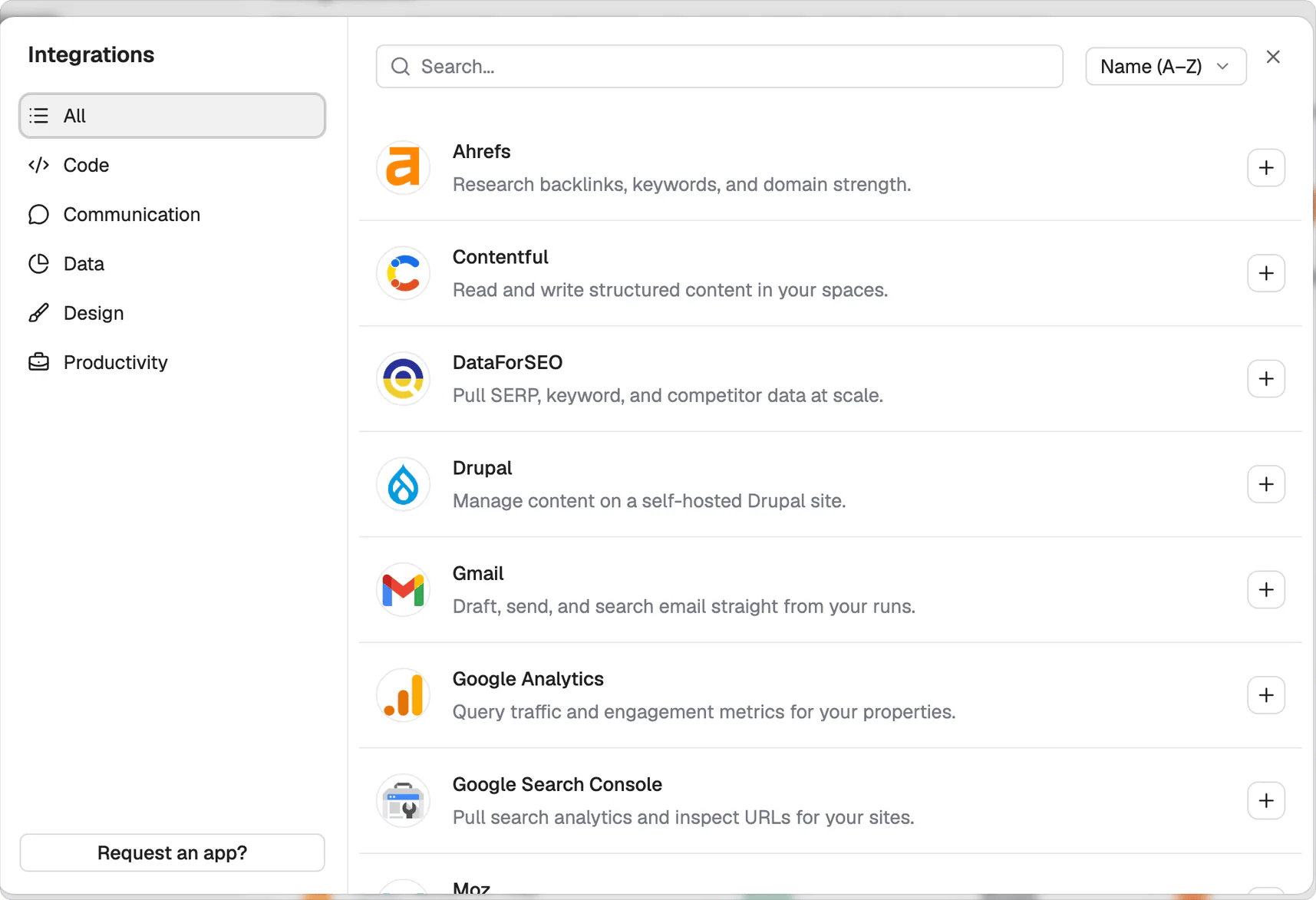
Add connection opens the catalogue. Search it, or filter by category down the left.
A CMS writes finished work back as a publishable draft
A CMS is optional, but we recommend connecting one early. Agents can write finished work back to WordPress.com, self-hosted WordPress, Contentful, Drupal, Webflow, or Sanity. The work arrives as a draft. Nothing publishes automatically, so a person still reviews it before publication. See Review and approve work for that human step.More data makes the gap analysis more specific
Google Analytics provides the required analytics connection, and Plausible Analytics can add another source. Third-party SEO data adds more signals for each page. With more signals per page, the gap analysis can name more specific opportunities. Third-party SEO tools connect with your own API key, so you’ll need your own subscription.What’s next
Set up your Brand Kit
Add the context every agent writes from.
Run your first task
Go from nothing to a reviewed deliverable.