

Overview names the work worth doing
Overview opens with a plain-language status such as “Barely surfacing in search”, a Dormant badge, and the compared window. It then shows clicks and impressions for the last 28 days. A real page with about 0 clicks and 100,167 impressions is captioned “Very little traffic to work with”. Below that diagnosis, named opportunities turn the gaps into concrete work:- Add answers to all existing FAQs
- Add selection criteria and GEO invisibility rationale
- Missing 2 keyword variations
- Meta description lacks competitive edge
- Page missing structured data
Act on all 5 opportunities. We’ll create one task for your agent to work through every opportunity on this page. Review before creating.Select Address opportunities after reviewing the list. The CMO agent receives one task and splits it into subtasks. Nothing publishes on its own, and any CMS work lands as a draft.
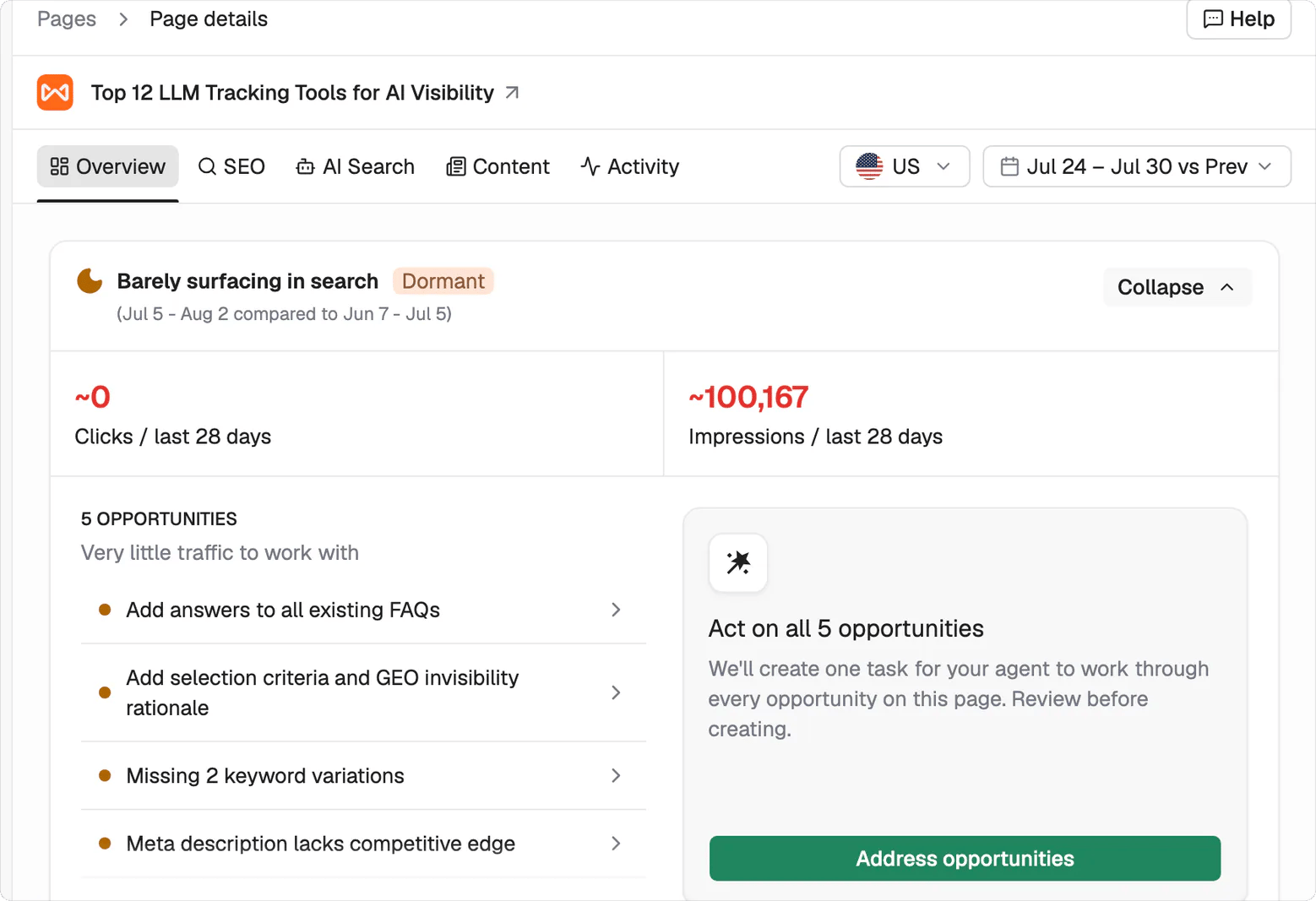
The useful unit is the named opportunity, with all five ready to review before assignment.
SEO separates search performance from the results page
The Organic Search section attributes its data to Google Search Console. Clicks, Impressions, Average position, and CTR are toggleable metrics plotted on the same chart, so you can change the view without losing the shared date range. Marketing Traffic sits below it and identifies Plausible or GA4 as its source. SERP Intelligence explains the search environment around the page. It records search intent, gives a written read of what is ranking, and shows which SERP features were captured out of four: featured snippet, People Also Ask, related searches, and knowledge graph. Your position appears beside the organic competitors ranking above you.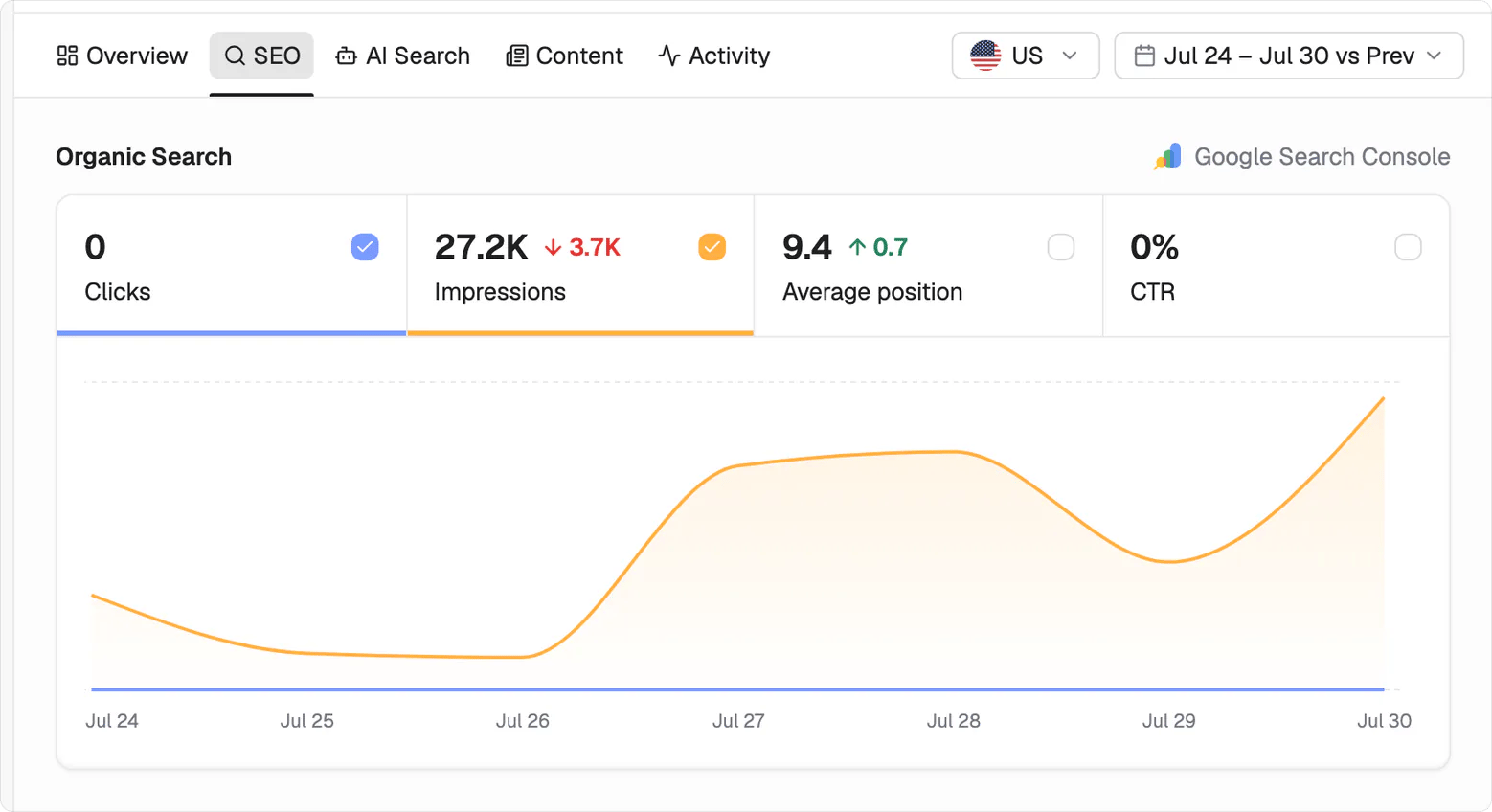
Performance data and SERP evidence stay together, making the gap between visibility and ranking conditions easier to inspect.
AI Search connects visits and citations to their source
The AI Search tab separates bot visits from human visits and breaks the bot traffic out by platform. This shows which platforms are reaching the page without folding their activity into human traffic. Citations provide the other half of the view. You can slice them by prompt, platform, and topic to see where the page is being used in AI answers and where it remains absent.Content shows the inputs behind its score
The Content Signals band gives you six page-level readings before the score:
Below the band, Content Score grades the page out of 100 and assigns a label such as Excellent. Nine weighted signals contribute to it: Schema 15%, E-E-A-T 15%, Structure 12%, Internal Links 12%, Information Gain 10%, Keyword Alignment 10%, Readability 10%, Non-Commodity 8%, and Freshness 8%.
Coming soon. Per-signal breakdown is not available yet.
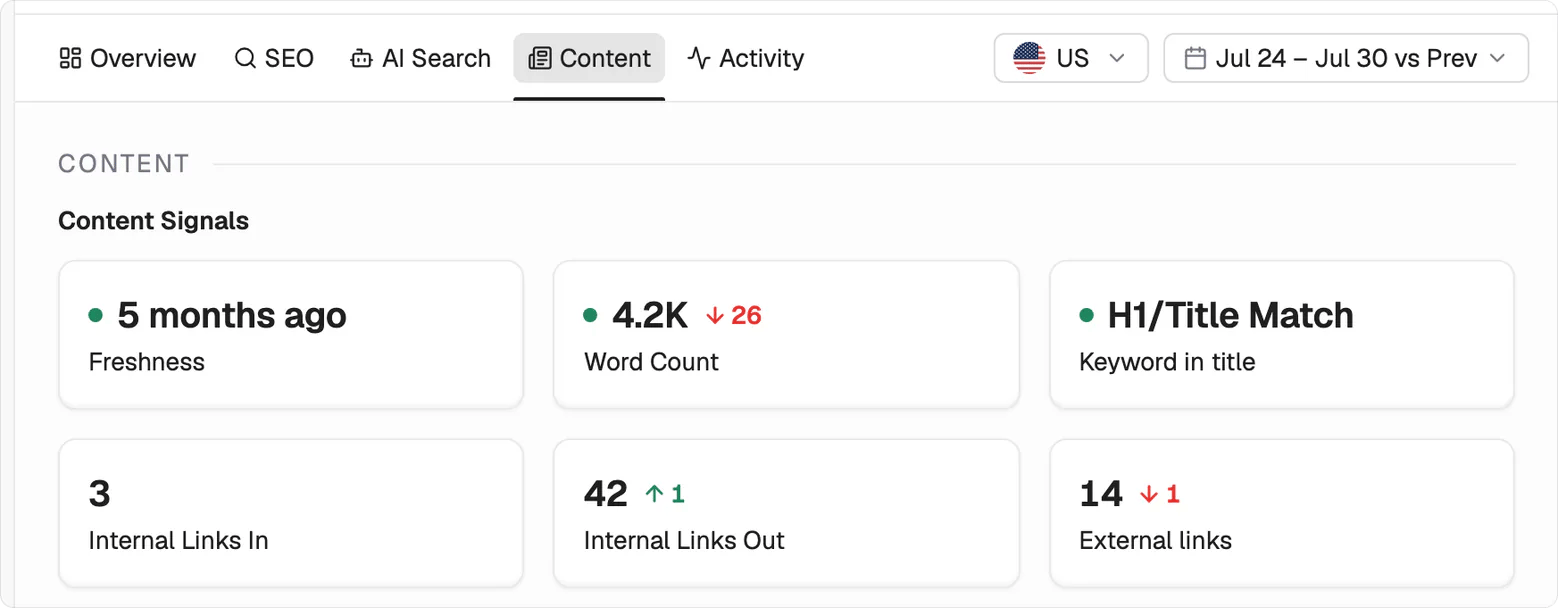
The six page-level readings the score is built from. Each one is a fact about the page, not a judgement of it.
Activity keeps the page’s history in one place
The Activity tab shows this page’s own history, with the wider record covered in the Activity log.What’s next
Tasks
See what happens after you press Address opportunities.
Activity log
Check the record used to prove the change worked.