

The agents execute, and you control what you review
Agents do the work end to end. They don’t stop at recommendations. They are autonomous with a human in the loop, and that loop is you.One of three review modes applies to every new task
Choose a mode in the New Task modal. It “applies to all new tasks until changed.”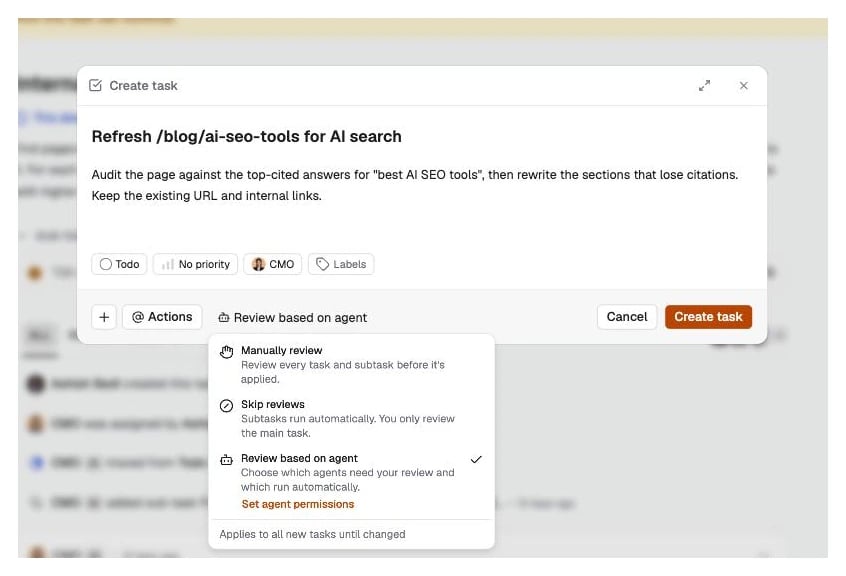
The review mode sits in the New Task modal. The product tells you it applies to all new tasks until you change it.
Set the level once per agent
Set agent permissions lists every agent in your workspace with one setting each. Review needed holds that agent’s output until you approve it. Skip reviews accepts it automatically.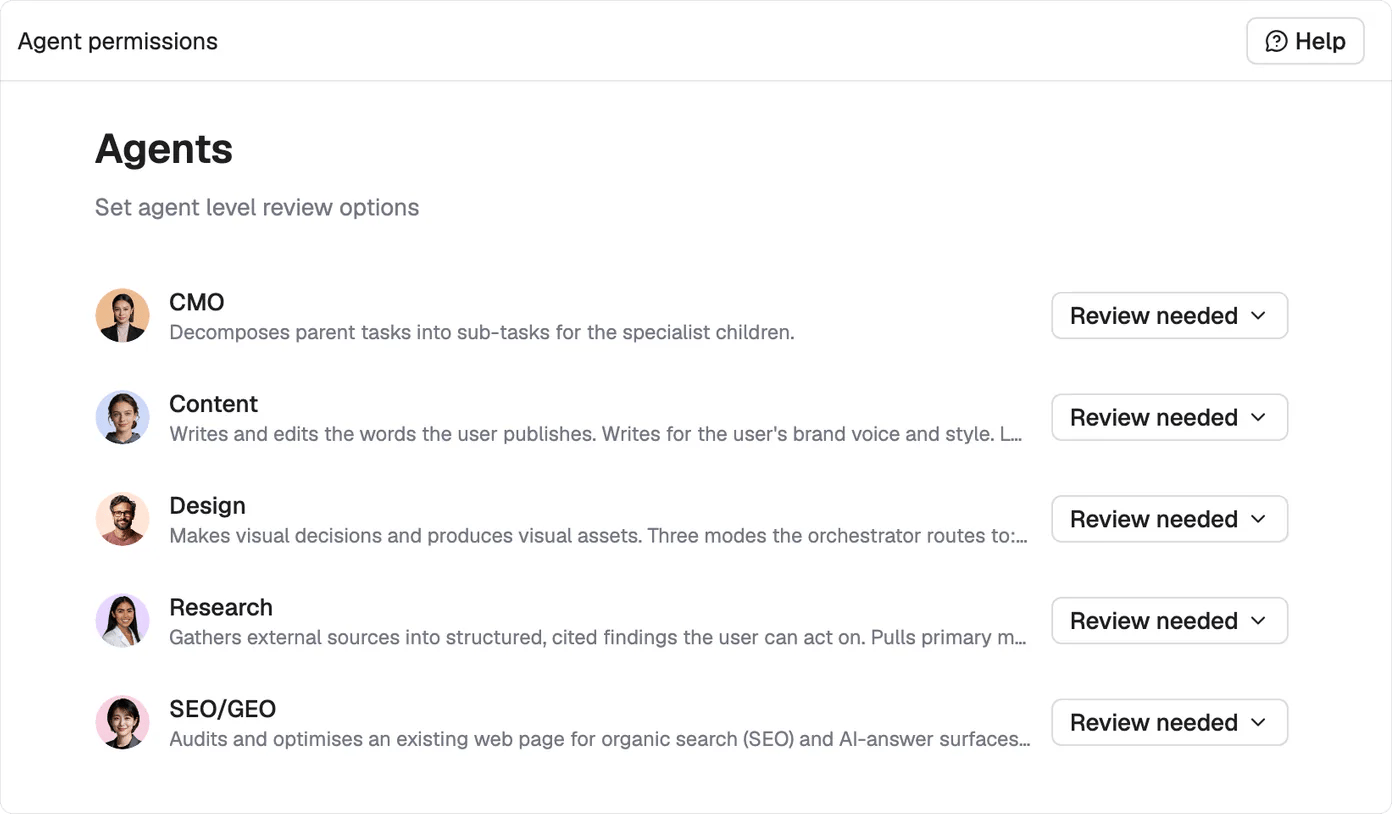
One setting per agent. Tighten the ones that touch published work and let the rest run.
A task that needs you says so and stops
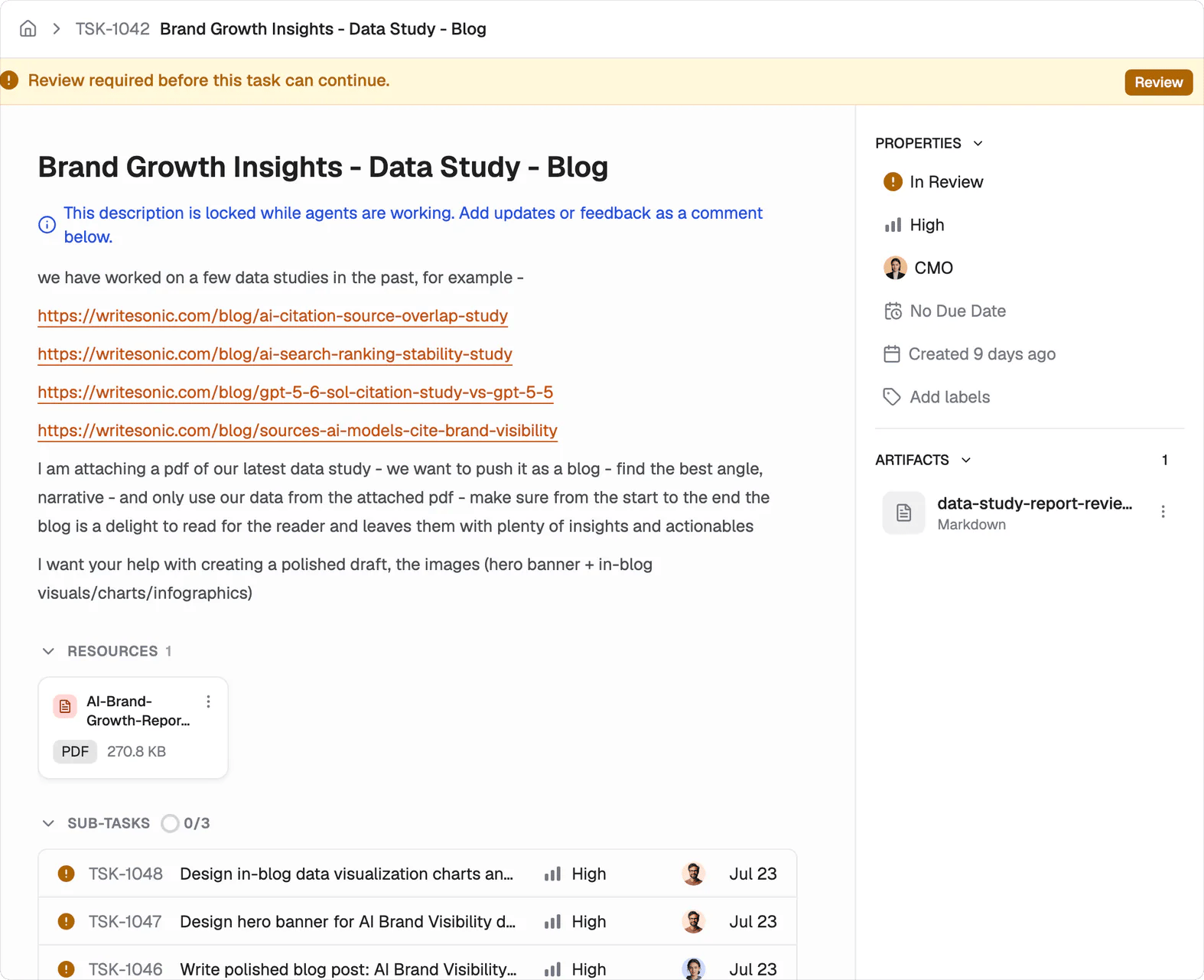
The banner sits above the task and carries the Review button. Nothing moves until you use it.
Nothing publishes on its own
Finished work lands in your CMS as a draft. Nothing reaches your live site until a person publishes it. Agent approval and publishing remain separate actions.Feedback keeps the work and its context together
Comment on the deliverable when something needs to change. The agent revises the existing work with the context it already gathered. Rejecting and rewriting the task from scratch throws that context away.What’s next
Tasks
Follow the task lifecycle and every status.
Connect your data
Connect a CMS so finished work lands as a draft.