

A playbook is a procedure, not a prompt
Agents run on language models. Hand one the same goal twice and you get two good answers, not the same answer. That is the right trade for most work, and it is why a task reads like a brief to a colleague rather than a script. Some work doesn’t want that. An SOP your team follows the same way every time, a format that has to match, a check that has to happen in a fixed order. A playbook is where that lives. It’s a chain of steps that runs in the order you wrote them, every time. The structure repeats. What each step produces is still the model’s work, so read the output before you trust it at volume.A playbook is built from skills
Each step in a playbook is a skill, and skills chain together into a workflow. Alongside them sit tool calls into whatever you’ve connected, so a single playbook can read Google Search Console, pull your AI visibility data, fetch a page, and write a draft back to your CMS in one run. Steps can run in parallel where they don’t depend on each other. Skills your team has already written elsewhere are the same unit of work, so they can be imported rather than rewritten.Describe the workflow and Agents builds it
The Playbooks screen starts with one box labeled “Describe the workflow you want to automate.” Its placeholder reads “Describe the process you wish ran on autopilot.” Write the workflow in plain language, then select Generate. Agents builds the playbook from your description.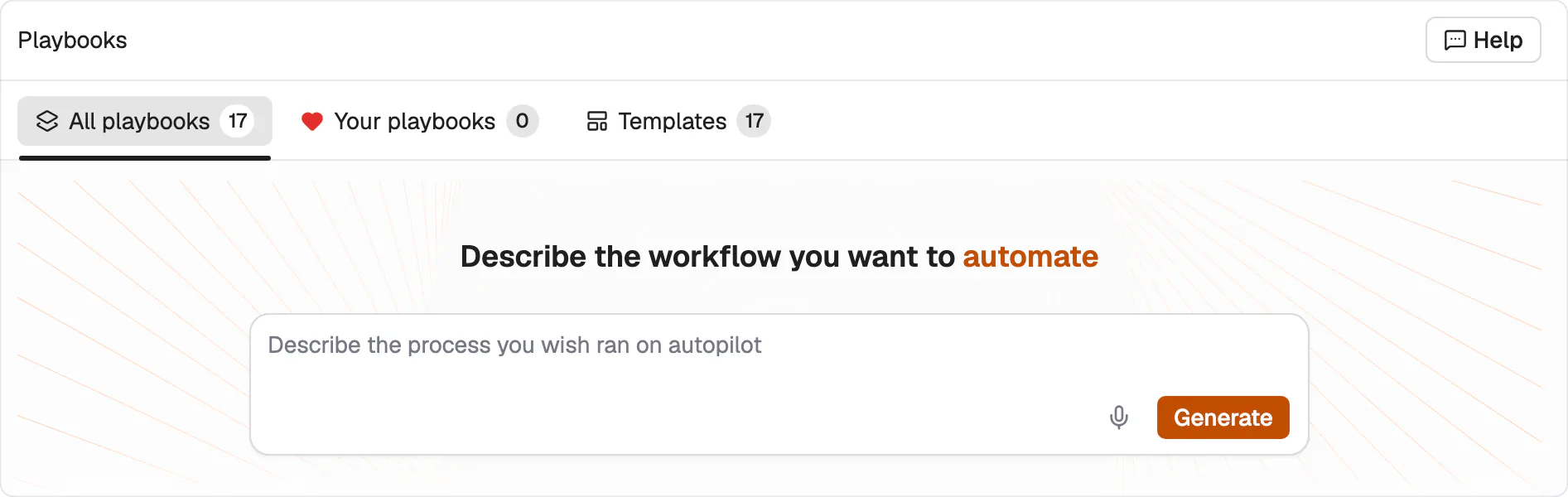
Describe the workflow in plain language. The playbook is generated from that description.
Run it once or across hundreds of rows
Open a playbook and you get two buttons. Single run takes one input and returns one result, and it’s the same action the playbook list offers as Quick run. Create grid runs it across many rows at once, which is covered in grids. The playbook keeps its own run history, so you can see every past run and how each one ended.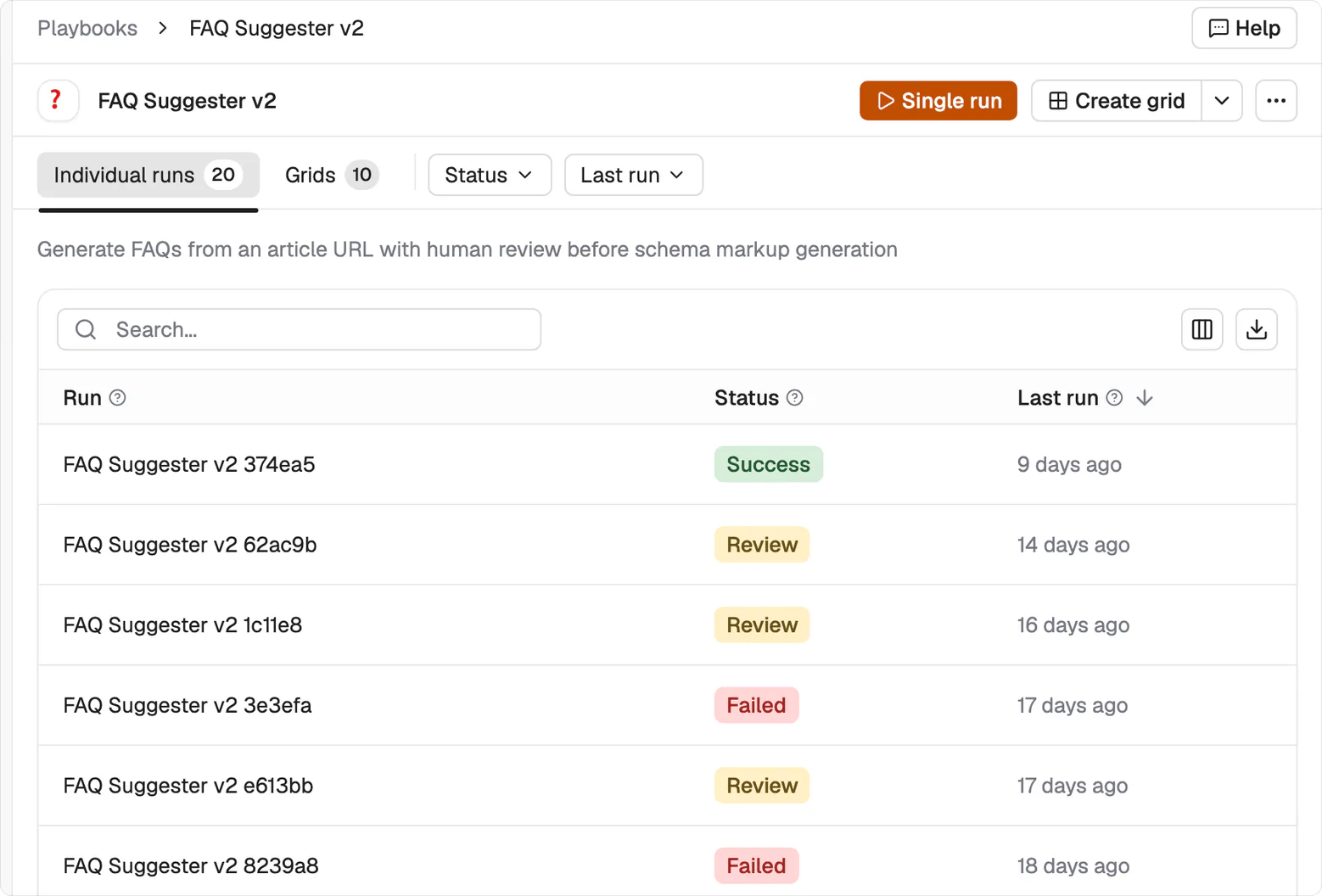
A playbook's own screen: Single run and Create grid at the top, every past run and its status below.
Start from a shipped template
Check the playbook library before describing a workflow from scratch. One of the shipped templates may already cover the procedure you need.Call a playbook from inside a task
This is the part most people miss. A playbook isn’t only something you run on its own. You can point a task at one. Write the task the way you always would, and tag the playbook in the description with@. A task takes one playbook.
Your third repeat should become a playbook
Use a simple rule. If you’ve asked for the same work three times, write it down as a playbook. The first version starts as a Draft, and that’s expected. Open the editor and keep refining it until the procedure matches how you want the work done. Repeated work should stop requiring repeated instructions.What’s next
Playbook library
See the playbooks that ship already built.
Grids
Run one playbook across many rows.