

- Click a fact to edit it.
- Click ⋯ next to a fact and select View inaccuracies to see every claim that contradicts it.
- Click ⋯ and select Delete fact to remove it.
- Use Search facts and sources and Source type to find specific facts.
- Click the download icon to export your facts.
Adding Facts
Click + Fact and choose how you want to add facts.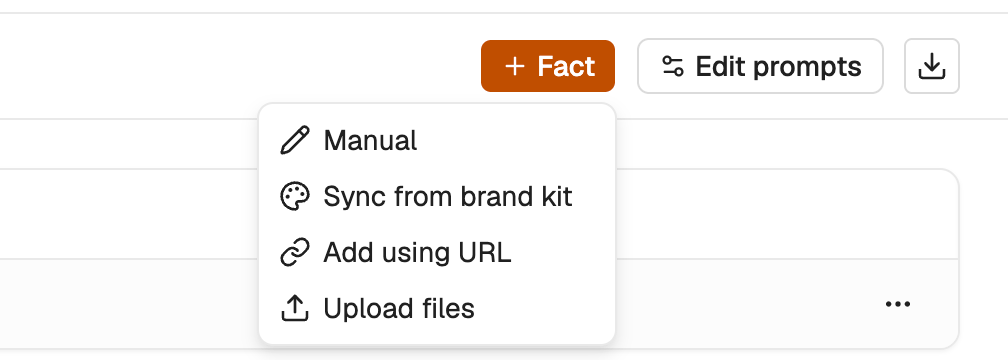
- Select Add using URL.
- Paste the pages you want to use as a reference, one URL per line.
- Click Generate facts.
- Select Upload files.
- Drag and drop your files, or click Browse files. You can add PDFs, docs, or spreadsheets.
- Click Generate facts.
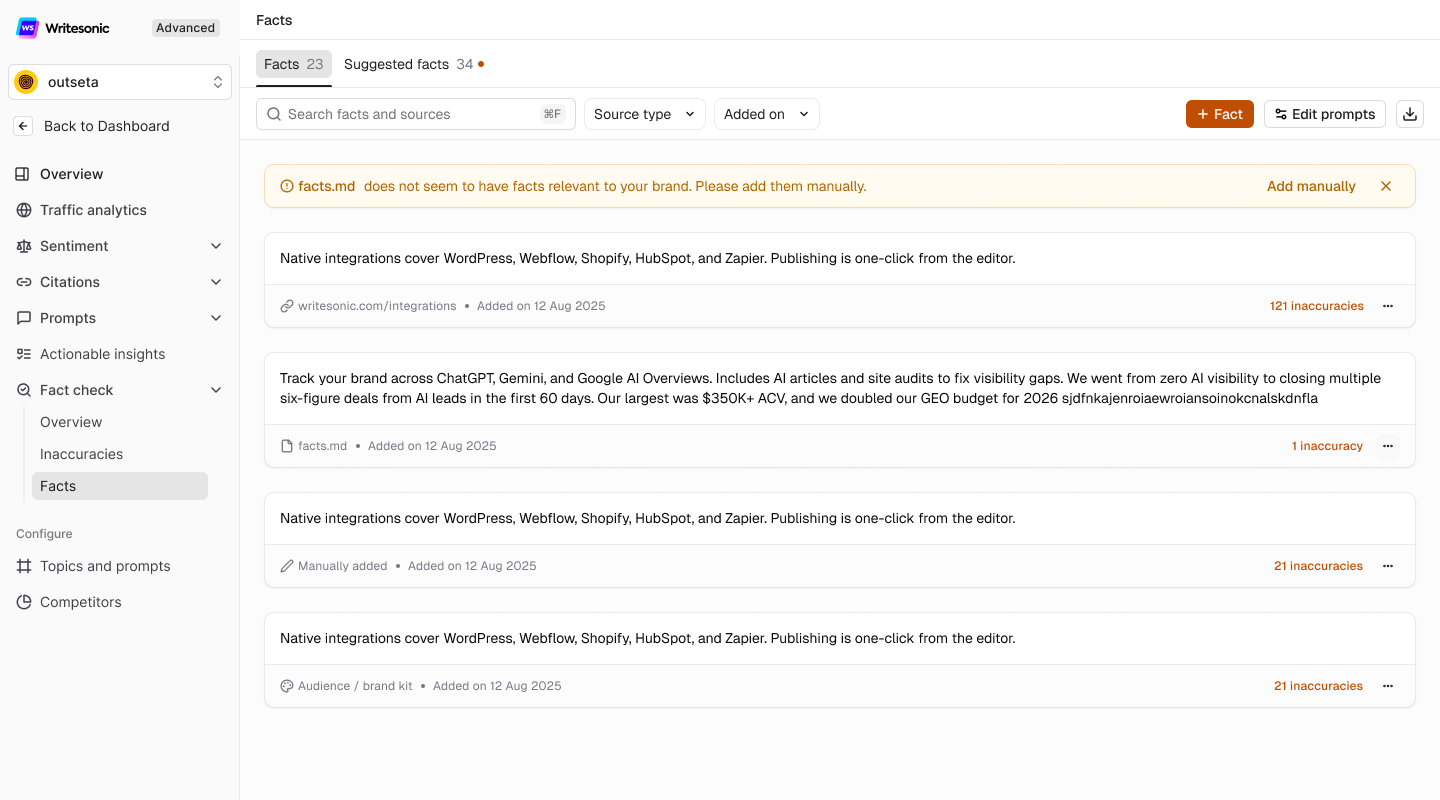
Note: AI answers are checked against your facts, so your report is only as accurate as the facts you keep. Update or delete facts when your pricing, features, or policies change.
Suggested Facts
The Suggested facts tab shows claims about your brand that Writesonic found in AI answers to your tracked prompts. Suggestions refresh after every prompt run, using AI answers from the 14 days before that run. If no new run happens, the list stays the same. Because these claims come from AI answers, they aren’t always accurate, so check each one is correct before you accept it. Suggested facts are not used in your report until you accept them. For each suggestion, you can:- Accept fact: add it to your Facts list. Accepted suggestions show AI Answer as their source.
- Reject: remove it from your suggestions.
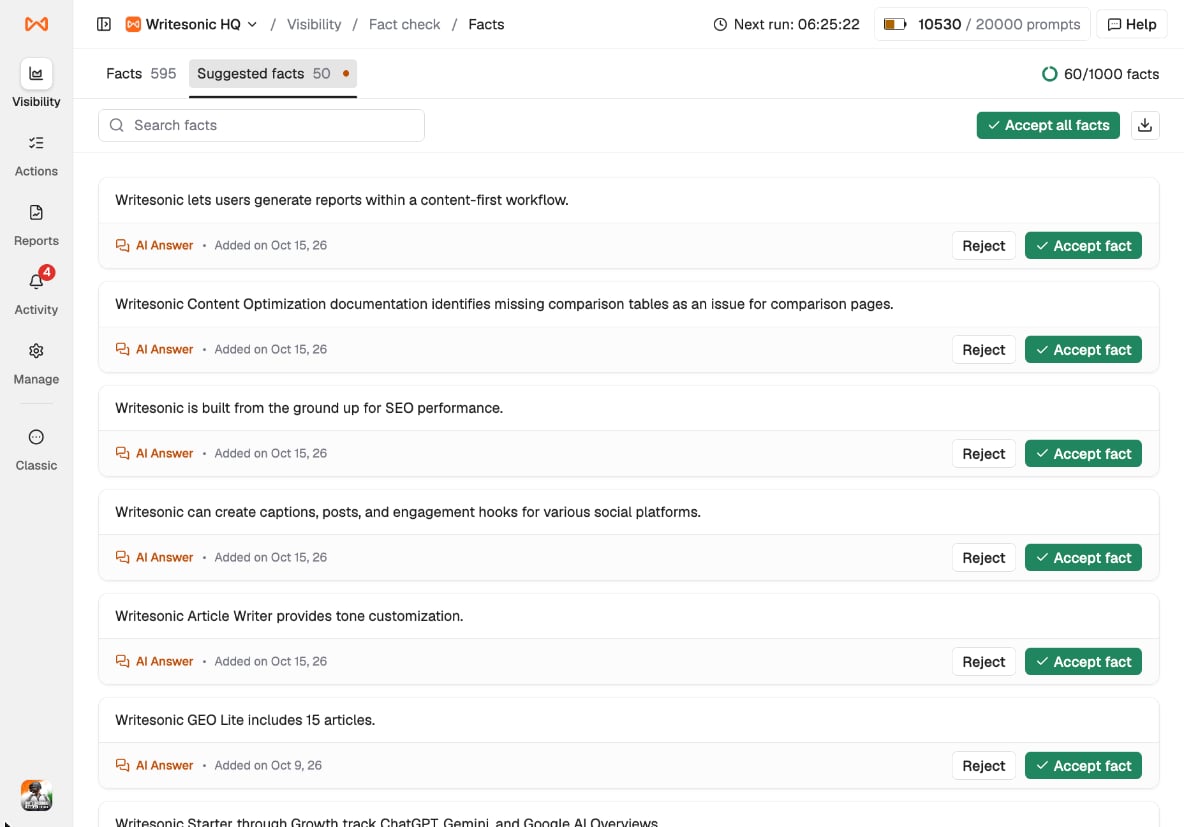
Best Practice: Read each suggestion before you accept it. Suggestions come from AI answers, so a suggestion can repeat the same mistake you want Fact check to catch. Use Accept all facts only after you’ve reviewed the list.