> ## Documentation Index
> Fetch the complete documentation index at: https://apidocs.writesonic.com/llms.txt
> Use this file to discover all available pages before exploring further.
# Run your first task
> Create one task, watch an agent work it, and review what comes back. About fifteen minutes from here to a finished draft.
A first task is worth choosing carefully. Ask for something broad and you won't be able to tell whether the agent did well.
## A small, checkable task makes the first result useful
Choose a first task with a **clear finish line**. We recommend asking for internal link opportunities that point to one existing page. The job is small and finishes quickly. You can judge each suggestion against your site as soon as it arrives.
Use this goal for your first run.
> Find internal link opportunities across our site that point to \[page URL].
Don't begin with "improve our SEO." That task has no agreed output, so it teaches you nothing about whether the agent did useful work.
## The agent needs a goal, not a procedure
Give the agent the result you want. It plans its own steps.
Select **New Task** from the sidebar. The modal opens with title and description fields.
 Give the task a clear title, then describe the result you want. Include the page you want the internal links to point to. Don't write a procedure for the agent to follow.
 Leave the assigned agent on **CMO** for this first run. CMO splits the goal into subtasks and hands them to specialists. For later tasks with one artifact, assign the specialist directly.
 Leave the status at **Todo** and priority at **No priority**. The same row includes **Labels**. In the footer, leave the review mode set to **Review based on agent**. You'll also see **Actions** and **Cancel** there.
Select **Create task**.
Creating the task with CMO assigned starts the work, so there is no separate start button.
## The task shows you what the agent is doing
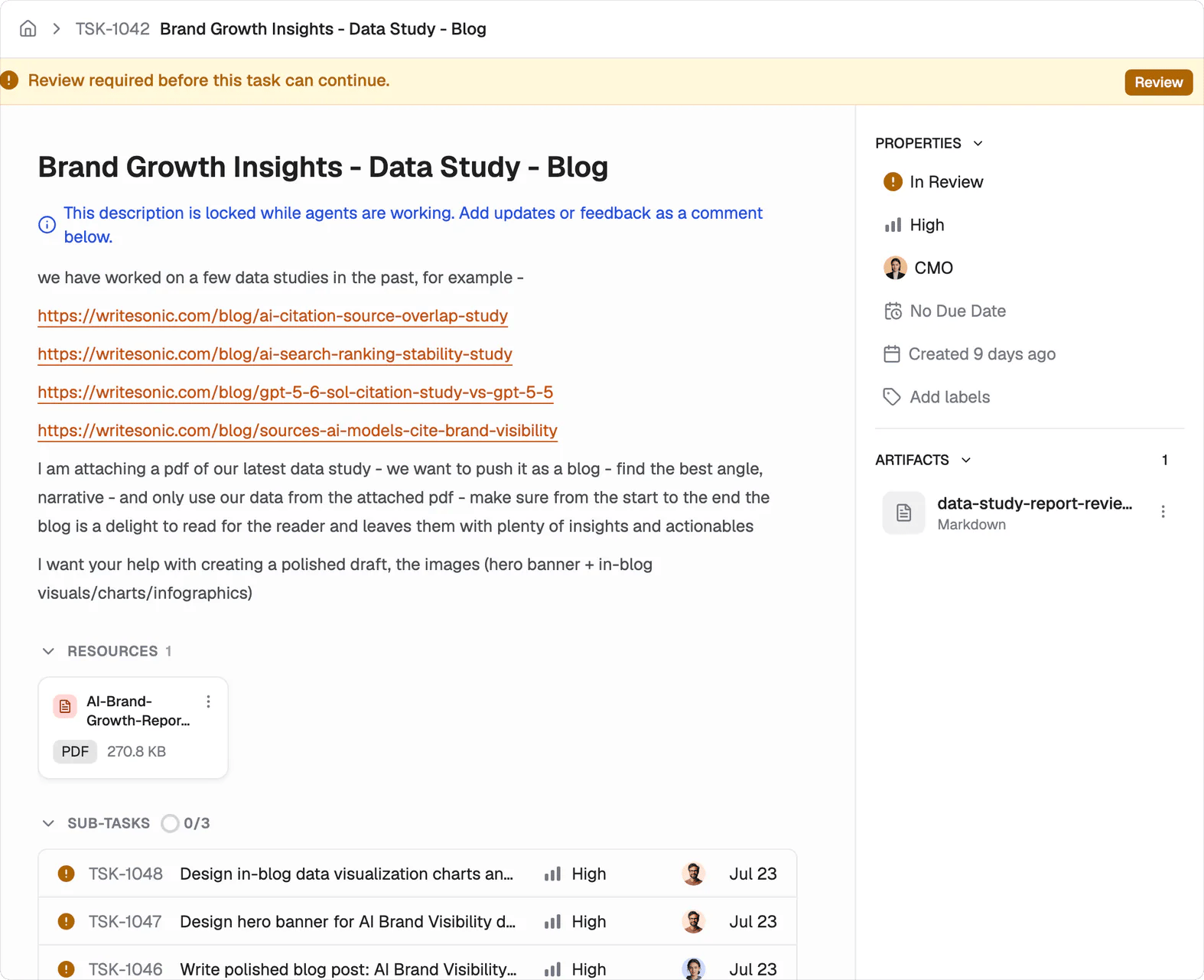
The task moves from Todo to In Progress. Its description locks while the agent works, which preserves the goal it is acting on. A banner shows what the task is waiting on. Subtasks appear as CMO hands work to specialist agents. The activity feed records progress, including status moves such as Todo to In Progress.
Leave the status at **Todo** and priority at **No priority**. The same row includes **Labels**. In the footer, leave the review mode set to **Review based on agent**. You'll also see **Actions** and **Cancel** there.
Select **Create task**.
Creating the task with CMO assigned starts the work, so there is no separate start button.
## The task shows you what the agent is doing
The task moves from Todo to In Progress. Its description locks while the agent works, which preserves the goal it is acting on. A banner shows what the task is waiting on. Subtasks appear as CMO hands work to specialist agents. The activity feed records progress, including status moves such as Todo to In Progress.
 Nothing is wrong if your first task stays In Progress for a few minutes.
## Your review happens on the artifact
Finished work appears as an artifact on the task, and the task moves to In Review. Read the artifact against the original goal. If it needs a change, comment on the deliverable instead of rewriting the task. The agent keeps the context it already gathered for the revision.
You decide when the work is done.
Move the task to Done yourself once you accept it. CMS work lands as a draft for human review, so accepting the task doesn't publish it.
See [Approvals](/agents/approvals) for review settings. See [Tasks](/agents/tasks) for task states and controls.
## What's next
See what other teams hand over.
Choose how much you review.
Nothing is wrong if your first task stays In Progress for a few minutes.
## Your review happens on the artifact
Finished work appears as an artifact on the task, and the task moves to In Review. Read the artifact against the original goal. If it needs a change, comment on the deliverable instead of rewriting the task. The agent keeps the context it already gathered for the revision.
You decide when the work is done.
Move the task to Done yourself once you accept it. CMS work lands as a draft for human review, so accepting the task doesn't publish it.
See [Approvals](/agents/approvals) for review settings. See [Tasks](/agents/tasks) for task states and controls.
## What's next
See what other teams hand over.
Choose how much you review.