> ## Documentation Index
> Fetch the complete documentation index at: https://apidocs.writesonic.com/llms.txt
> Use this file to discover all available pages before exploring further.
# Knowledge Base
> Keep the source material agents use accurate, organized, and current.
A model may remember an older answer or fill a gap with something plausible. The Knowledge Base gives every agent material your team controls, so its work starts with facts you can verify. See [where context lives](/agents/where-context-lives) for how agents use this shared context.
## The Knowledge Base tells agents what to write from
The Brand Kit says how to write. The Knowledge Base is **what to write from**.
Add product documentation, pricing and packaging details, positioning documents, past research, and customer proof. Sources appear in a list on the left. Select one to open it and inspect the material available to agents.
This is also the place for knowledge that hasn't been published. If an important product distinction lives only in someone's head, you can write it directly into a document.
## Each route fits a different kind of material
An empty Knowledge Base offers the four routes directly, and **Add knowledge** carries the same list once you have sources in it, plus **New folder** for grouping them.
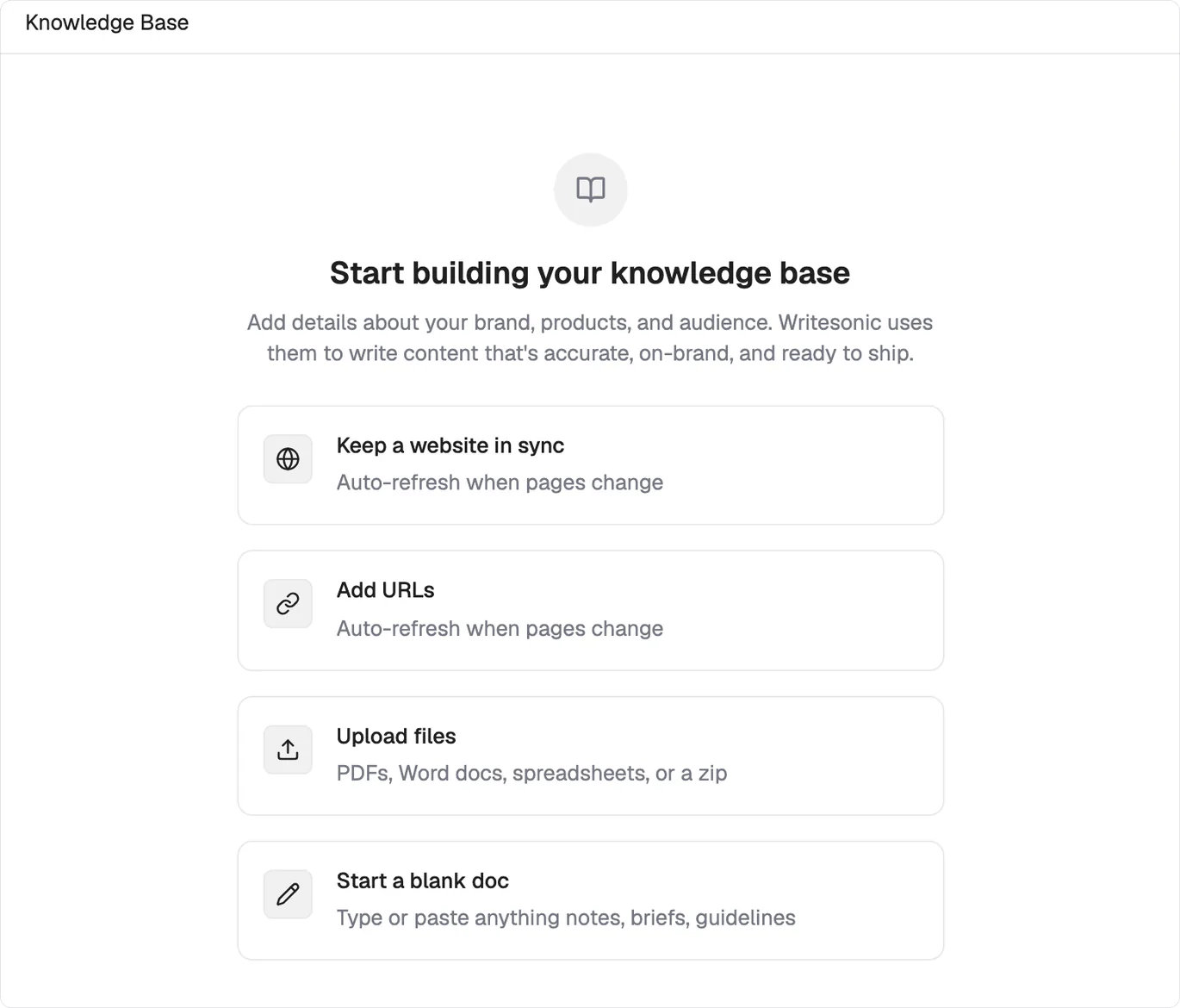 | Route | Use it for | Stays current |
| -------------------------- | ---------------------------------------------------- | -------------------------------- |
| **Keep a website in sync** | A domain whose pages agents should read | Auto-refreshes when pages change |
| **Add URLs** | Individual pages carrying a specific fact | Auto-refreshes when pages change |
| **Upload files** | PDFs, Word docs, spreadsheets, or a zip | Fixed at upload |
| **Start a blank doc** | Notes, briefs and guidelines that exist nowhere else | You edit it |
Both web routes refresh themselves, so a page you correct on your site is corrected here too. Uploads and blank docs are snapshots, and stay whatever you last saved.
Choose the narrowest useful source. One URL for a pricing page beats syncing the whole domain to reach it.
## Synced websites stay connected to their pages
A website sync isn't a one-off import. Open the source to see a **Tracked pages** table with one row for each page.
Every row reports **Synced** or **Sync failed**. A failed row identifies the exact page that didn't come through, instead of letting the crawl fail silently. The source also shows a **Last synced** timestamp, and **Sync now** requests an immediate refresh.
When a tracked page changes on your site, its Knowledge Base version changes through the ongoing sync. That keeps agents closer to the material customers and your team can see now.
## One source can ground one specific task
Shared knowledge is useful, but some work needs a tighter boundary. You can tag a Knowledge Base source into a single task so the agent grounds that work in one specific document.
Use [tagging context](/agents/tagging-context) when a pricing analysis should use the current packaging document, or when a customer story should stay faithful to its approved proof.
## Brand instructions belong in the Brand Kit
Don't put brand voice or author profiles in the Knowledge Base. Those instructions belong in the [Brand Kit](/agents/set-up-brand-kit), where they tell agents how your company and its authors should sound.
Keep facts here and writing guidance there.
## What's next
Set the voice, positioning, and author profiles agents should follow.
Attach a specific Knowledge Base source to one task.
| Route | Use it for | Stays current |
| -------------------------- | ---------------------------------------------------- | -------------------------------- |
| **Keep a website in sync** | A domain whose pages agents should read | Auto-refreshes when pages change |
| **Add URLs** | Individual pages carrying a specific fact | Auto-refreshes when pages change |
| **Upload files** | PDFs, Word docs, spreadsheets, or a zip | Fixed at upload |
| **Start a blank doc** | Notes, briefs and guidelines that exist nowhere else | You edit it |
Both web routes refresh themselves, so a page you correct on your site is corrected here too. Uploads and blank docs are snapshots, and stay whatever you last saved.
Choose the narrowest useful source. One URL for a pricing page beats syncing the whole domain to reach it.
## Synced websites stay connected to their pages
A website sync isn't a one-off import. Open the source to see a **Tracked pages** table with one row for each page.
Every row reports **Synced** or **Sync failed**. A failed row identifies the exact page that didn't come through, instead of letting the crawl fail silently. The source also shows a **Last synced** timestamp, and **Sync now** requests an immediate refresh.
When a tracked page changes on your site, its Knowledge Base version changes through the ongoing sync. That keeps agents closer to the material customers and your team can see now.
## One source can ground one specific task
Shared knowledge is useful, but some work needs a tighter boundary. You can tag a Knowledge Base source into a single task so the agent grounds that work in one specific document.
Use [tagging context](/agents/tagging-context) when a pricing analysis should use the current packaging document, or when a customer story should stay faithful to its approved proof.
## Brand instructions belong in the Brand Kit
Don't put brand voice or author profiles in the Knowledge Base. Those instructions belong in the [Brand Kit](/agents/set-up-brand-kit), where they tell agents how your company and its authors should sound.
Keep facts here and writing guidance there.
## What's next
Set the voice, positioning, and author profiles agents should follow.
Attach a specific Knowledge Base source to one task.