> ## Documentation Index
> Fetch the complete documentation index at: https://apidocs.writesonic.com/llms.txt
> Use this file to discover all available pages before exploring further.
# Integrations
> Every app you can connect, whether it's required, and what each one feeds.
Agents works from whatever you connect. The more of your stack it can read, the more of the work it can finish without coming back to ask you something.
## Connect what you have, starting with search and analytics
A few categories carry most of the value.
**Search** is Google Search Console, and it's the one integration Agents requires. It tells an agent which queries a page already wins, which it nearly wins, and where it slipped. Without it there's no SEO half to the page record.
**Analytics** is Google Analytics or Plausible, whichever you run. Neither is required, but connect one. It's what turns a ranking into a business number, so the agents can rank work by what it's worth rather than by traffic alone. Adobe Analytics is on the way.
**CMS** is where finished work lands. Without it, an agent hands you a document and you paste it yourself. With it, the draft appears in the system your team already publishes from.
**AI visibility** needs nothing from you. It comes across from the Writesonic platform automatically.
If access is slow to arrange, connect **Google Search Console** and add the rest as it clears. That's the floor, not the target. Everything you add widens what the agents can decide for themselves.
Follow [Connect your data](/agents/connect-your-data) for the setup steps.
## The full catalogue
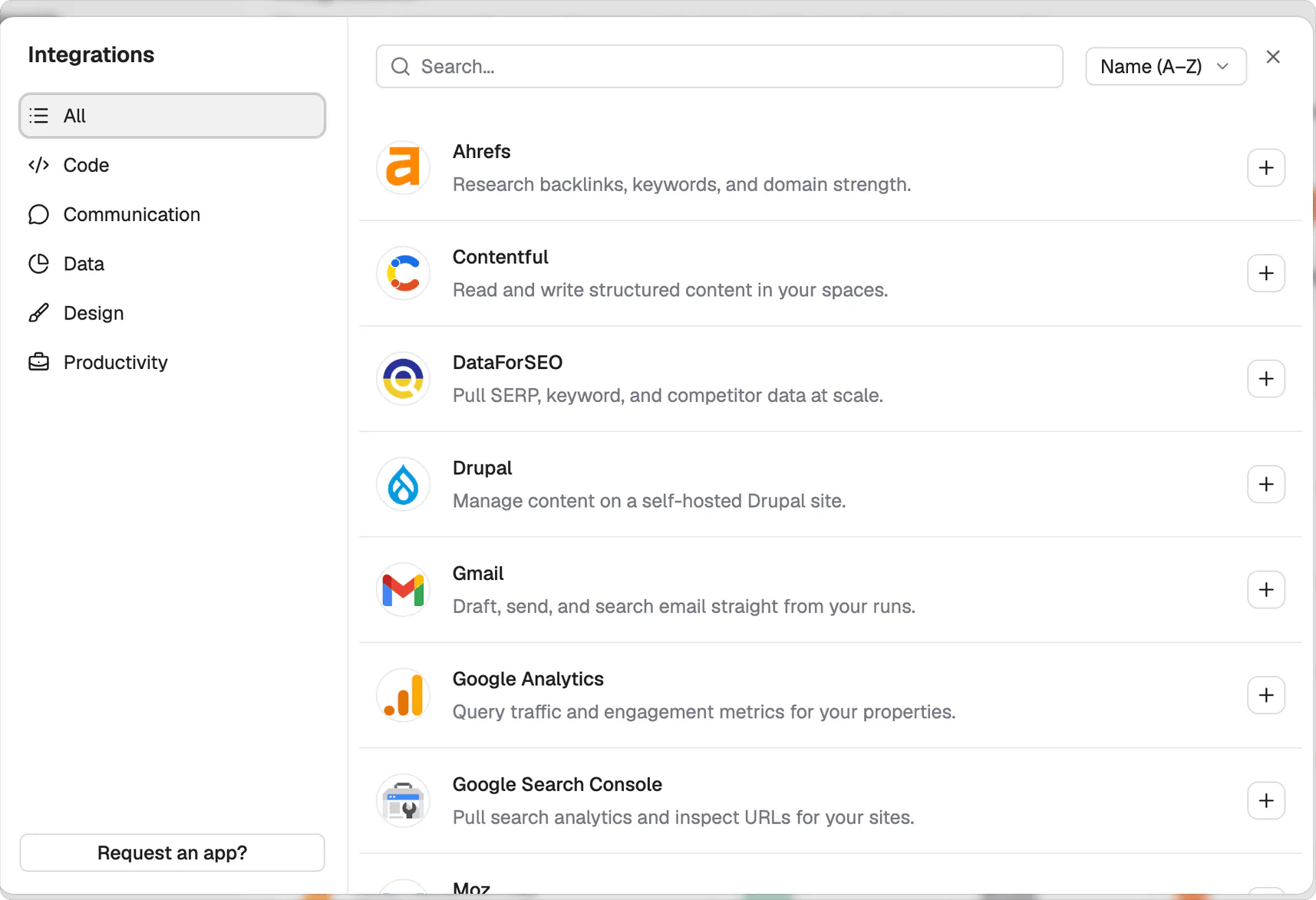
Open the Apps tab, select Add connection, and filter by All, Code, Communication, Data, Design, or Productivity.
| Category | Integration | What it feeds | How it connects |
| ------------- | ------------------------------------ | ------------------------------------------------------ | --------------- |
| Search | **Google Search Console** (required) | Queries, impressions, clicks and positions per page | OAuth |
| Analytics | **Google Analytics** | Sessions, engagement and conversions per page | OAuth |
| Analytics | Plausible Analytics | The same traffic picture, if you use Plausible instead | API key |
| CMS | WordPress.com | Finished work written back as a draft | OAuth |
| CMS | WordPress self-hosted | Finished work written back as a draft | API key |
| CMS | Webflow | Finished work written back as a draft | OAuth |
| CMS | Contentful | Finished work written back as a draft | API key |
| CMS | Sanity | Finished work written back as a draft | API key |
| CMS | Drupal | Finished work written back as a draft | API key |
| SEO data | Ahrefs | Backlinks, keyword and domain metrics | API key |
| SEO data | Moz | Domain authority and link metrics | API key |
| SEO data | DataForSEO | Keyword and SERP data | API key |
| Email | Gmail | Drafting email during a run. Sending stays with you | OAuth |
| AI visibility | Writesonic platform | Prompts, citations and share of voice | Automatic |
The SEO data integrations are for teams that already pay for those tools and want the agents reading the same numbers they do.
## More integrations are coming, and you can ask for the one you need
The catalogue keeps growing. If the app your team depends on isn't listed yet, select **Request an app?** at the bottom of the catalogue, or reach out to sales or your account manager with the app name and what you'd want it to feed.
 ## Connections stay with the workspace and access stays project-specific
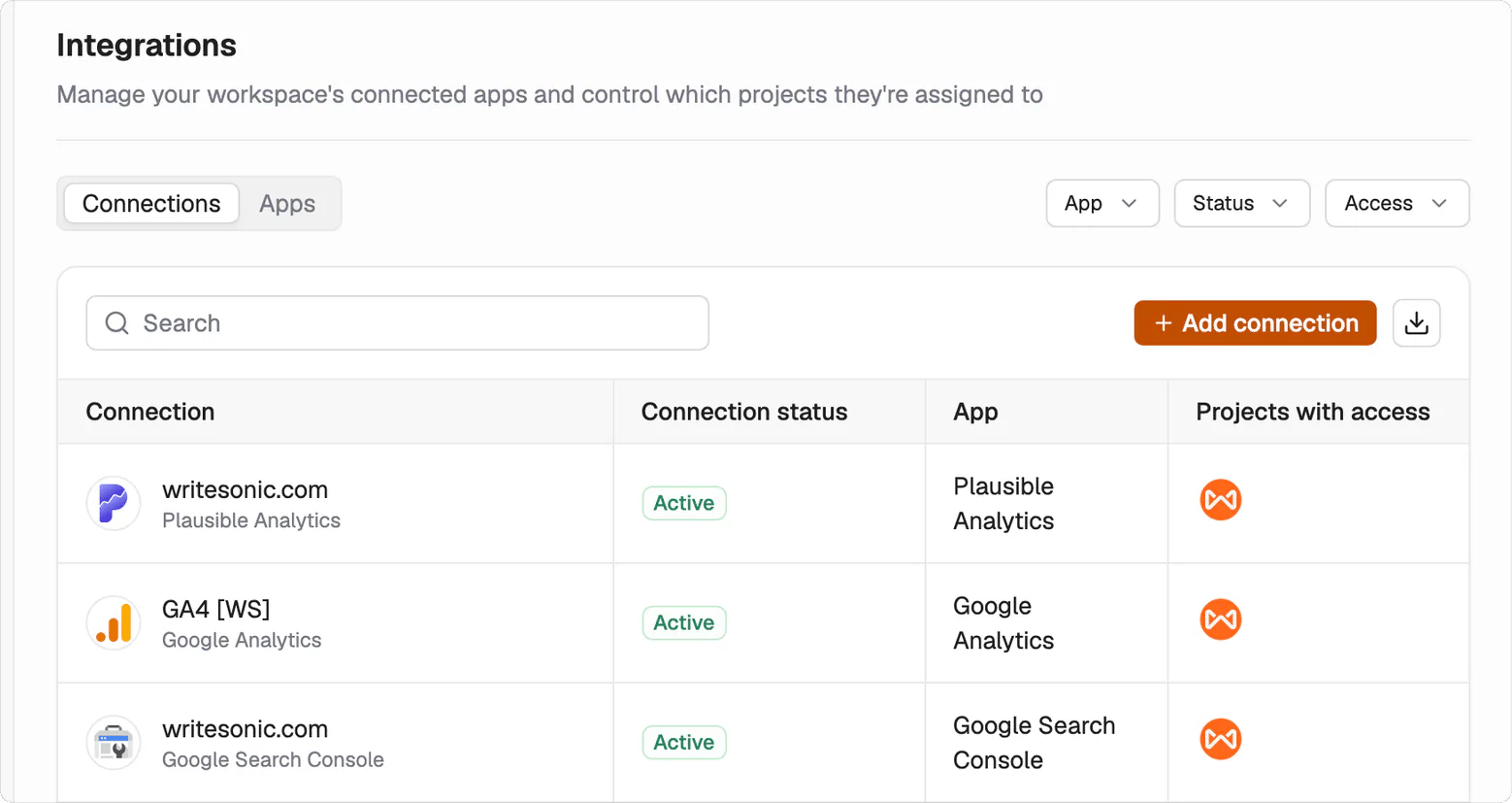
Connections belong to the workspace. You assign each connection only to the projects that should use it. The Connections tab shows its status and which projects have access. On a team, this makes access visible and keeps unrelated projects separate.
## Connections stay with the workspace and access stays project-specific
Connections belong to the workspace. You assign each connection only to the projects that should use it. The Connections tab shows its status and which projects have access. On a team, this makes access visible and keeps unrelated projects separate.
 ## Third-party SEO data uses your own subscription
You bring the API key.
Each third-party SEO integration requires an active subscription with that provider. Add the connection with the API key from your account. The subscription isn't included with Writesonic.
## What's next
Follow the setup steps.
See how work reaches your CMS.
## Third-party SEO data uses your own subscription
You bring the API key.
Each third-party SEO integration requires an active subscription with that provider. Add the connection with the API key from your account. The subscription isn't included with Writesonic.
## What's next
Follow the setup steps.
See how work reaches your CMS.