> ## Documentation Index
> Fetch the complete documentation index at: https://apidocs.writesonic.com/llms.txt
> Use this file to discover all available pages before exploring further.
# Grids
> A spreadsheet where every row runs the same playbook. Import your list, run it, and review row by row.
A playbook that works on one page is only useful if it works on four hundred. A grid is how you get there.
## A grid is a spreadsheet with a playbook wired into it
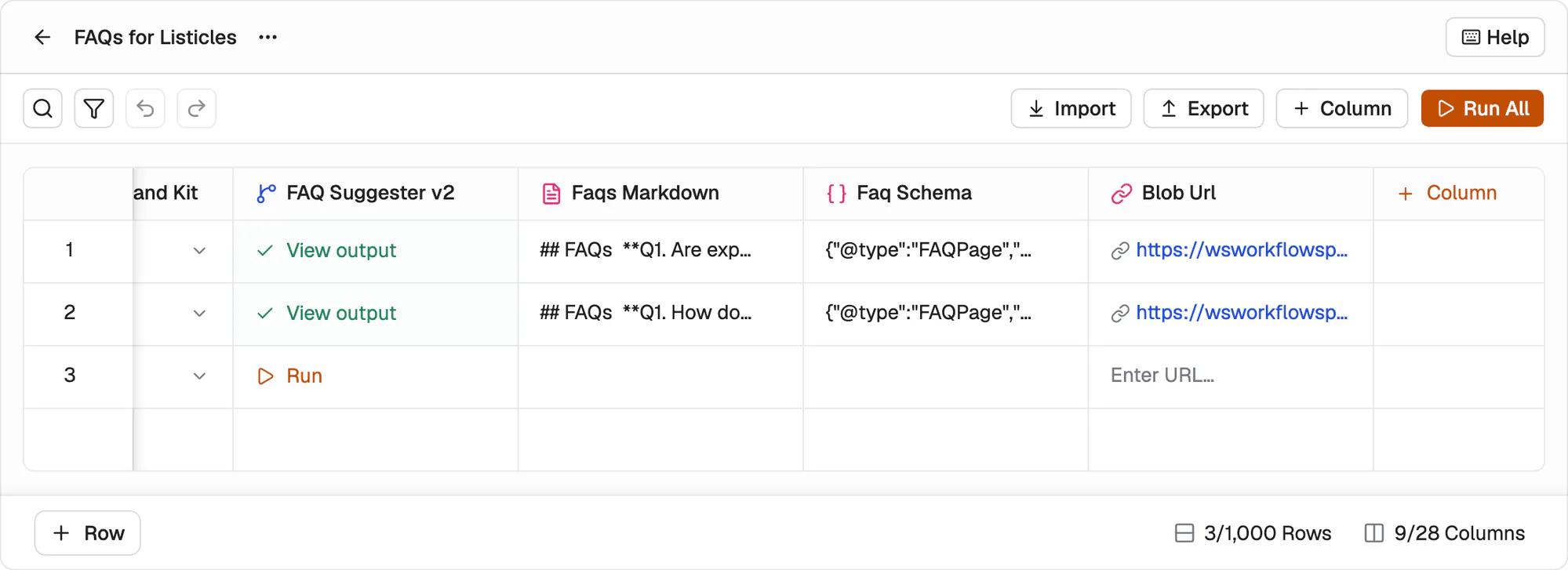
Open one and it looks like a spreadsheet, because that's what it is. Columns run left to right in three groups. The **input columns** hold what the playbook needs, one set per row. The **playbook column** is the run itself. The **output columns** fill in with what came back.
On a grid built from an FAQ playbook, that reads: article URL, number of FAQs, country, language and whether to use the Brand Kit, then the playbook, then the FAQs and the schema it generated.
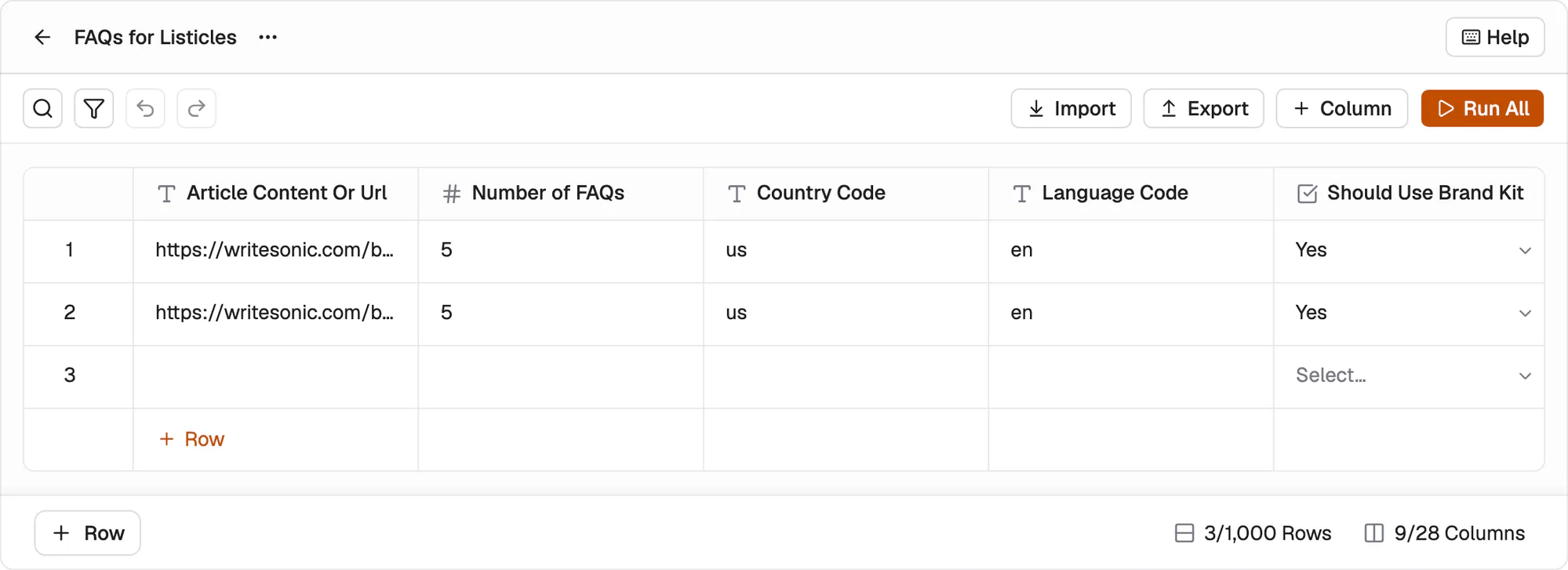 Scroll right and the playbook column comes into view, with the output columns after it.
 Create one from the playbook's own screen with **Create grid**.
## Fill it by hand or import the list
Add rows one at a time with **+ Row**, or use **Import** when the list already exists somewhere else. Most real work starts as a CSV from another tool, so import is usually the faster way in. **Export** takes the finished grid back out, outputs included.
A grid holds up to **1,000 rows and 28 columns**. Past that, split the work across more than one grid.
## Run one row before you run all of them
**Run All** starts every row that hasn't run. Each row also has its own **Run**.
Use the single-row run first, on real input, and read what comes back. A playbook that gets it right once is worth pointing at the other three hundred rows. One that doesn't is a cheap thing to find out early, while the fix costs one row instead of four hundred.
## Review happens per row
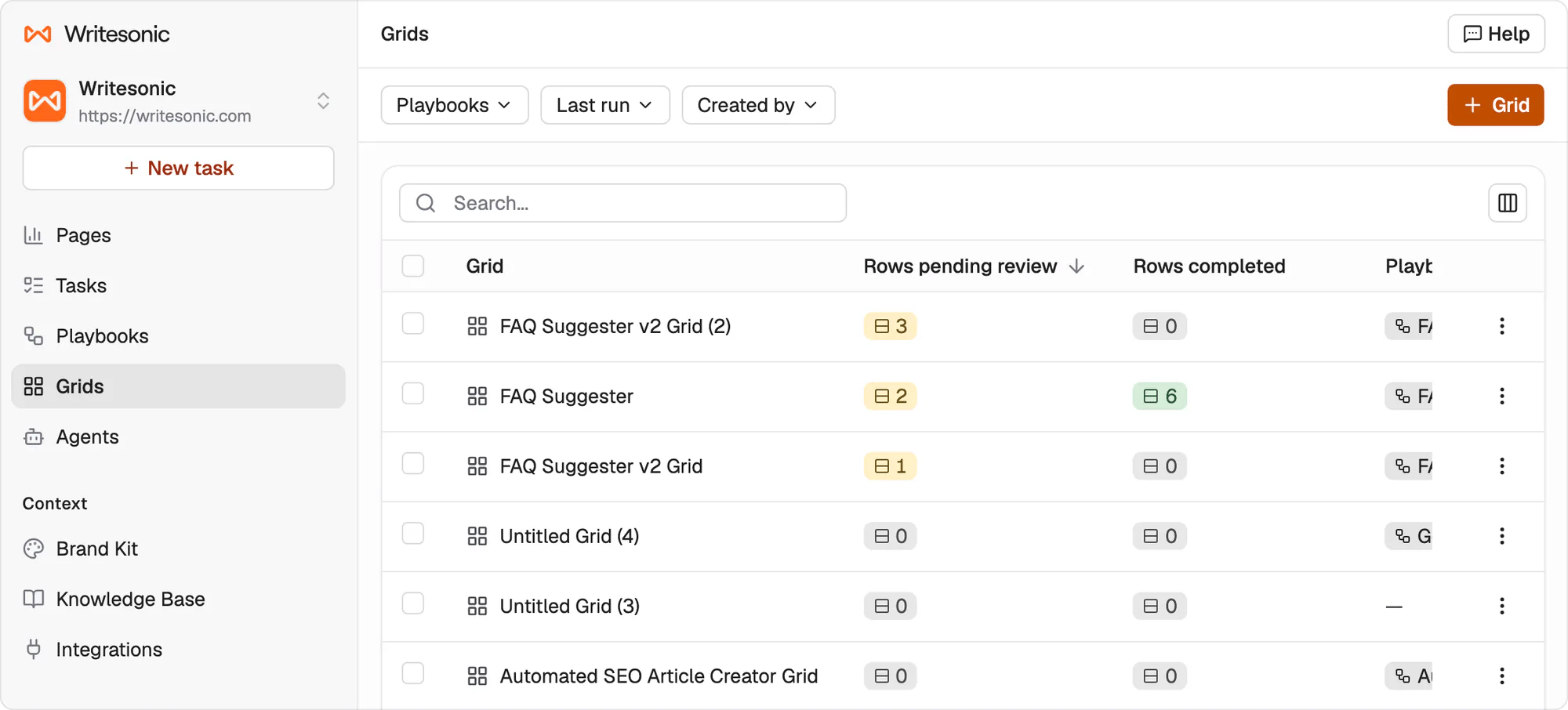
Rows are reviewed one at a time rather than the grid being accepted in one go. The grids list counts **Rows pending review** and **Rows completed** separately, so a grid can be part done.
That matters at volume. Approve a first batch, check the quality held, then work through the rest. A row that came back wrong doesn't hold up the ones that came back right.
Create one from the playbook's own screen with **Create grid**.
## Fill it by hand or import the list
Add rows one at a time with **+ Row**, or use **Import** when the list already exists somewhere else. Most real work starts as a CSV from another tool, so import is usually the faster way in. **Export** takes the finished grid back out, outputs included.
A grid holds up to **1,000 rows and 28 columns**. Past that, split the work across more than one grid.
## Run one row before you run all of them
**Run All** starts every row that hasn't run. Each row also has its own **Run**.
Use the single-row run first, on real input, and read what comes back. A playbook that gets it right once is worth pointing at the other three hundred rows. One that doesn't is a cheap thing to find out early, while the fix costs one row instead of four hundred.
## Review happens per row
Rows are reviewed one at a time rather than the grid being accepted in one go. The grids list counts **Rows pending review** and **Rows completed** separately, so a grid can be part done.
That matters at volume. Approve a first batch, check the quality held, then work through the rest. A row that came back wrong doesn't hold up the ones that came back right.
 ## What's next
Write the procedure a grid runs.
See how review works elsewhere in Agents.
## What's next
Write the procedure a grid runs.
See how review works elsewhere in Agents.