> ## Documentation Index
> Fetch the complete documentation index at: https://apidocs.writesonic.com/llms.txt
> Use this file to discover all available pages before exploring further.
# Content types
> The format rules for each thing you publish: length, structure, formatting and real examples.
A content type describes a deliverable's format, not its subject. Each entry has a name, a one-line description, and a Primary toggle for the format you publish most. It also sets a minimum and maximum target word count, a Structure list, and a CTA pattern.
For a LinkedIn post, the Structure list might begin with a hook built around a bold data claim or event announcement. One or two lines of supporting context follow, then a directional call to action with an arrow or link. The agent gets the expected sequence before it starts drafting.
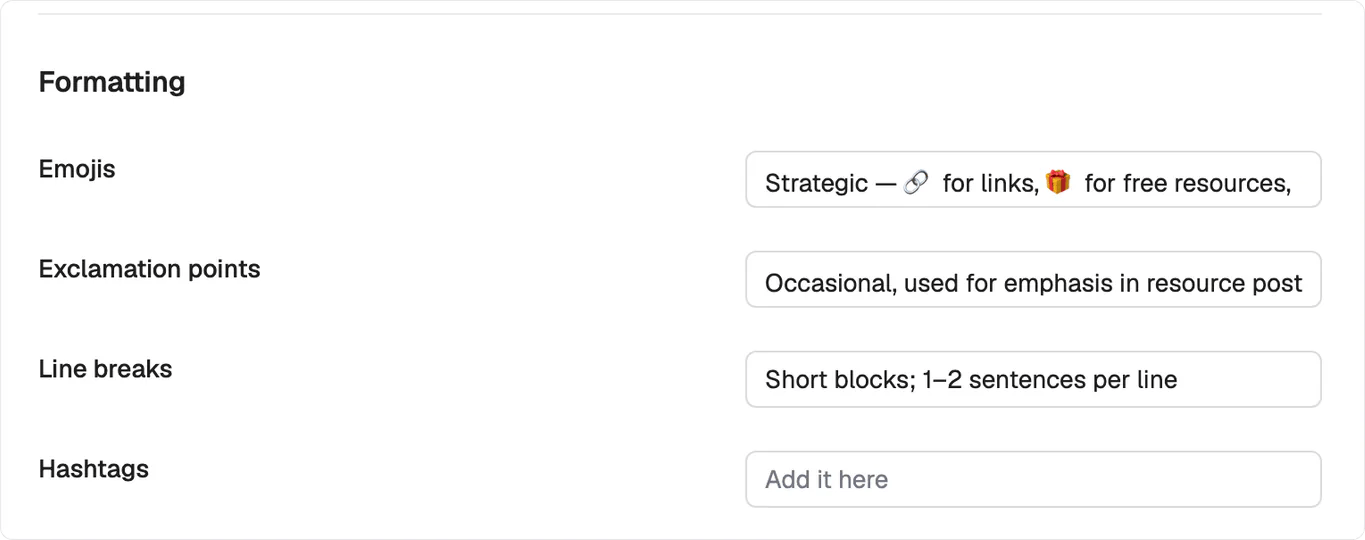 Formatting uses written rules rather than on or off switches. Emojis, Exclamation points, Line breaks, and Hashtags each hold your instruction in plain words. A Line breaks rule might read `Short blocks; 1-2 sentences per line`, which carries more useful context than an enabled setting. You can also paste real pieces of that content type into Examples and give each one a short label.
## What's next
Set who the work addresses and how it sounds.
Pull a content type into a single task.
Formatting uses written rules rather than on or off switches. Emojis, Exclamation points, Line breaks, and Hashtags each hold your instruction in plain words. A Line breaks rule might read `Short blocks; 1-2 sentences per line`, which carries more useful context than an enabled setting. You can also paste real pieces of that content type into Examples and give each one a short label.
## What's next
Set who the work addresses and how it sounds.
Pull a content type into a single task.