> ## Documentation Index
> Fetch the complete documentation index at: https://apidocs.writesonic.com/llms.txt
> Use this file to discover all available pages before exploring further.
# Approvals and review
> Three review modes control how much you check before work is applied. Nothing reaches your live site without a person approving it.
Agents change real pages. Review mode is the setting that decides how much of that work you see before it's applied.
## The agents execute, and you control what you review
Agents do the work end to end. They don't stop at recommendations. They are autonomous with a human in the loop, and that loop is you.
## One of three review modes applies to every new task
Choose a mode in the New Task modal.
It "applies to all new tasks until changed."
| Mode | What it does | When to use it |
| -------------------------------------- | --------------------------------------------------------------------------------------------------------------- | ---------------------------------------------------------------------- |
| **Manually review** | Review every task and subtask before it's applied. | Use during your first week or when you want to inspect every step. |
| **Skip reviews** | Subtasks run automatically. You only review the main task. | Use once you trust the steps and only want to check the finished work. |
| **Review based on agent**
Default | Choose which agents need your review and which run automatically. Setting this opens **Set agent permissions**. | Use when review needs differ by agent. |
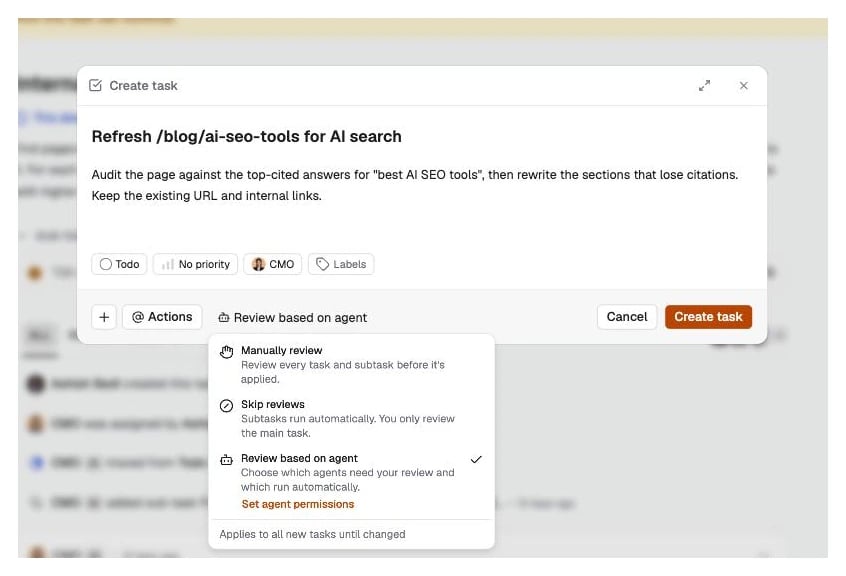 We recommend **Manually review** for the first week. Then move to **Review based on agent** and let the agents you trust run.
## Set the level once per agent
**Set agent permissions** lists every agent in your workspace with one setting each. **Review needed** holds that agent's output until you approve it. **Skip reviews** accepts it automatically.
We recommend **Manually review** for the first week. Then move to **Review based on agent** and let the agents you trust run.
## Set the level once per agent
**Set agent permissions** lists every agent in your workspace with one setting each. **Review needed** holds that agent's output until you approve it. **Skip reviews** accepts it automatically.
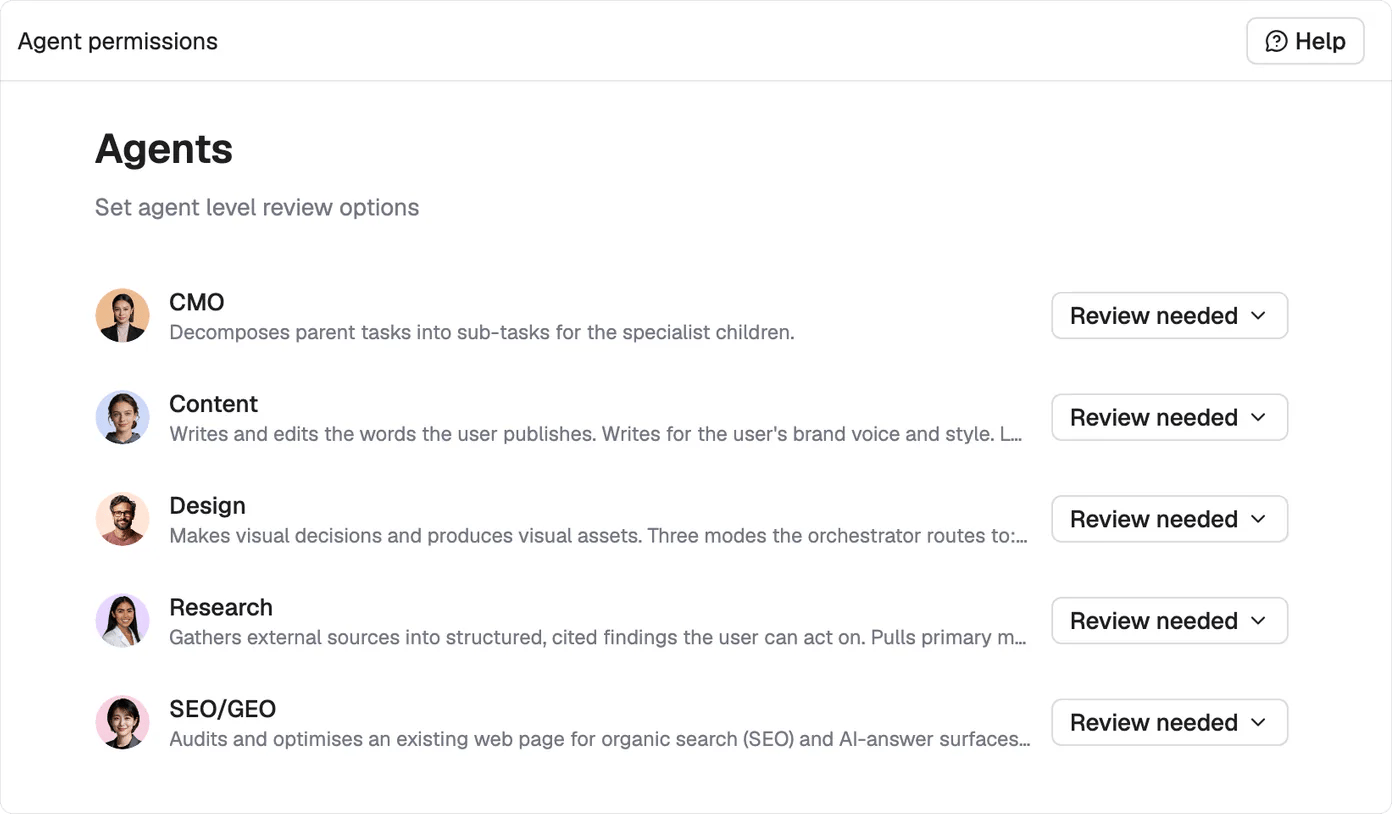 Research is the usual first candidate for Skip reviews, since nothing it produces reaches your site on its own. Content and Design are the ones worth holding.
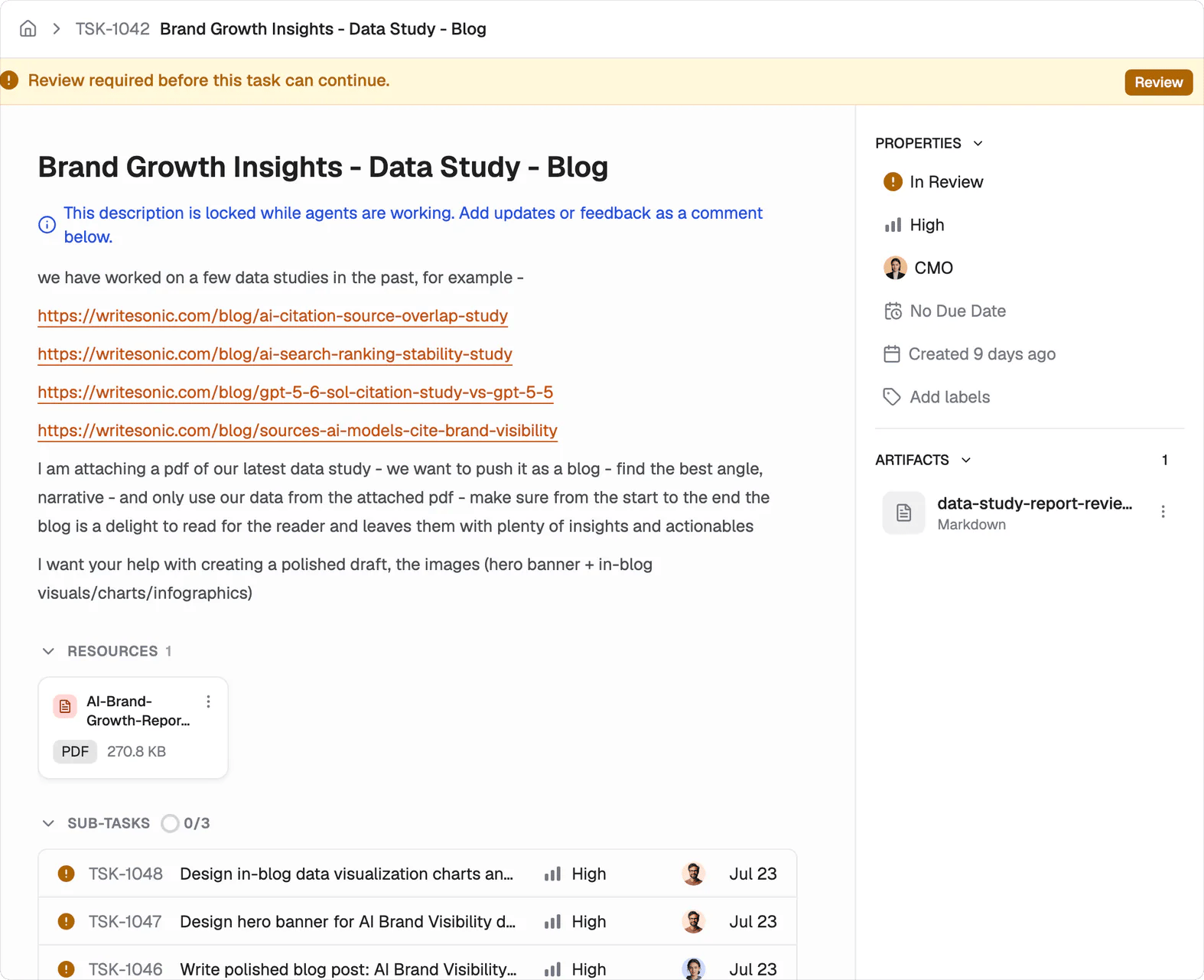
## A task that needs you says so and stops
Research is the usual first candidate for Skip reviews, since nothing it produces reaches your site on its own. Content and Design are the ones worth holding.
## A task that needs you says so and stops
 ## Nothing publishes on its own
Finished work lands in your CMS as a draft. Nothing reaches your live site until a person publishes it. Agent approval and publishing remain separate actions.
## Feedback keeps the work and its context together
Comment on the deliverable when something needs to change. The agent revises the existing work with the context it already gathered. Rejecting and rewriting the task from scratch throws that context away.
## What's next
Follow the task lifecycle and every status.
Connect a CMS so finished work lands as a draft.
## Nothing publishes on its own
Finished work lands in your CMS as a draft. Nothing reaches your live site until a person publishes it. Agent approval and publishing remain separate actions.
## Feedback keeps the work and its context together
Comment on the deliverable when something needs to change. The agent revises the existing work with the context it already gathered. Rejecting and rewriting the task from scratch throws that context away.
## What's next
Follow the task lifecycle and every status.
Connect a CMS so finished work lands as a draft.